

Finding Recipients when Composing an Appointment
iMIS for Outlook allows users to add iMIS contacts to an Outlook appointment.
To find recipients when composing an Outlook appointment, do the following:
- Click on the iMIS for Outlook icon to open iMIS for Outlook.
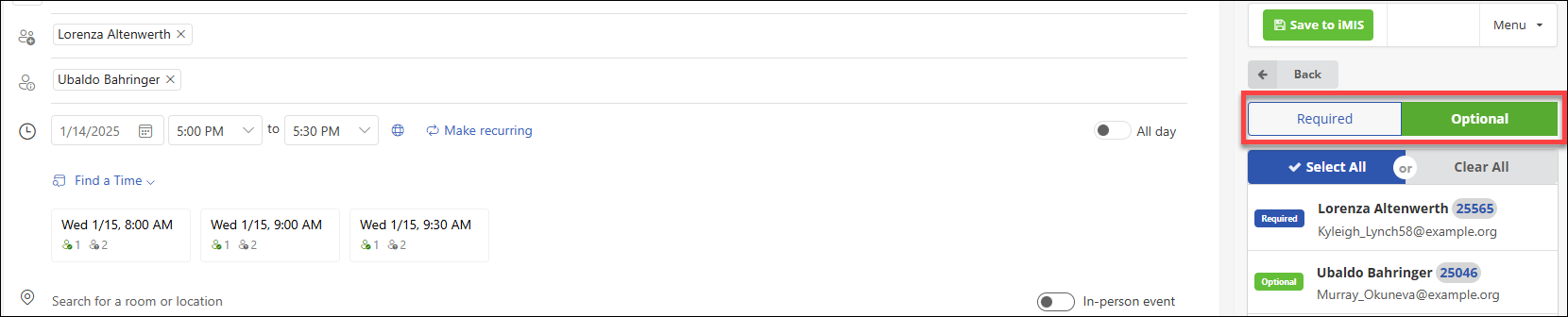
- Choose Contact Search, Groups, or IQA queries to get the list of potential attendees.
When viewing search results or contact lists in iMIS for Outlook, users can add an attendee as Required or Optional using top level filter (highlighted in red). Click on Required or Optional, then select the corresponding attendees. Unchecking the attendees will remove them from the list.
Updated 18 days ago
Did this page help you?