

Testing BluePay credit card and ACH transactions
This article outlines how to perform test credit card and ACH transactions with BluePay.
Prerequisites
Double-check the following prerequisites
- Ensure that you are working in your test environment.
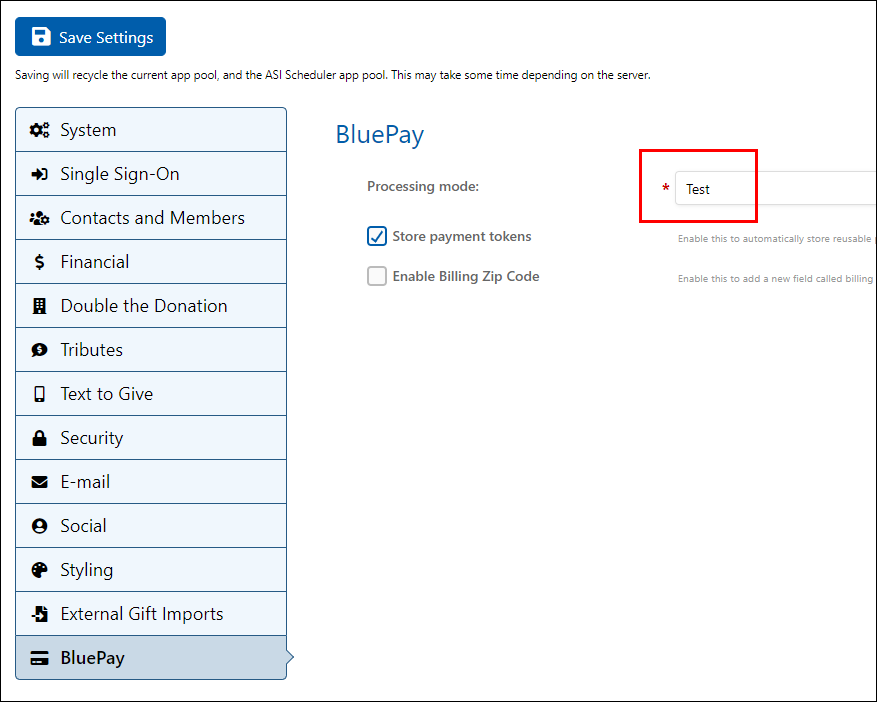
- Ensure that your test Donate Now - Premium system is in BluePay Test mode. GOo to System Settings > BluePay and ensure that the Processing mode is set to Test.
WarningYour test iMIS and test Donate Now - Premium instance should already be set to Test mode, and your live instances should be set to Live. Do not make any changes to these modes (i.e. do not set BluePay to Live in your test instance, and do not set BluePay to Test in your production/live instance).
Testing for Approval vs. Declined
NoteThis information applies to both credit card and ACH transactions.
To receive an approval / success response from BluePay, the whole dollar amount must be an odd number. Cents are ignored. (For example, for the amount $63.82, only the $63 is checked for even/odd, the cents portion [.82] is ignored.)
The following amounts will return APPROVED:
- $3.00
- $481.90
- $75.52
- $11.00
The following amounts will return DECLINED:
- $10.00
- $12.99
- $150.00
- $56.25
Testing credit card transactions
BluePay's testing policy is extremely flexible. You can use ANY valid credit card number (even your own real card numbers!) for testing purposes. No actual monies are transferred as long as the system is in Test mode.
Test parameters
| Field | Value |
|---|---|
| Amount | See above, depending on the amount you will get an approval or declined response. |
| Card Number | See below. |
| Expiration Date | Any date in the future. |
| CVV2 | Any three numbers (or four numbers, if testing Amex). |
| Name on Card | Any name, including any combination of first, middle, and/or last. |
Testing credit card numbers
Any valid credit card number that passes the Luhn algorithm can be used as a test card. This includes your actual, live credit card numbers.
As long as BluePay is in Test mode, no monies are transferred, even if a real card number is used.
In addition to using a real card number, the following test card numbers also work:
- Visa: 4111111111111111
- Visa: 4242424242424242
- MasterCard: 5555555555554444
- MasterCard: 5105105105105100
- American Express: 378282246310005
- American Express: 371449635398431
- Discover: 6011111111111117
- Discover: 6011000990139424
Testing ACH transactions
Test parameters
| Field | Value |
|---|---|
| Amount | See above, depending on the amount you will get an approval or declined response. |
| Name on Account | Any name (any combination of first/middle/last). |
| Account Number | Any random account number between 6 and 16 digits. |
| Account Type | Checking |
| Routing Number | Any valid/real routing number, examples below |
Example routing numbers that you can use:
- 026009593 - Bank of America
- 271070801 - Citibank
- 071101307 - Wells Fargo
- 071000013 - Chase Bank
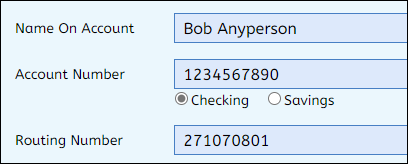
If the routing number is entered correctly, the bank name should appear to the right of the routing number text box.
Updated 2 months ago