

Running an import task
After the staff user has mapped fields, the staff user must run the task.
Do the following to run the task:
- Verify the Action (Insert, Insert with Matching, Update, Insert and Update, or Delete) is correct:
- Options are set correctly.
- Mappings are correct.
- Summary looks accurate.
- Click Continue to begin the Import or Update.
The Logs panel will show the progress as iImport Cloud creates or updates records.
Cancelling an Import
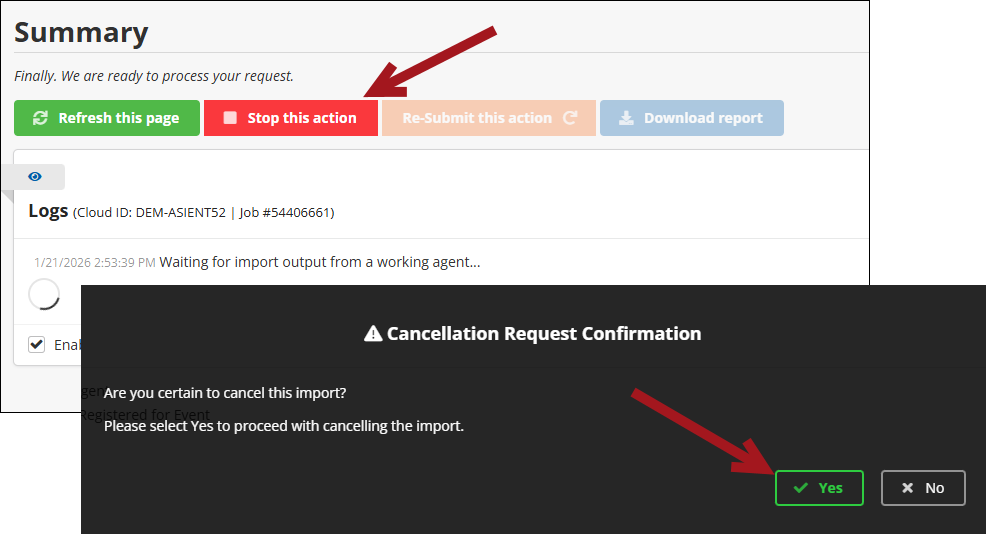
To cancel an import after submitting it, click Stop this action, then Yes.
Downloading Failed Records
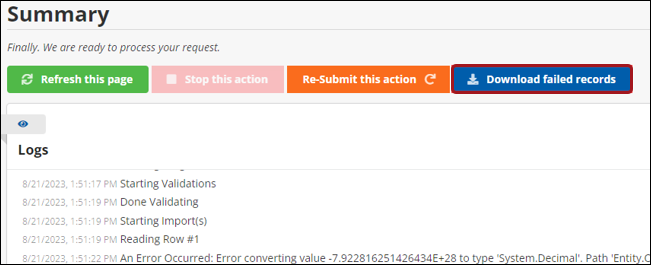
If there are errors with the import, it is possible to review only the records that errored out. On the Summary page, click Download failed records to download a .XLSX file to review, change, and re-import.
Updated 2 months ago
Did this page help you?