

Placement presets
Placement presets define where advertisements appear within the application and who can see them.
Creating placement presets
To create a placement preset:
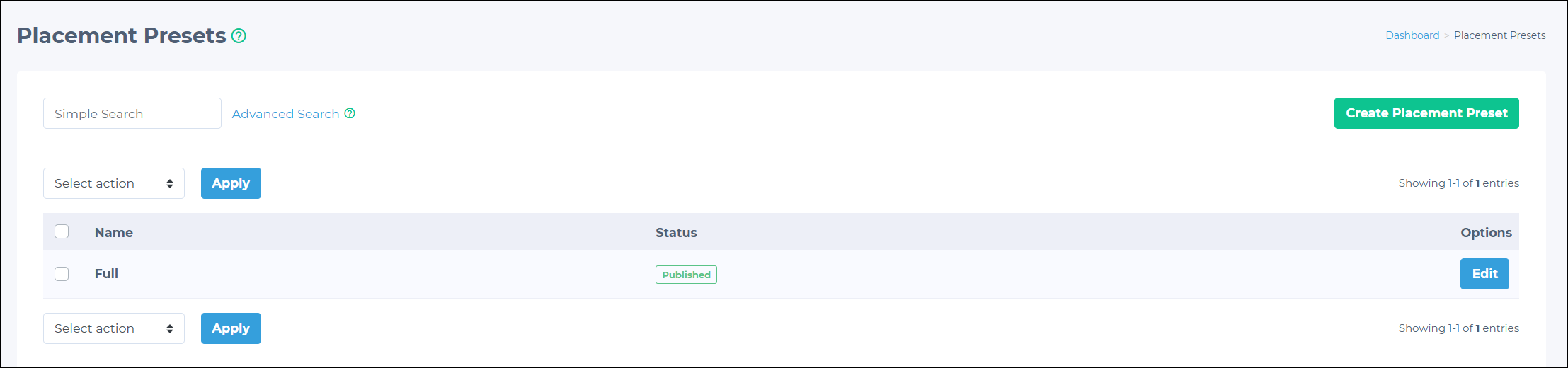
- Go to Advertisements > Placement Presets in the Admin Panel.
- Click the Create Placement Preset button on the Placement Presets page.
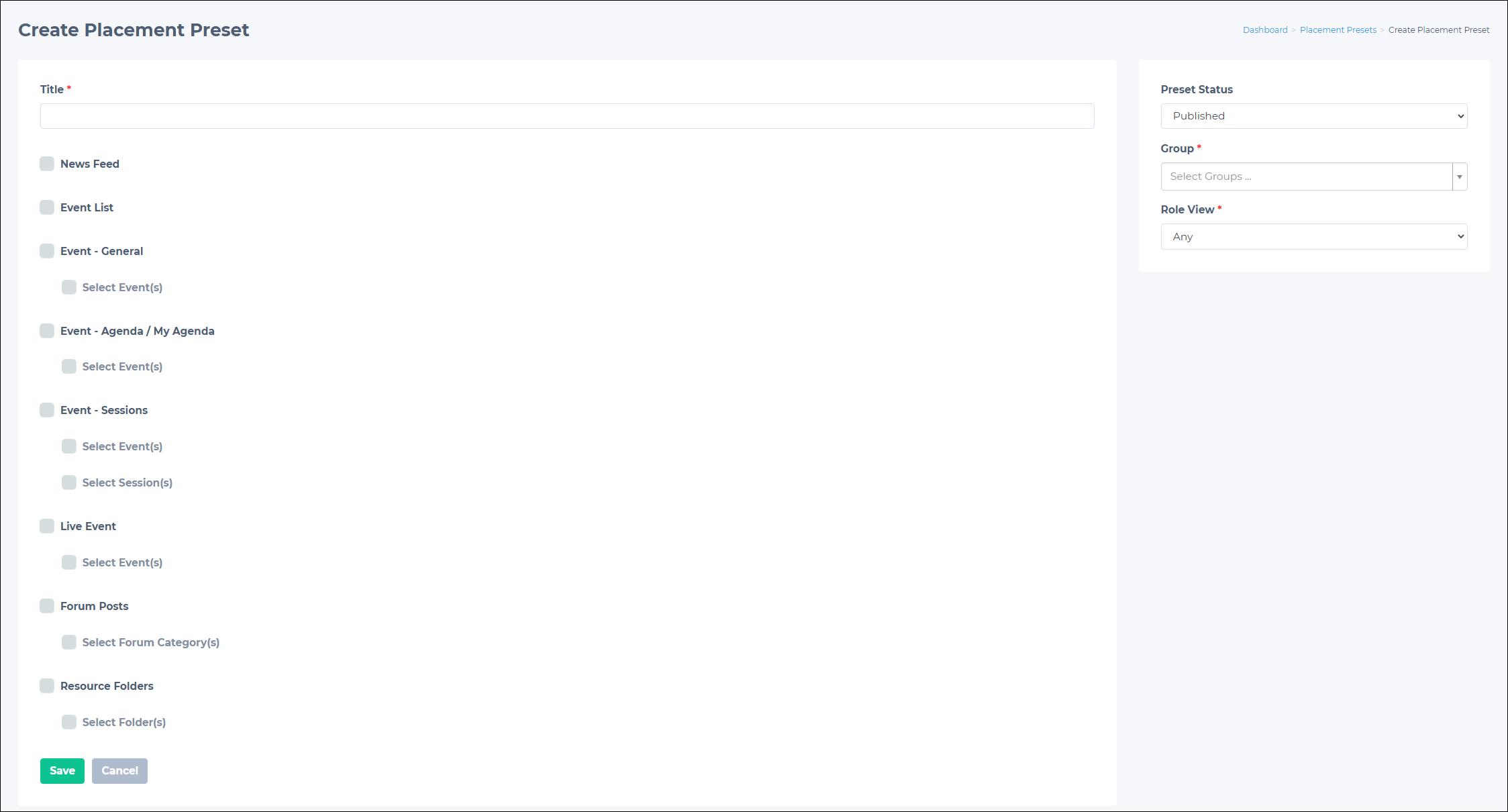
- On the Create Placement Preset page, provide the following details:
- Title (required): Give the preset a descriptive name.
- Preset Status: By default, this is set to Published.
- Group: Targets specific user groups, ensuring ads are shown to the most relevant audience.
- Role View: Targets specific user group roles, such as member and non-member, ensuring ads are shown to the most relevant audience.
- Select specific app locations to show the ad. You can choose either entire sections or specific parts within them:
- News Feed
- Event List
- Event - General: This selects all events in the Events dashboard. To select specific events, enable the Select Event(s) option, then search for the desired event (s).
- Event - Agenda / My Agenda: This selects the agenda for all events. To choose a specific event agenda, enable the Select Event(s) options, then search for the desired event.
- Event - Sessions: This selects all event sessions. To choose specific event sessions, click the Select Event(s) box, then search for the desired event. Then, enable the Select Session(s) option and search for the desired session.
- Live Event: This selects all live events in the Events dashboard. To select specific events, enable the Select Event(s) option, then search for the desired event (s).
- Forum Posts: This selects all published forum posts. To choose posts from select categories, enable the Select Forum Category(s) option, then search for the desired category.
- Resource Folders: This selects all resource folders. To select specific resource folders, enable the Select Folder(s) option, then search for the desired folders.
- After configuring all settings, click the Save button to create the placement preset.
Editing placement presets
Placement preset settings can be modified after creation:
- Go to Advertisements > Placement Presets.
- Click the Edit button for the desired preset.
- Update the preset details as needed. Change any of the settings, including:
- Title
- Preset Status
- Group
- Role View
- App locations for ad display
- Click Save to apply changes.
Updated 3 months ago
Did this page help you?