

Release info survey
The Release Info survey gives clients flexibility in how the app is released to users, staff, members, and relevant app stores, such as the Apple App Store and the Google Play Store.
In this section, clients must complete the following surveys:
- Settings & App Module Visibility
- App Store Info
Completing the Settings & App Module Visibility survey
The Settings & App Module Visibility survey allows clients to configure the following aspects of the app experience:
- Clowder admin time zone – Determines the client's time zone, which affects scheduled posts and notifications. For more information, see How timezones work in our application.
- Hidden menu items – Specifies what menu items must remain completely hidden to non-members. For example, clients may choose to hide their Resources or Library folders from non-members.
- Menu items with hidden content – Defines menu items that are partially visible to non-members. Clients can create a message that displays to non-members once they click these menu items.
- Alert text for hidden content – Specifies the message that appears when non-members click on hidden content.
- Contact Us information display – Defines how the client's contact information appears in the app. Clients can choose between URL, email, phone number, or no contact information in the app.
App Store info
In the App Store info section, clients can control how the app appears on mobile app stores.
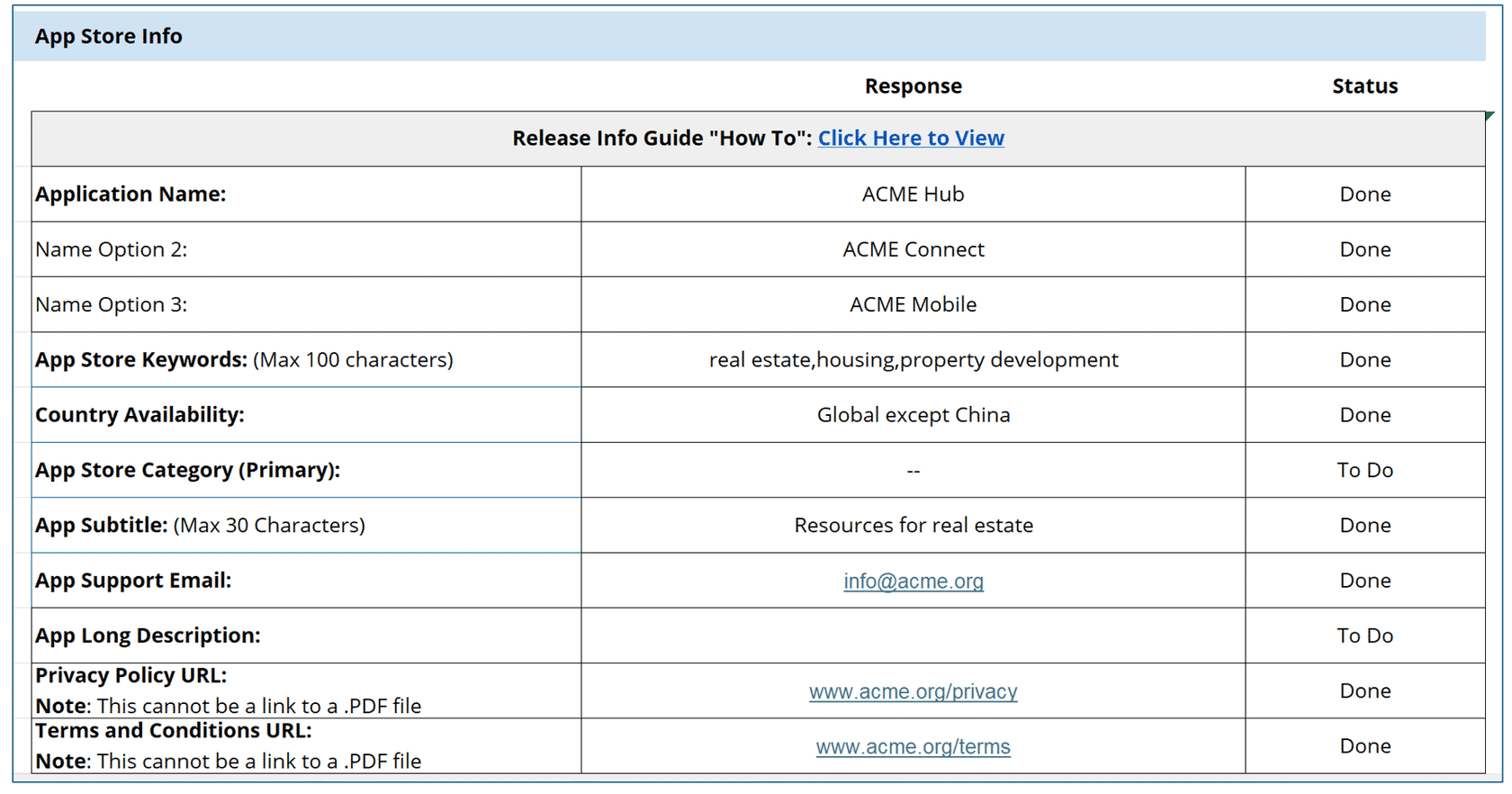
Clients must provide the following information:
- Application Name – This will be the name of the application in the app store. Alternate names could also be provided, in case the original names have been taken or are flagged by app store moderators.
- App store keywords – Keywords to improve app search visibility. These keywords may also help app store algorithms categorize the app correctly.
- Country availability – Defines the countries where the app will not launch.
- App store category – Choosing the right category helps the application reach the right audiences. For example, an app for a football association is best placed under the Sports category.
Updated 9 days ago
Did this page help you?