

Product survey
Product survey helps define how clients want Clowder modules configured, personalized, and displayed in their mobile apps.
Clients have access to different Clowder modules depending on their subscription. For more information on Clowder subscription tiers and their feature availability, contact the Clowder sales team.
Completing the Core Modules section
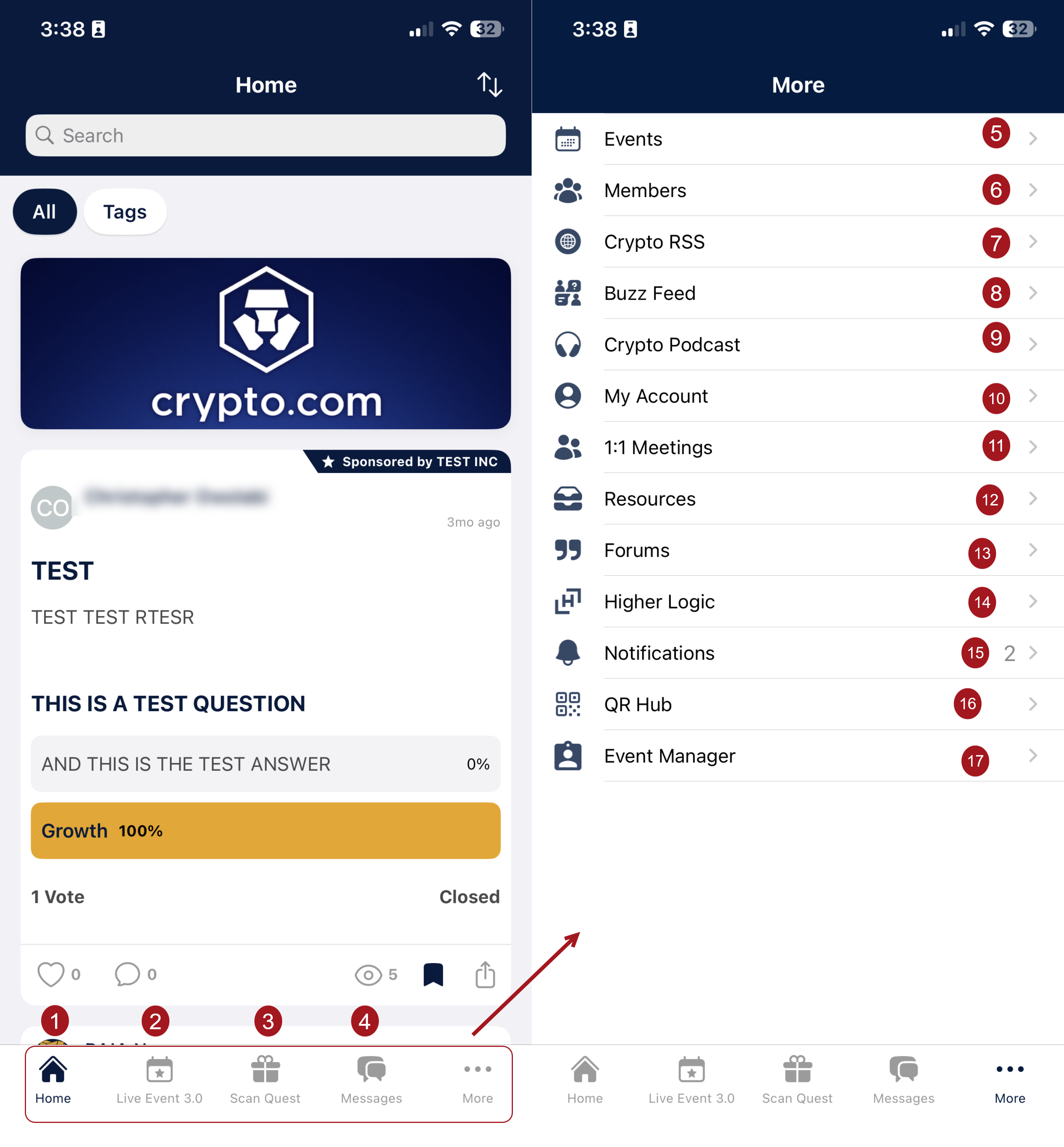
The Core Modules section presents the Clowder modules in the client's subscription. In this section, choose the names that the Clowder app displays for each of the core modules and define the order of arrangement in the mobile app:
- App Display Name – Enter a preferred name for each app module. For example, clients can choose to rename the Clowder module called Notifications Hub as Updates.
- Menu Order – Define the order of the menu items. The most prominent menu item gets the number 1.
The image below shows the menu placements according to the order specified in the Core Modules section.
Completing the Modules with URLs section
The Modules with URLs section lets clients enrich their application experience with web-based content that does not fit in the app. It also lets clients expand app functionality for core modules they are not subscribed to. For example, the client can use this section to link to the career center on their website, instead of building out a new, in-app career center.
The Modules with URLs survey contains the following fields:
- Clowder Module – The module's default name in Clowder.
- App Display Name – A preferred name for each Clowder module.
- URL – The URL to which the module opens.
- Menu Order – Specifies how the enabled module items are arranged in the app.
Completing additional modules
Additional modules to complete in this survey include:
- Modules with Surveys – These modules may require more information to complete or integrate. Depending on the preferred modules in this section, the client may have to complete additional surveys.
- Other Modules – These modules may be subscribed to but do not require other decisions. Certain modules, such as Push Notifications and Advertising modules, cannot be renamed in the Admin panel.
Updated 9 days ago