

Membership
The Membership section is a configurable area within My Account. Administrators fully control the content in this area through the Admin Panel.
Membership is not a status tracker — it is a customizable informational section. It consists of three elements, all configured per User Category:
- Section Name: The title displayed to the user. Defaults to “Membership” but can be changed to anything (for example, “Your Subscription”, “Plan Details”).
- Description Text: A free-form text block. Administrators can write any content here: membership details, conditions, helpful information, instructions, etc.
- Renew Button: A button with a configurable label and URL. The URL can point to any destination — a renewal page, a payment portal, an external site, or any other link the admin chooses. If no URL is configured, the button does not appear.
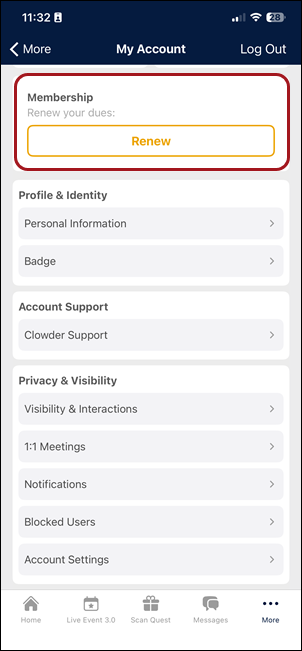
Mobile (iOS and Android)
In the My Account hub, the Membership section appears as a tile or card showing:
- The section name (as configured by admin)
- The description text (as configured by admin)
- The button with its configured label (if a URL is set)
Tapping the button opens the configured URL in a web view or external browser.
Web app
The Membership section on the web app displays the same three elements (section name, description text, and button) in a layout optimized for desktop.
Updated 3 months ago
Did this page help you?