

Content reports
All reports in the Staff site are created using either IQA, or an extension of Microsoft called SQL Server Reporting Services (SSRS). There are also reports that combine IQA and SSRS, where the IQA is used to define and pull the data, while SSRS is used to define the layout of the report.
You can run out-of-the-box reports on a variety of data within iMIS. Using an IQA or SSRS report is how you can get report data on the web.
You may in certain situations want to modify an existing SSRS report. To add or remove information from the report, you must download its RDL file and make adjustments to the SQL that the report uses. For more information about modifying a report, see Modifying and creating reports.
NotePrinting a report using IE11 requires that the browser be in Enterprise Mode. Contact Tech Support for assistance.
NoteTo print a report, export the report using the PDF or Excel buttons, then print the exported report.
iMIS provides several out-of-the-box Content reports. To access Content reports from the Staff site, go to Continuum > Content reports.
The following Content reports are available:
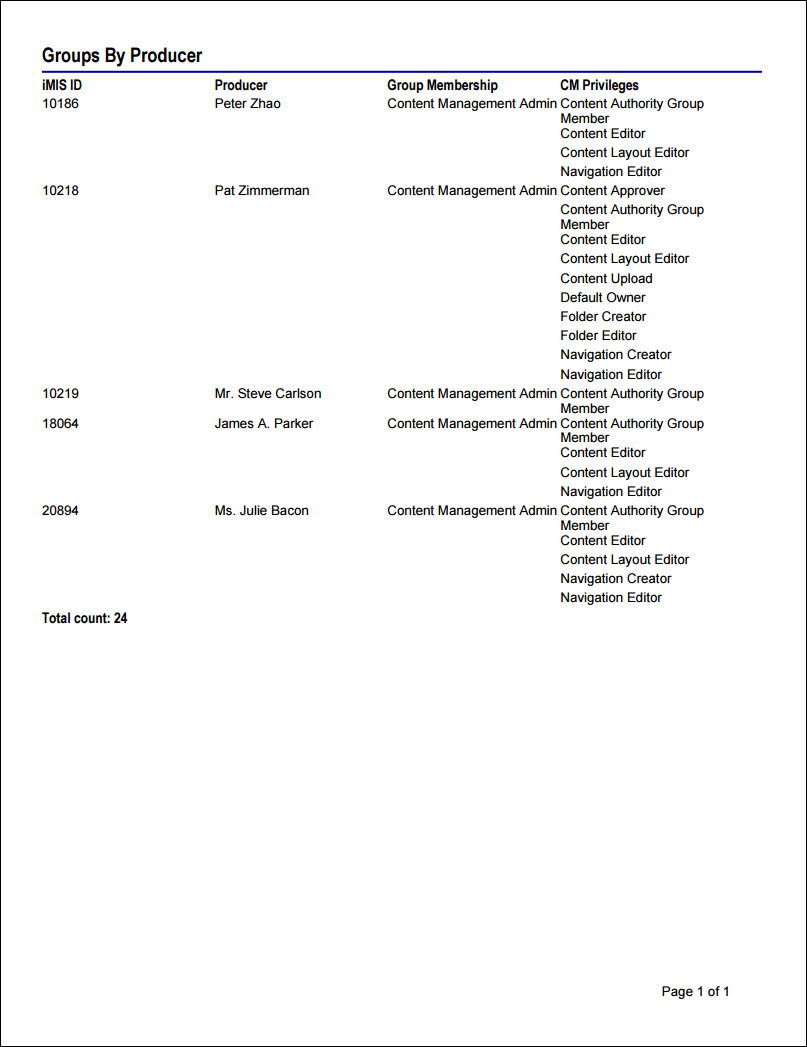
Groups By Producer Report
Generates information about specific groups. Includes contact ID and name, group name, and role.
- Source IQA - Groups By Producer
- Source file path - $/ContentManagement/DefaultSystem/Reports/Queries
-
Source Business Objects:
- Contact
- GroupMember
- Group
- GroupMemberDetail
- GroupTypeRef
- GroupRoleRef
-
Relationships:
- FK_GroupMain_GroupTypeRef (When Group.Type = GroupTypeRef.GroupTypeKey)
- FK_GroupMember_ContactMain_Member (When Contact.Contact Key = GroupMember.Contact)
- FK_GroupMember_GroupMain (When GroupMember.Group Key = Group.Group Key)
- FK_GroupMemberDetail_GroupMember (When GroupMember.GroupMemberKey = GroupMemberDetail.GroupMemberKey)
- FK_GroupMemberDetail_GroupRoleRef (When GroupMemberDetail.Role = GroupRoleRef.GroupRoleKey)
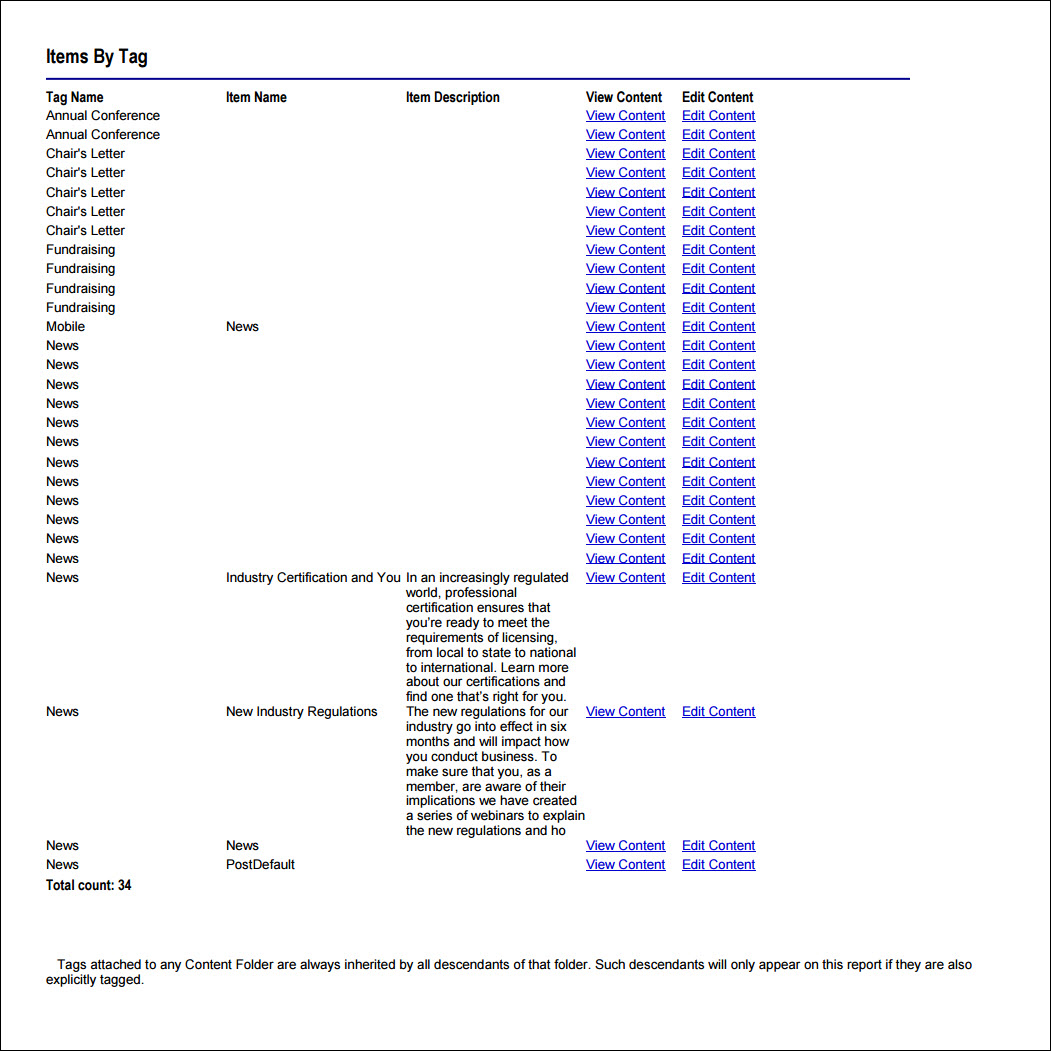
Items By Tag Report
Generates a list of item (product) tags. Includes tag name, item name and description, and uniform key.
- Source IQA - Items By Tag
- Source file path - $/ContentManagement/DefaultSystem/Reports/Queries
-
Source Business Objects:
- Tag
- UniformTag
- Document
-
Relationships:
- FK_UniformTag_Tag (When Tag.Tag Key = UniformTag.Tag Key)
- Custom (When UniformTag.Uniform Key = Document.Document Version Key)
Updated 3 months ago