

Understanding Staff site dashboards
The Community (including Volunteers), Membership, Fundraising, Events, Commerce, Advanced email, and AutoPay navigation items in the Staff site offer a quick-view dashboard of information pertaining to the navigation item. These dashboards display summary information through the use of many IQA queries ($/Samples/Dashboards).
These dashboards can be modified so that you may make them unique to your organizational needs. To learn how to tailor the dashboards, see Tailoring the dashboards.
NoteIn order for the dashboards to have an appropriate loading time, some queries will need to be cached. Caching a query saves the initial results, and then periodically refreshes the query when the page is reloaded. To enable query caching, enable Use cached results from the query Summary tab.
Community dashboard
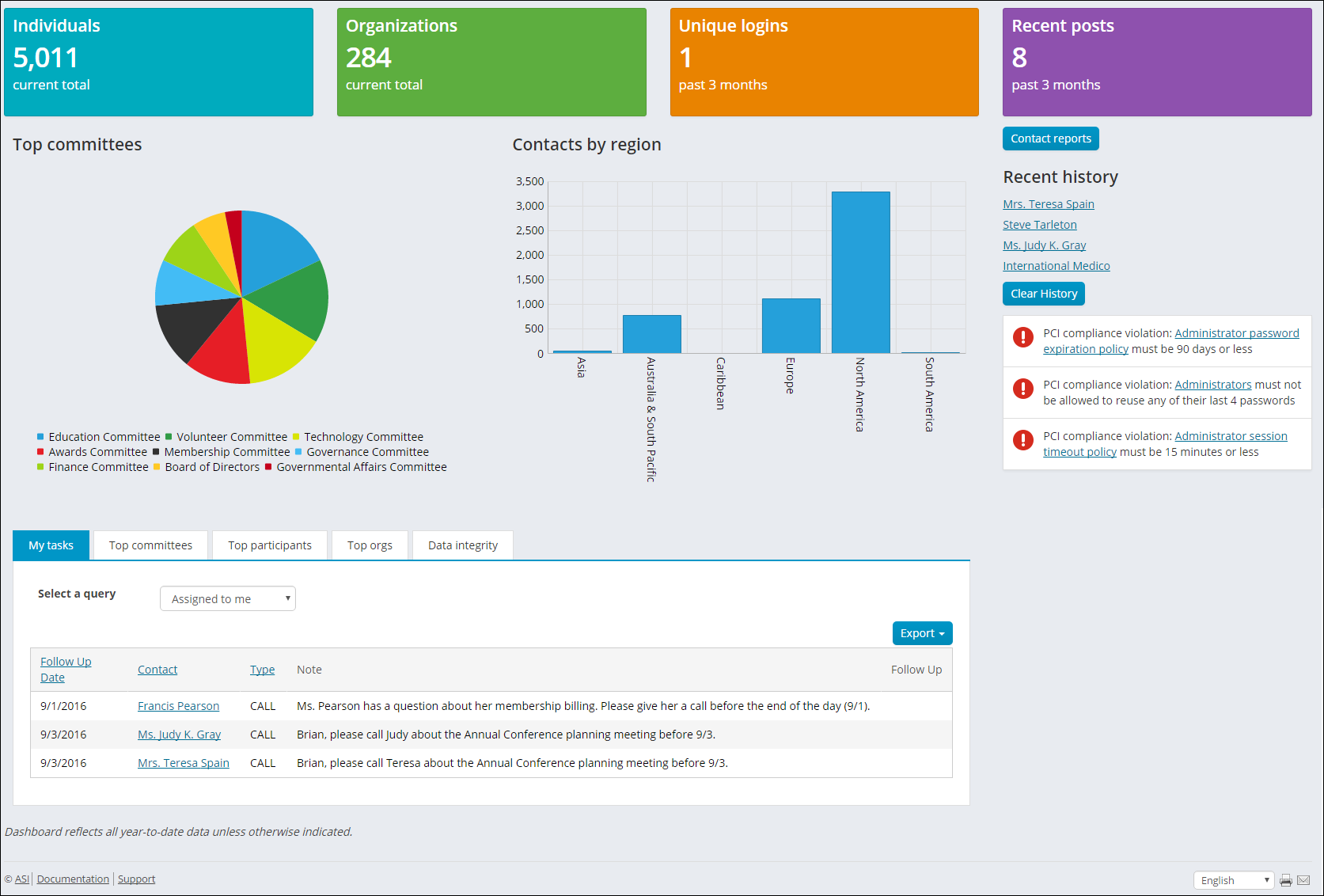
The following information can be found in the Community dashboard:
- Number of Individuals
- Number of Companies
- Number of unique logins in the past 3 months
- Number of community posts in the past 3 months
- Number of committee members by committee
- Number of contacts by region
- Activity tasks assigned to the logged in user
- Top committees by number of members
- Top Participants ranked by amount of committee memberships, community subscriptions, or community posts
- Top Organizations ranked by individual committee memberships, community subscriptions, or posts
- List of members without an email address
- List of individuals that do not belong to a company
- List of individuals who have been locked out of the website
- Several community related alerts
Membership dashboard
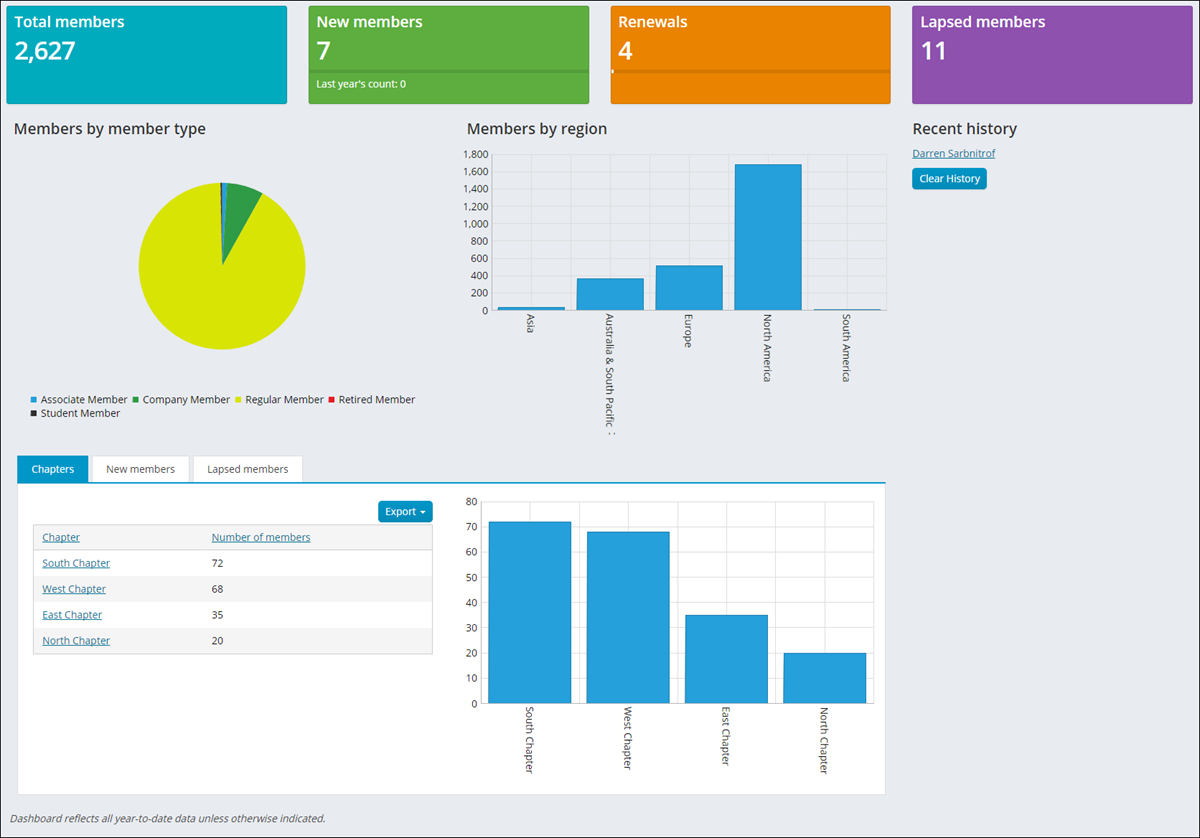
The following information can be found in the Membership dashboard:
- Number of members
- Number of new members and comparison to last year
- Number of renewed members for the year
- Number of lapsed members
- Number of members by member type
- Number of members by region
- Number of members by chapter
- List of new members
- List of lapsed members
- Display of recent history
- Several membership related alerts
Fundraising dashboard
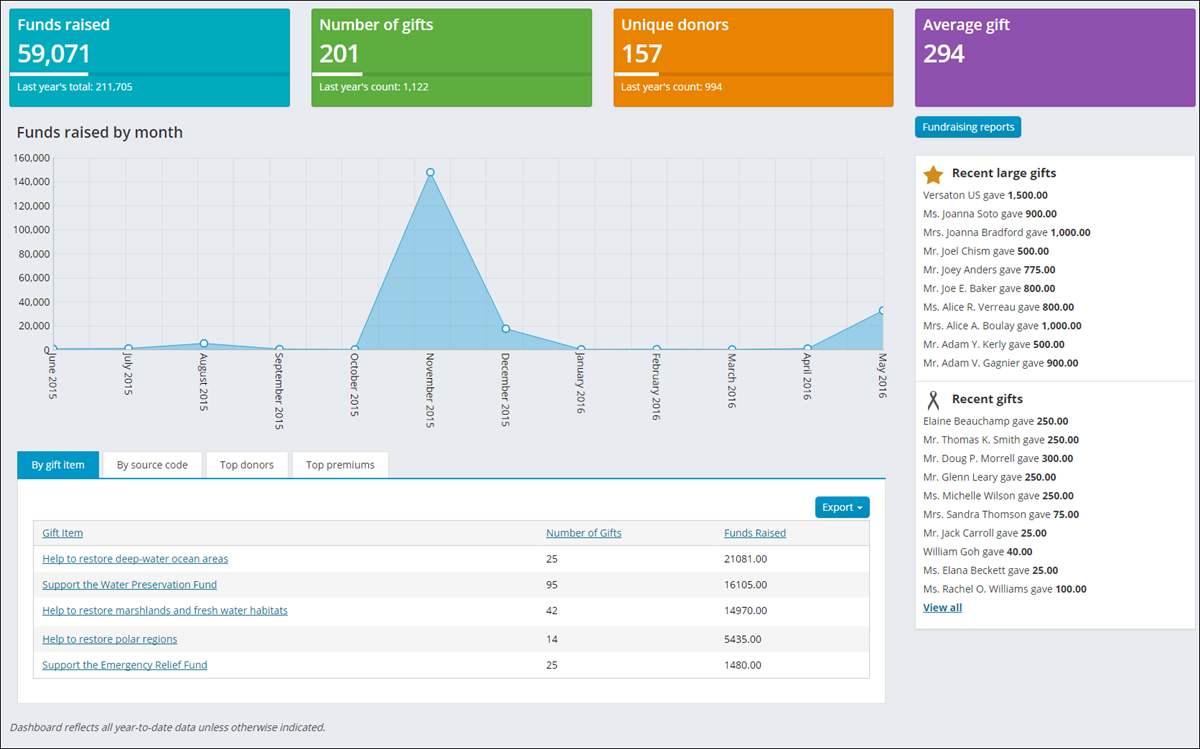
The following information can be found in the Fundraising dashboard:
- Total funds raised for the year and comparison to last year
- Total gifts for the year and comparison to last year
- Number of donors and comparison to last year
- Average gift amount
- Funds raised by month
- Amount of funds raised by gift item
- Funds raised by source code
- Top Donors
- Top Premium gift items
- Several fundraising related alerts
Events dashboard
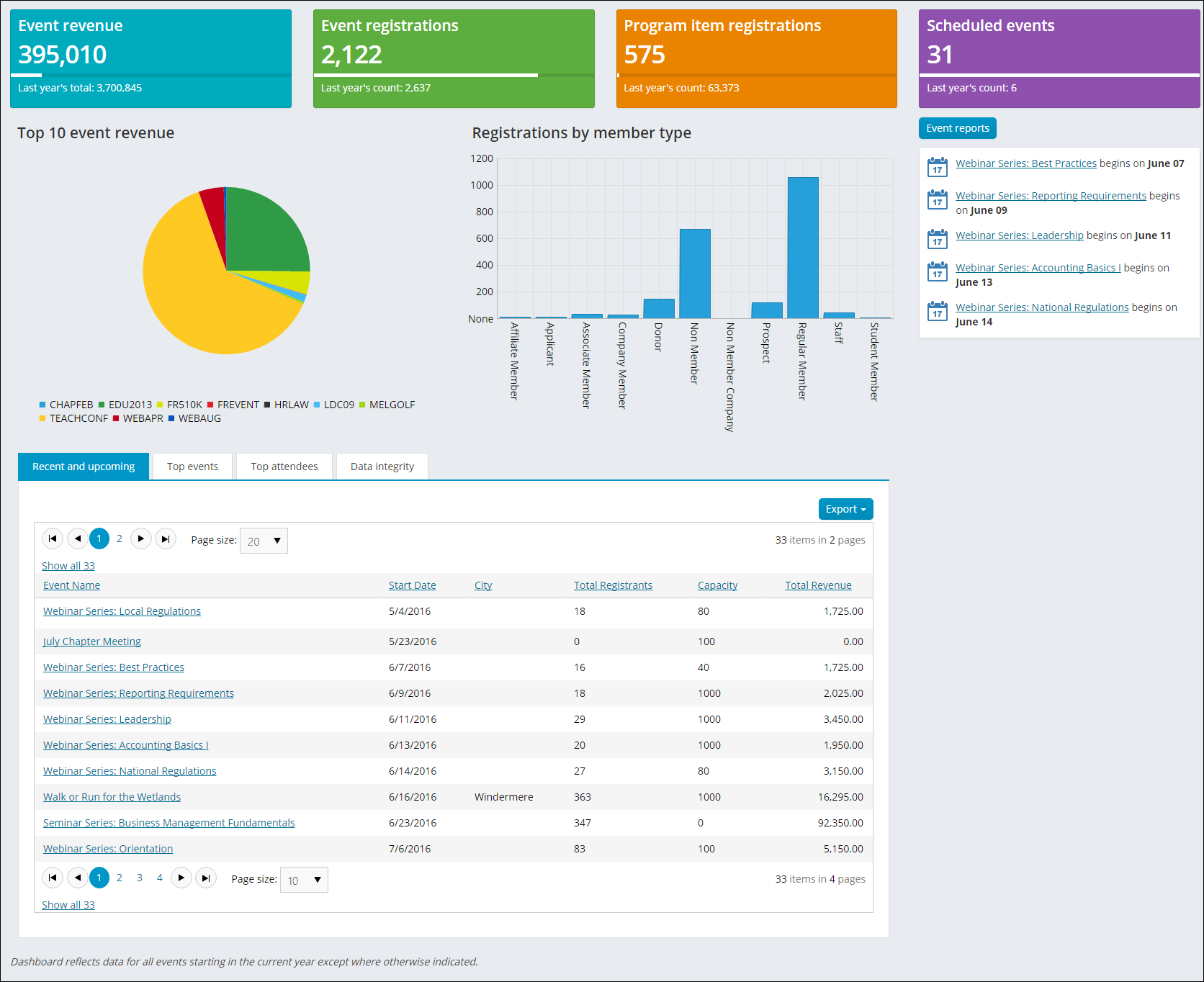
The following information can be found in the Events dashboard:
- Total event revenue for the year and comparison to last year
- Total event registrations and compared to last year
- Total function registrations for the year and comparison to last year
- Number of events and comparison to last year
- Top 10 events by revenue
- Event registrations by member type
- List of recent and upcoming events
- Top events by number of registrants
- Top attendees – individuals and organizations
- List of events missing dates
- Future events not available for registration
- Future events not available in search
- Past events available for registration
- Past events available in search
- Pending and frozen events
- Several event related alerts
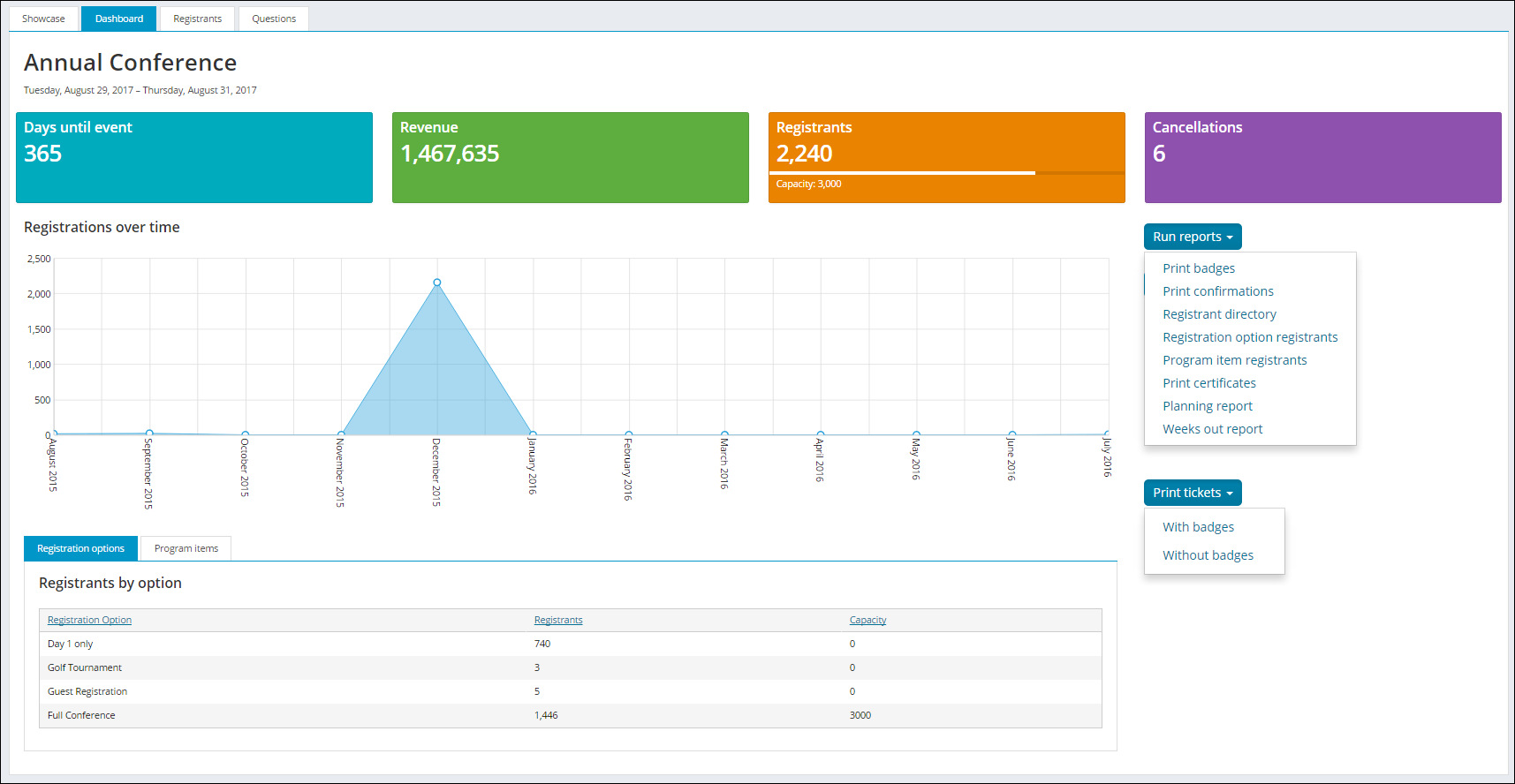
For each individual event:
-
Days until event
-
Revenue (from registrations)
-
Registrants (registered)
-
Cancellations
-
Registrations over time (area chart)
-
Several event reports:
- Print badges
- Registrant directory
- Registration option registrants
- Program item registrants
- Print certificates
- Planning report
- Weeks out report
-
Print ticket reports: Will only appear if Print tickets is enabled for at least one program item or registration option


-
Registrants by registration option (table)
-
Program item registrations (table)
- Registrations by track (pie chart)
- Registrations by category (pie chart)
Commerce dashboard
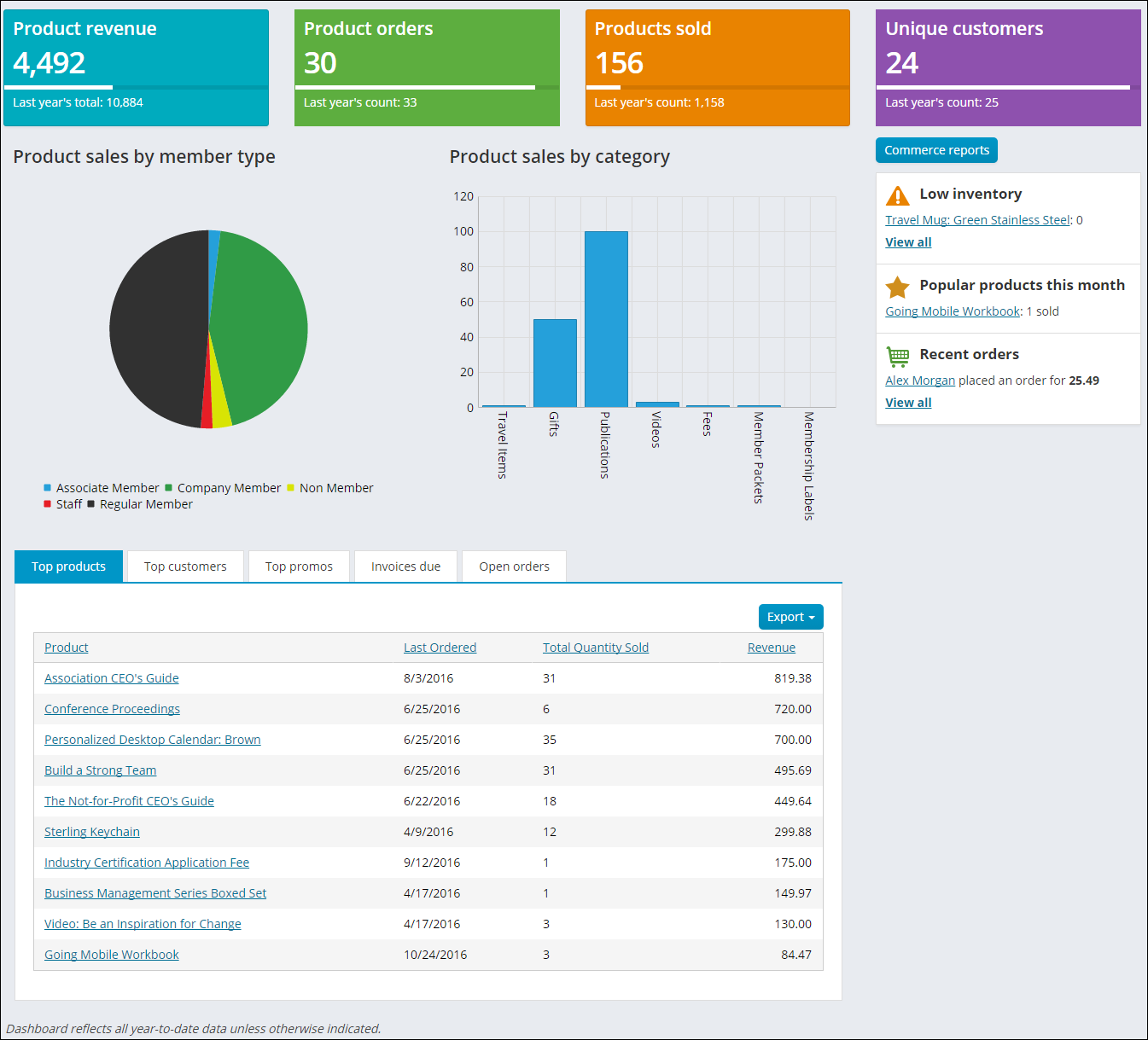
The following information can be found in the Commerce dashboard:
- Product revenue for the year and comparison to last year
- Product orders and comparison to last year
- Products sold this year and comparison to last year
- Unique customers and comparison to last year
- Product sales by member type
- Product sales by category
- List of Top products, customers, and promotions
- List of Invoices due
- List of open orders
- Several commerce related alerts
Advanced email dashboard
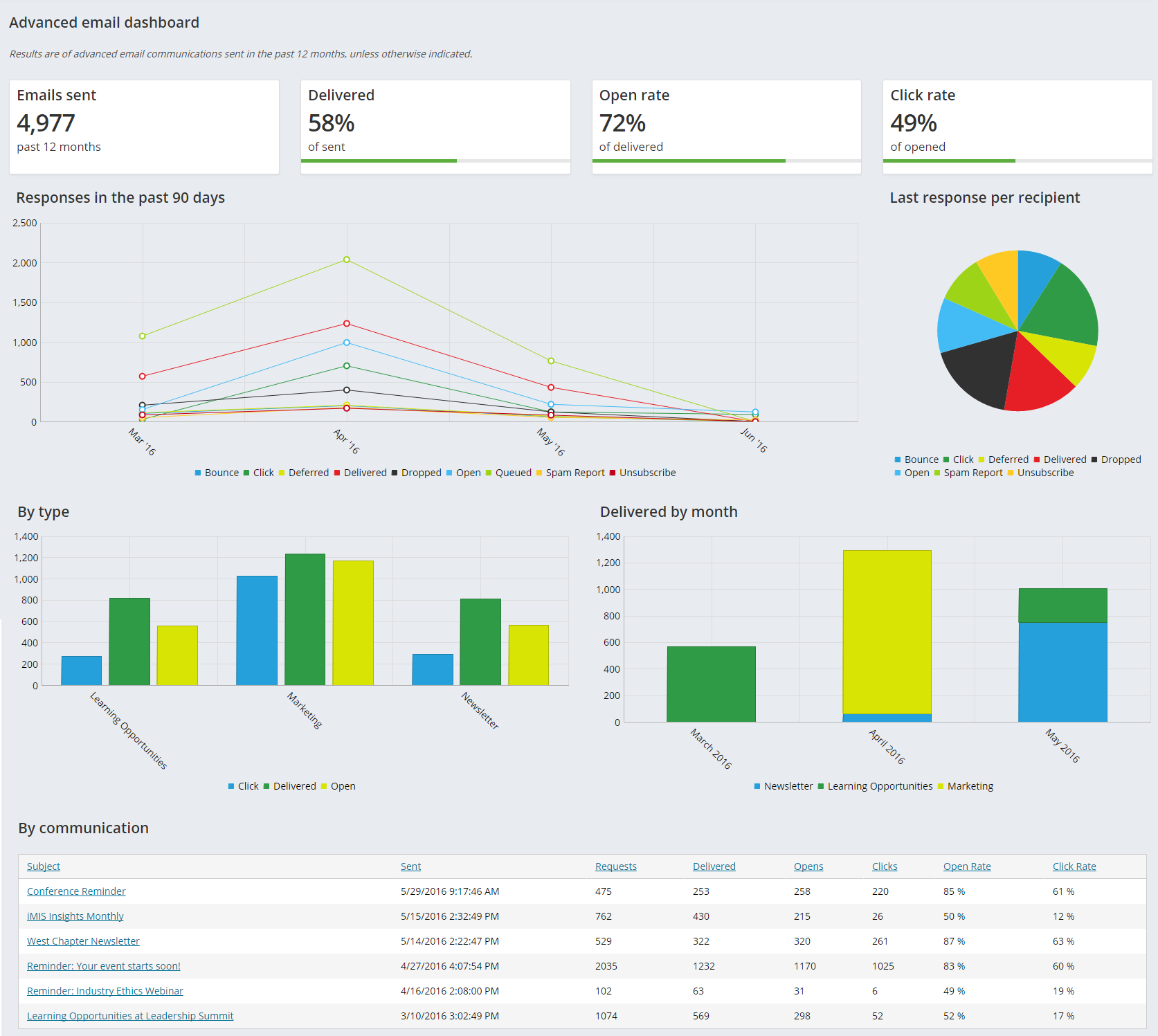
The following information can be found in the Advanced email dashboard:
- Emails sent in past 12 months
- Percent of those emails delivered
- Percent of those emails opened
- Percent of those emails where the user clicked on a link
- Type of responses and number of those responses by day for the last 30 days
- Number of the last response type from recipients (opened, bounced, etc.)
- Number of emails by type and last response
- Number of emails by type by month
- List of each 'communications'
AutoPay Fundraising dashboard
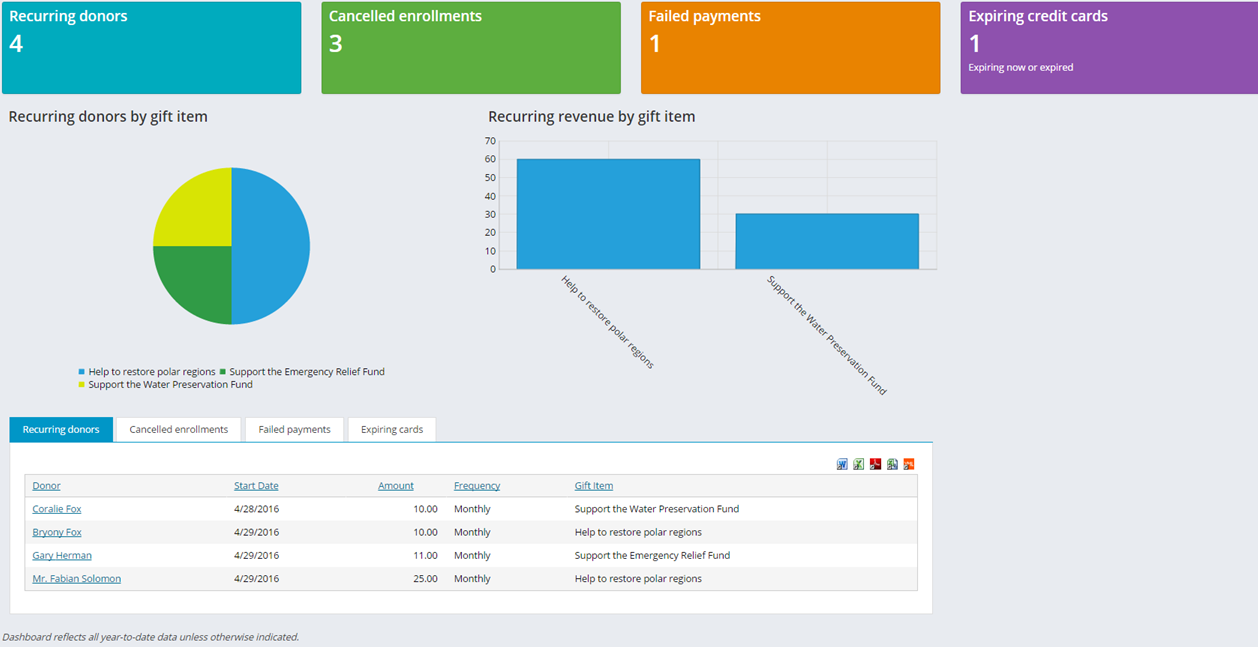
The following information can be found in the AutoPay Fundraising dashboard:
- Recurring donor (count)
- Cancelled enrollments (count)
- Failed payments (count)
- Expired credit cards (count)
- Recurring donors by gift item (pie)
- Recurring revenue by gift item (bar)
- Recurring donors with expandable detail history (table)
- Cancelled enrollments (table)
- Failed payments (table) with email
- Expiring cards (table) with email
AutoPay Membership dashboard
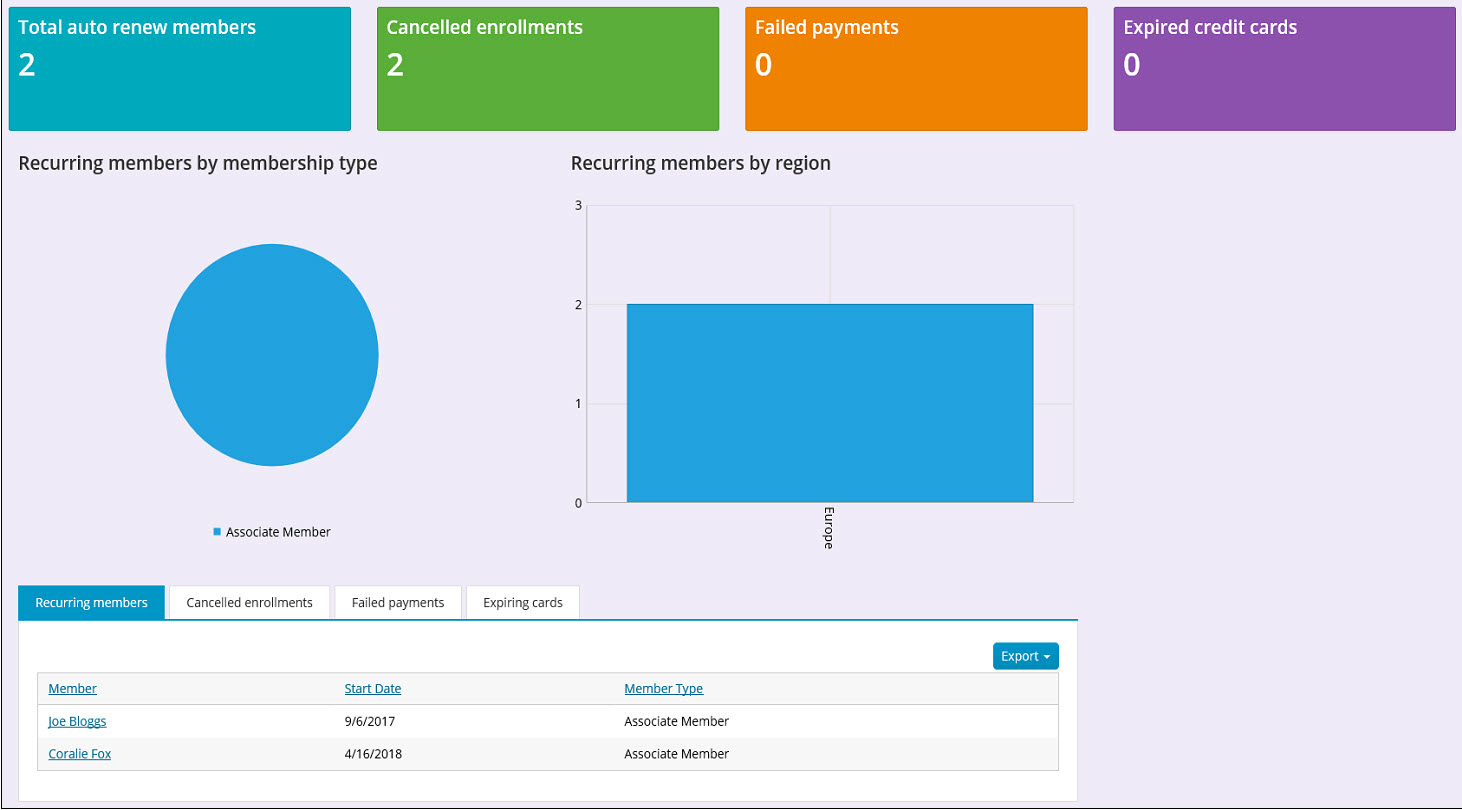
The following information can be found in the AutoPay Membership dashboard:
- Total auto renew members
- Cancelled enrollments
- Failed payments
- Expired credit cards
- Recurring members by membership type (pie chart)
- Recurring members by region (bar chart)
- A list of recurring members including member name, start date, and member type
- A list of cancelled enrollments including member name, enrollment start date, the date the enrollment was cancelled, and the cancellation reason
- A list of failed payments including member name, the date the enrollment was processed, the enrollment amount, the payment details, the result and details
- A list of expiring cards including member name, the date the card expires, the credit card summary, and member type
- Alert for automatic renewals with cash billing cycles
Engagement dashboard
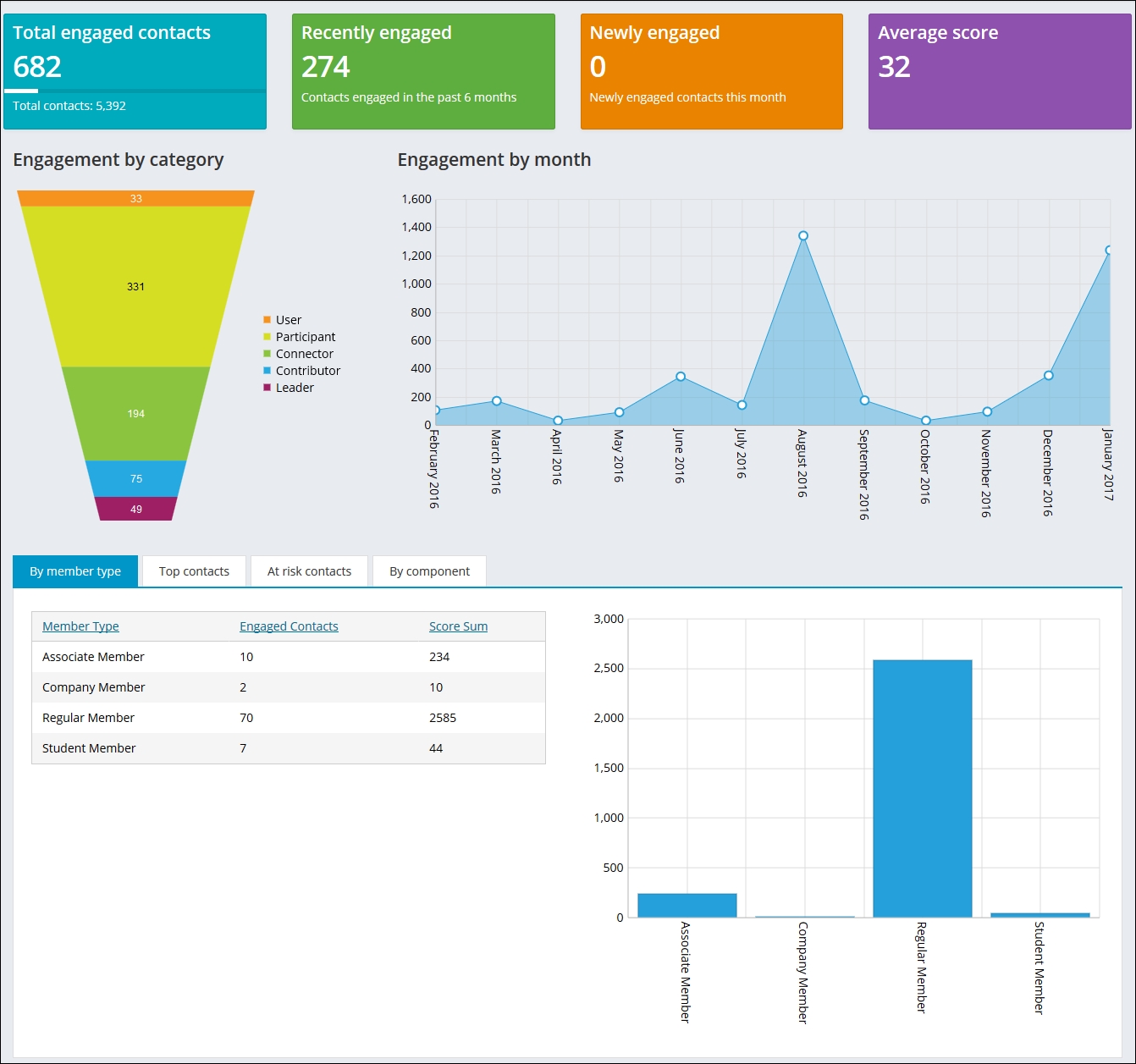
The following information can be found in the Engagement dashboard:
- Total engaged contacts versus total contacts
- Recently engaged contacts (within 6 months)
- Newly engaged contacts this month
- Average score
- Engagement by category (funnel chart)
- Engagement by month (area chart)
- Score sum by member type (bar chart)
- Top contacts (individuals, organizations and organizations by individual engagement)
- High engagement score contacts not recently engaged (within six months)
- Scores by component (pie chart)
Moves management dashboard
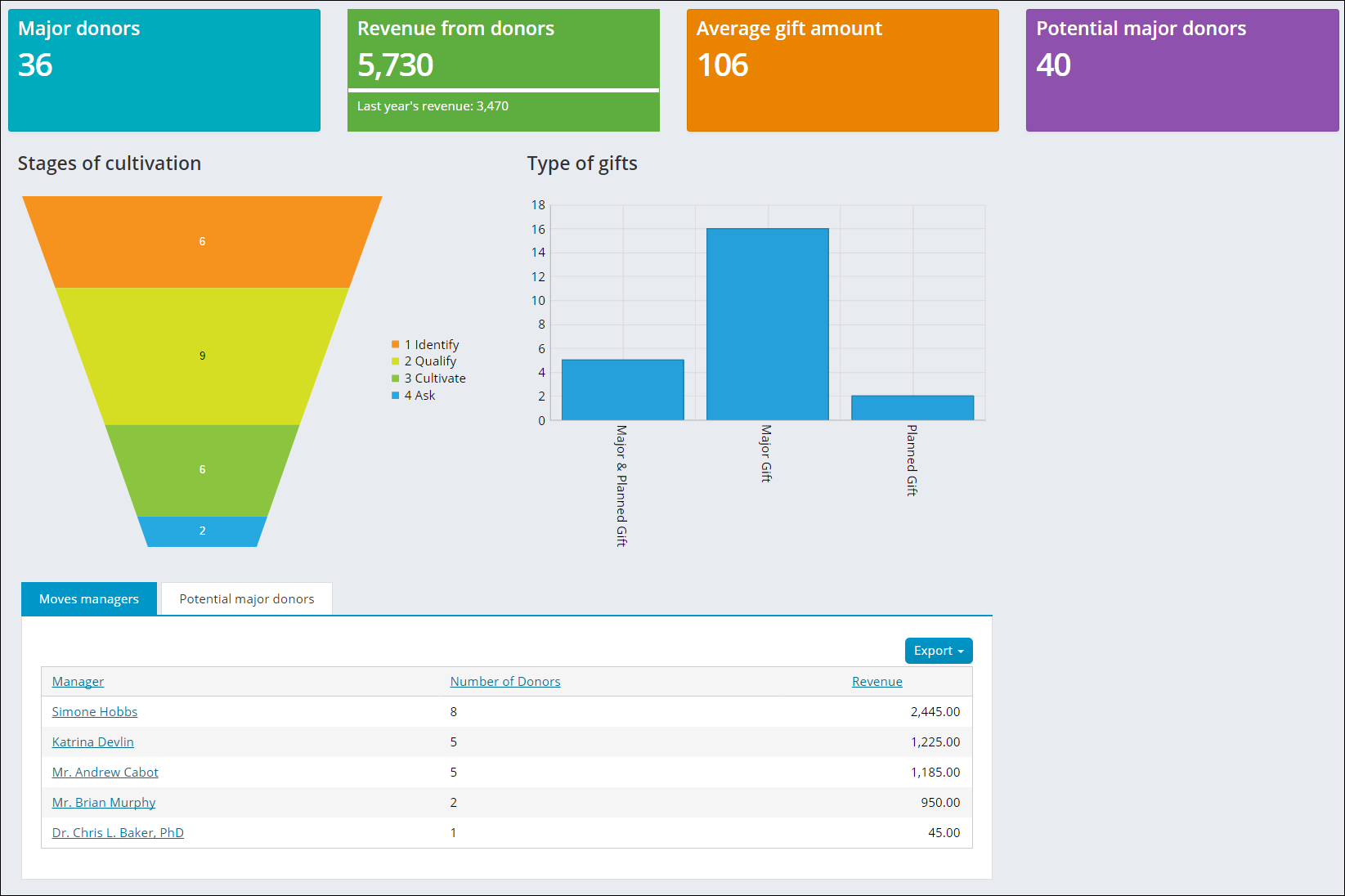
The following information can be found in the Moves management dashboard:
- The total number of major donors
- The amount of revenue generated by major donors compared with that of last year's revenue
- The average gift amount
- The number of potential donors
- Chart view of the amount of major donors in the certain stages of the cultivation process
- Chart view of the types of gifts received
- An alert for Recent Major Donor gifts showing the name of the donor, the gift amount, and the date the gift was received
- A list of all moves managers and their number of donors
- A list of all potential major donors with their work phone number, email address, and their giving amount
Updated 3 months ago