

Managing organizations
The Contacts tab on an organization's contact record allows you to view all associated members.
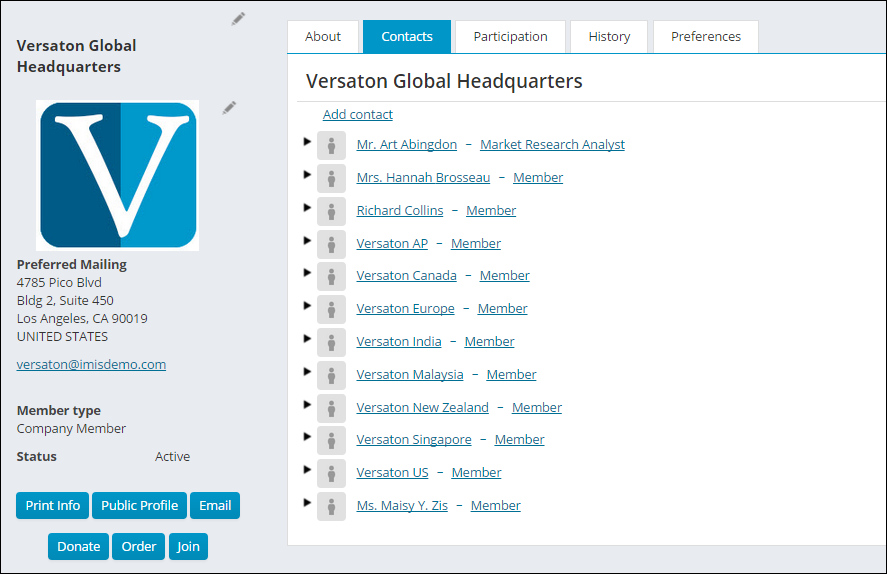
iMIS staff users can assign the Company Administrator role to any appropriate iMIS contact. A Company Administrator can administer any company, even if they are not on the roster. They can also administer multiple organizations, if desired.
The Company Administrator for an organization can:
- Manage organization profile information
- Manage the organization member list:
- Remove members
- Update member roles
- Add new contacts
- View and update account information for organization members
- Process dues and pay event registration for existing and new contacts
- Pay any outstanding invoices for members and new contacts
- Join as a member on behalf of company contacts that are not currently a member
- Bill event registrations to the organization
- Manage billing for the organization
For more information about Company Administrator responsibilities, see Administrator responsibilities.
Assigning the Company Administrator role
Members with the Company Administrator role can add contacts to an organization and edit contact information. Any Staff user can assign a member to the Company Administrator role directly from the company participant list as long as the member has a user login. Once a user has been given the Company Administrator role, they can assign it to other members within the Contacts list:
- Select Community > Find contacts > Organizations.
- Find and select an organization.
- (Contacts tab) Select Add contact.
- Find an existing contact, or select Add New for a new contact.
- Select the Company Administrator role.
- Click Save & Close.
📘 Note
For contacts that are not members of the organization, you must first add the contact, then select the administrator role, and not the Member role.
📘 Note
Enable the Contact Account Creator configuration option Assign selected user as administrator for new organizations to automatically assign the logged in user as the Company Administrator for newly created organizations. If a Staff user creates the organization, they will have the ability to choose the Company Administrator.
Managing organization profile information and member list
When Company Administrators view the account page for their organization, they can update account and profile, including the organization name, addresses, and public profile details.
They can also update the organization roster that appears in the profile page. They cannot, however, choose an existing iMIS contact to add to the roster.
Managing organization member information
Company Administrators have the ability to update contact and profile information for members of their organization, including name, title, organization, addresses, and public profile details. They can also view participation information for the contact, such as billing history.
Bill event registrations
Company Administrators can register members for events that are apart of the organization that they are the Company Administrator of. They can also bill the registrations to the organization, if desired.
Managing billing for the organization
Company Administrators can make purchases which are billed to the organization, review past orders and invoices, and pay the most recently billed renewal invoice.
When making a purchase, Company Administrators have the option to choose their organization as the Bill To contact for the order. If they choose to pay later, an open invoice will be created which is billed to the organization.
When viewing the organization's account information, the Company Administrator can review past orders and invoices which have been billed to the organization. They can pay invoices billed to the organization and invoices billed to a member of the organization.
For organizations that have membership renewal billings, the Company Administrator can pay for the renewal using the Renew Now button on the organization's account page.
Updated 3 months ago