

Fundraising reports
All reports in the Staff site are created using either IQA, or an extension of Microsoft called SQL Server Reporting Services (SSRS). There are also reports that combine IQA and SSRS, where the IQA is used to define and pull the data, while SSRS is used to define the layout of the report.
You can run out-of-the-box reports on a variety of data within iMIS. Using an IQA or SSRS report is how you can get report data on the web.
You may in certain situations want to modify an existing SSRS report. To add or remove information from the report, you must download its RDL file and make adjustments to the SQL that the report uses. For more information about modifying a report, see Modifying and creating reports.
NotePrinting a report using IE11 requires that the browser be in Enterprise Mode. Contact Tech Support for assistance.
NoteTo print a report, export the report using the PDF or Excel buttons, then print the exported report.
Fundraising reports and outputs are generated from information gathered during customer entry, registration entry, gift entry, order entry, and planning processes. For more information, see Fundraising.
iMIS provides several out-of-the-box Fundraising reports. To access Fundraising reports from the Staff site, go to Continuum > Fundraising reports.
The following Fundraising reports are available:
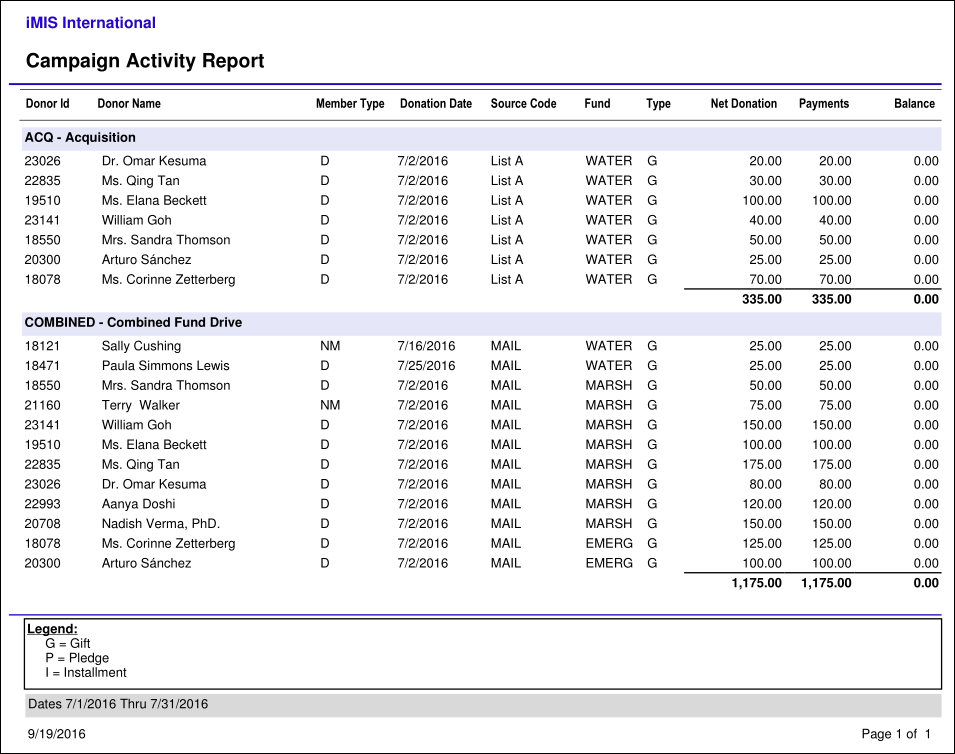
Campaign Activity
Transaction-based report which gives a detailed listing of all of the gift and pledge activities related to each campaign for a given period of time.
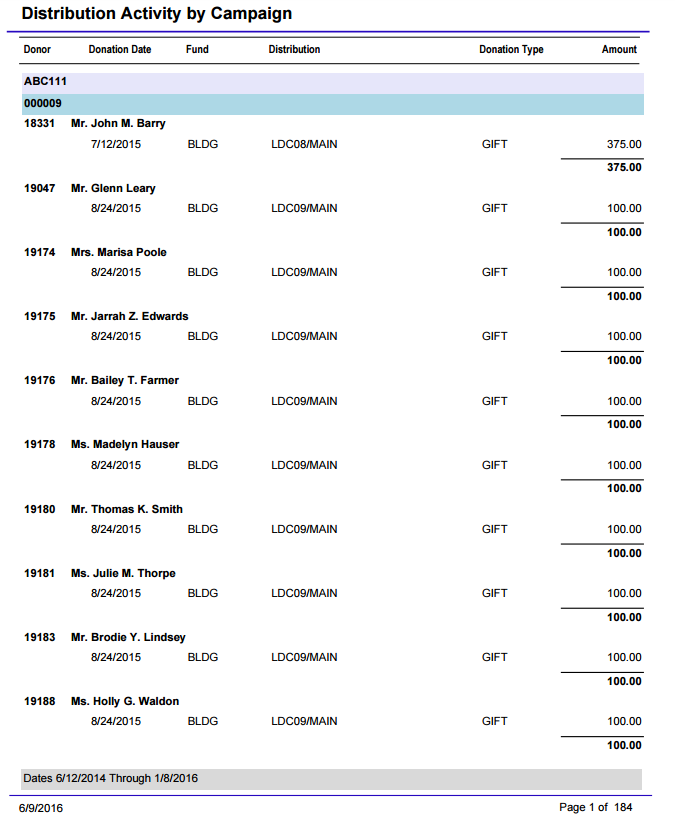
Distribution Activity By Campaign
Provides a detailed listing of all the Gift and Pledge Activities related to each Distribution (gift item) for a given period of time, grouped by campaign and source code.
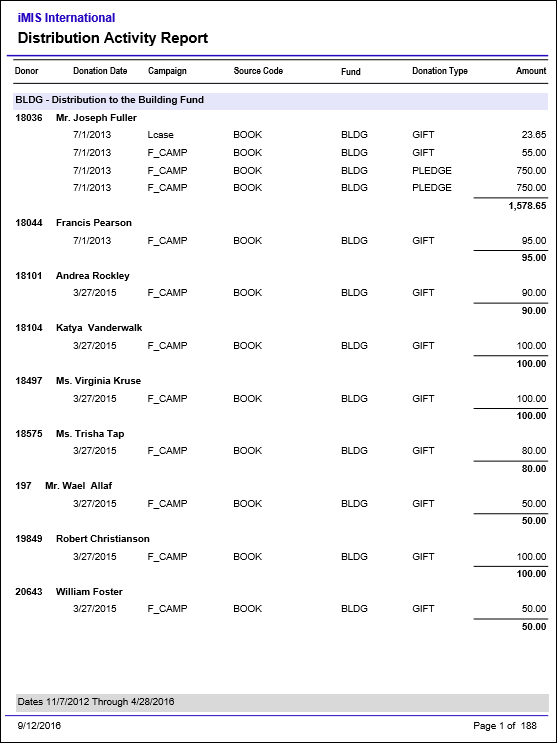
Distribution Activity Report
Provides a detailed listing of all the Gift and Pledge Activities related to each Distribution (gift item) for a given period of time.
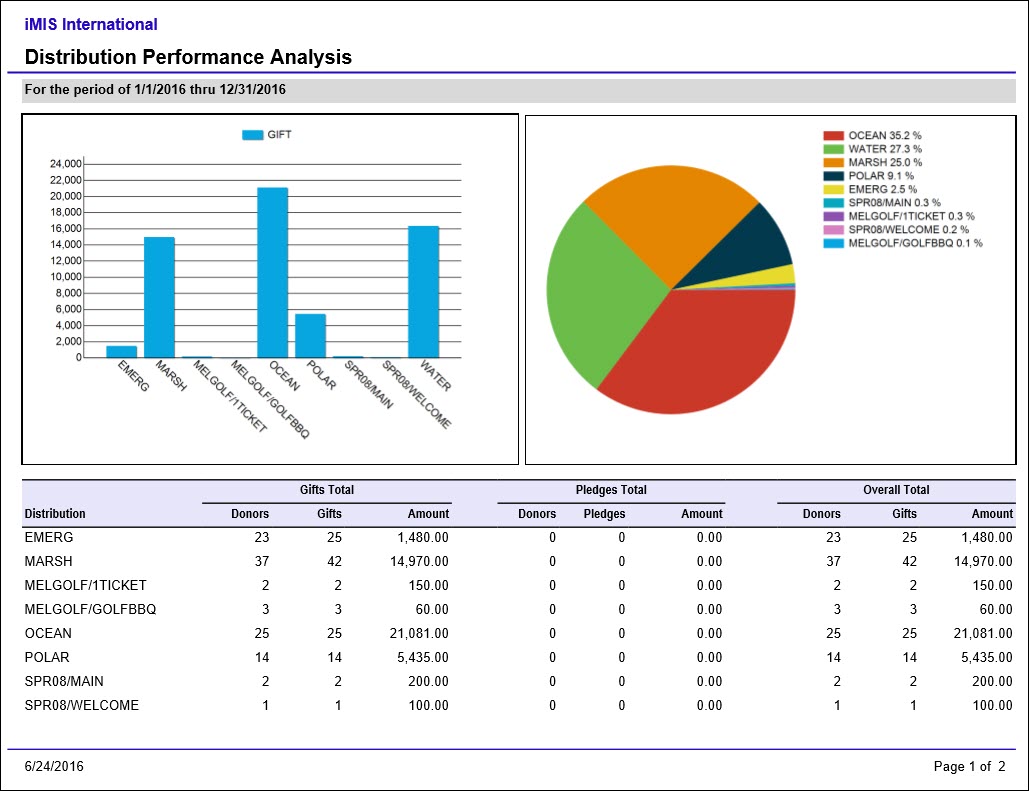
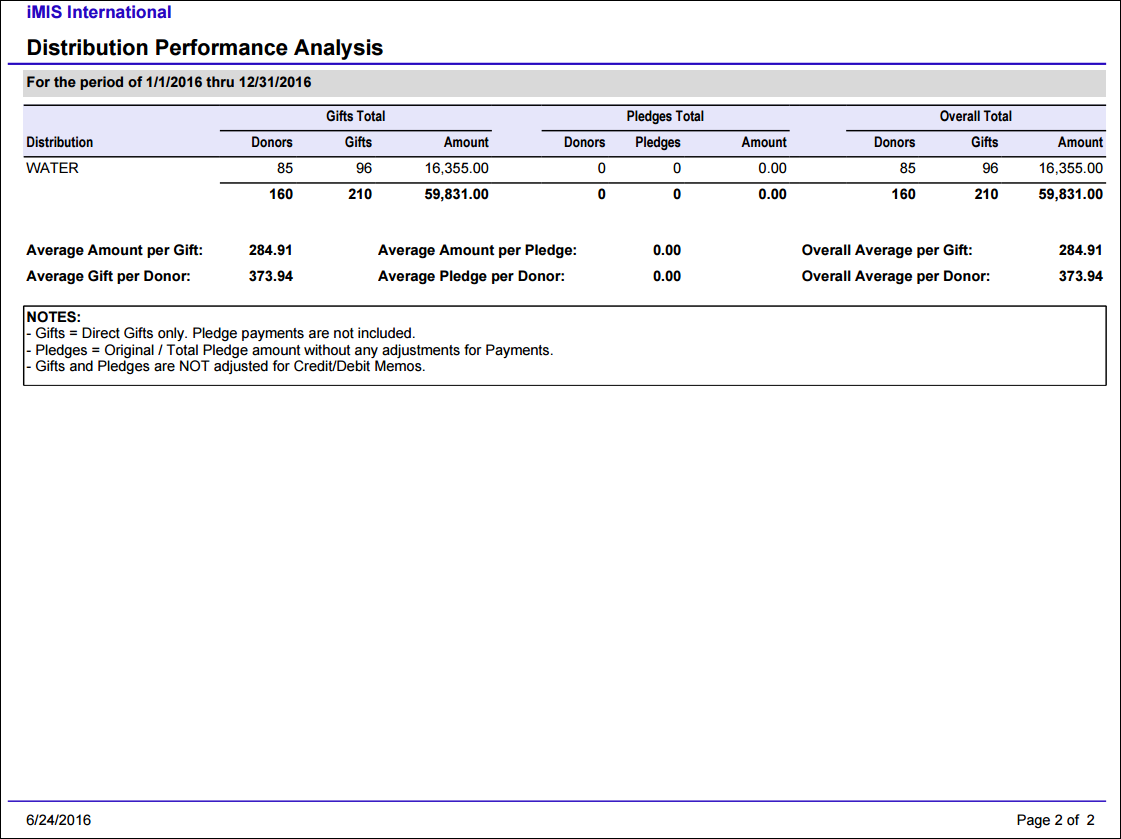
Distribution Performance Analysis
Comprehensive summary of distribution (gift item) results and statistics for a specified date range. Provides a snapshot of each distribution with a summary of number of donors, number of gifts, and amount for Gifts and Pledges separately.
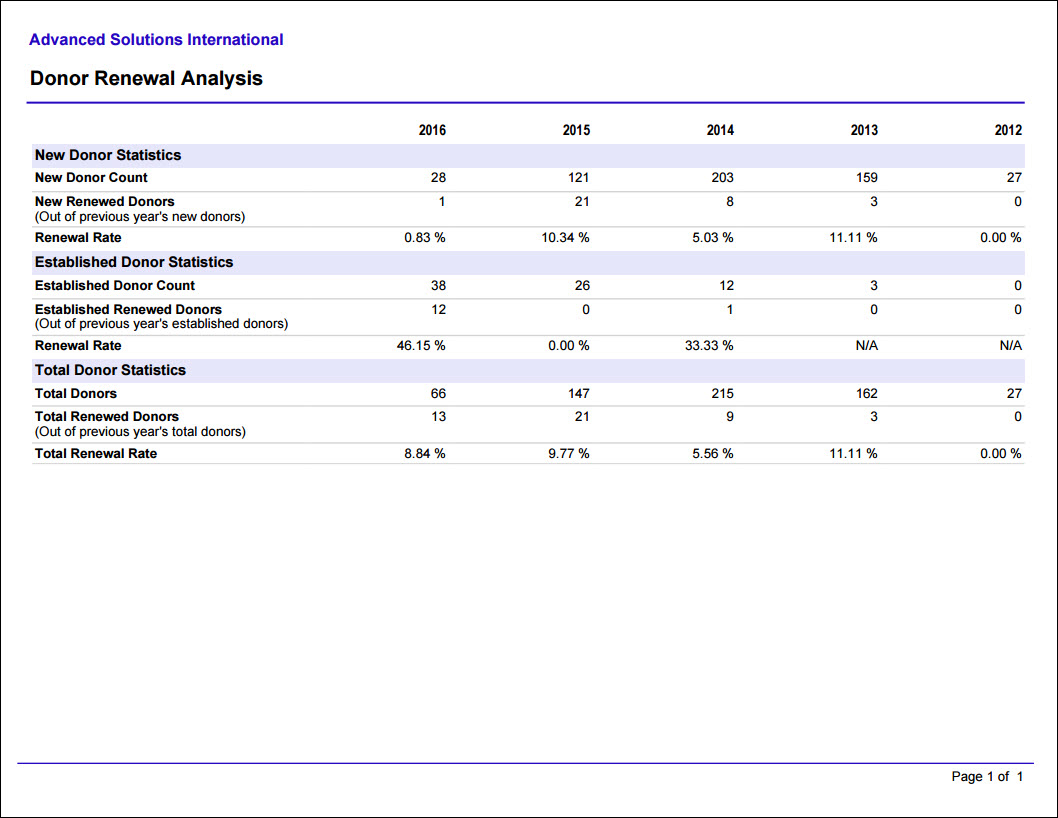
Donor Renewal Analysis
Prints a grid of the number of donors and donor renewals (donors that gave in the previous year and again this year) for the past five calendar years. Categorized by New Donors, Established Donors, and Total.
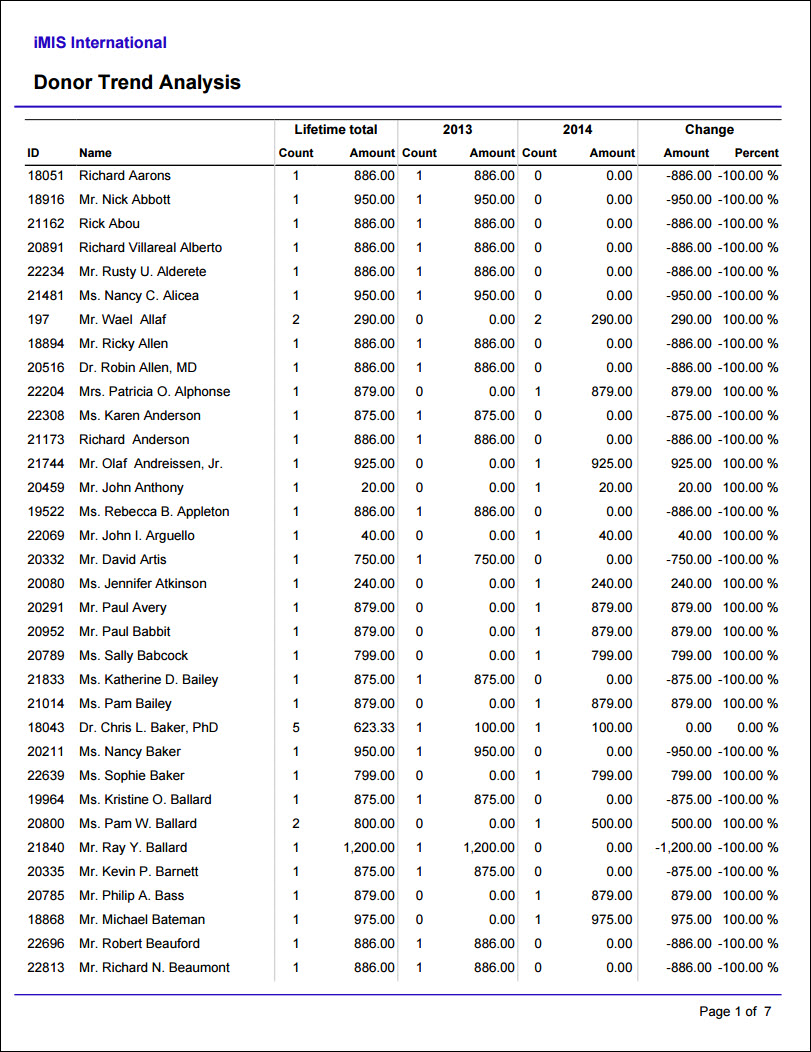
Donor Trend Analysis
Compares gifts by donor across two specified calendar years, and Year One should be earlier than Year Two. Donors are included only if they donated in one of the specified years.
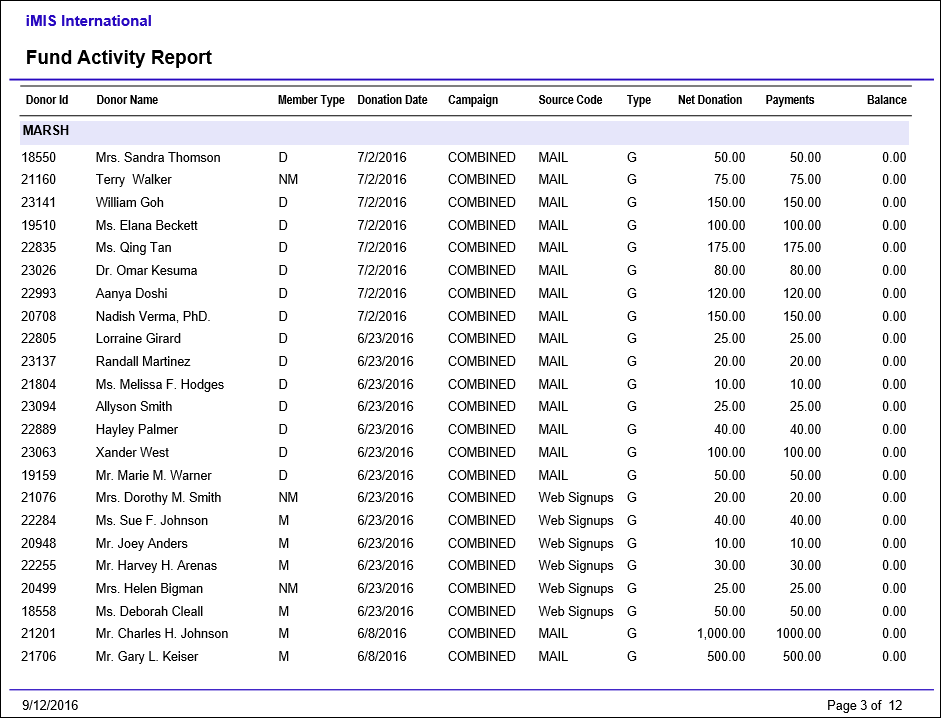
Fund Activity Report
Provides a detailed listing of all the Gift and Pledge Activities related to each Fund for a given period of time.
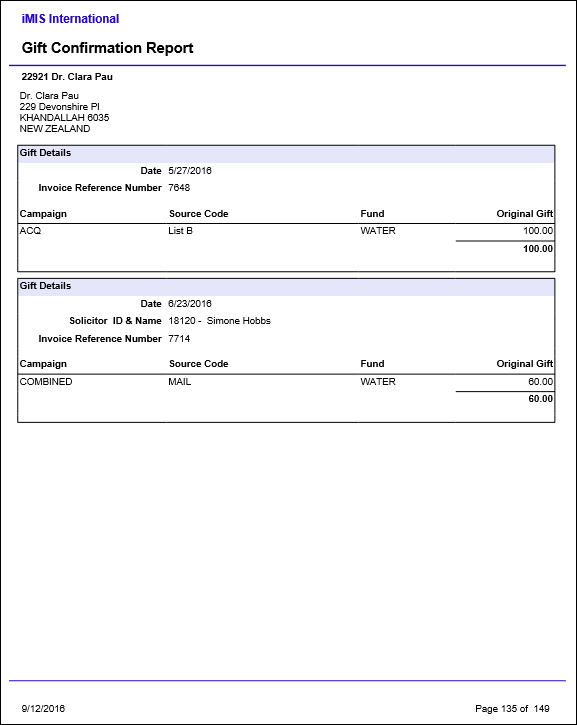
Gift Confirmation Report
Provides details for each Gift from Fundraising, Events, and Dues, grouped by donor.
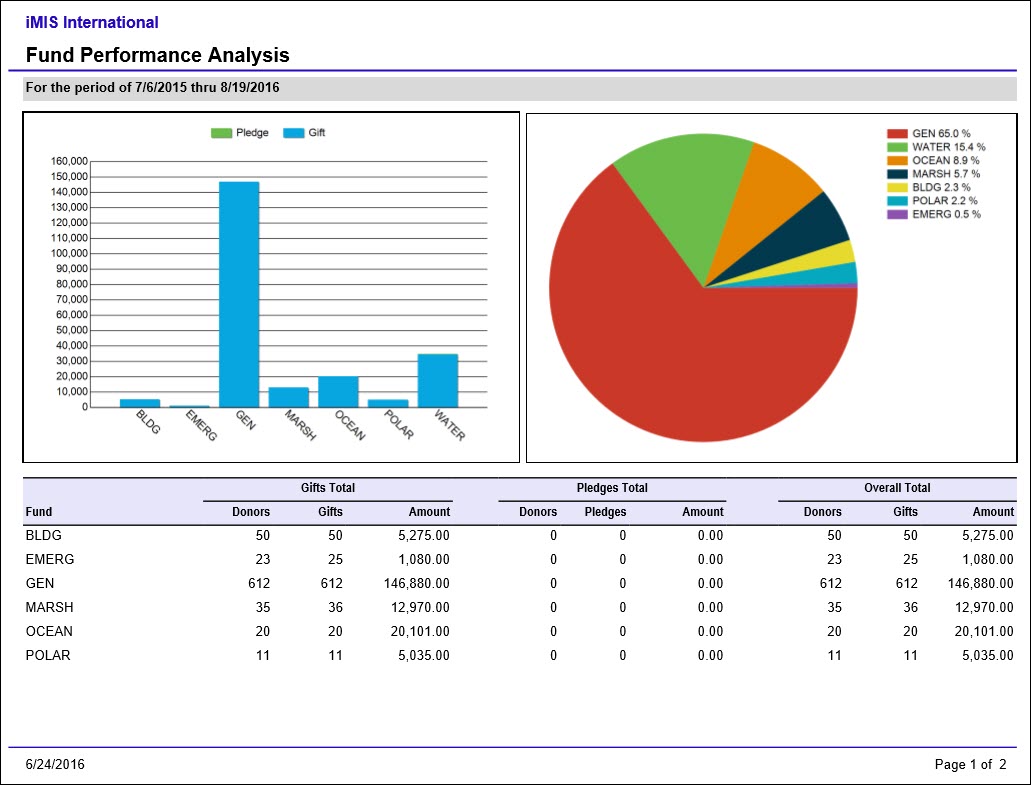
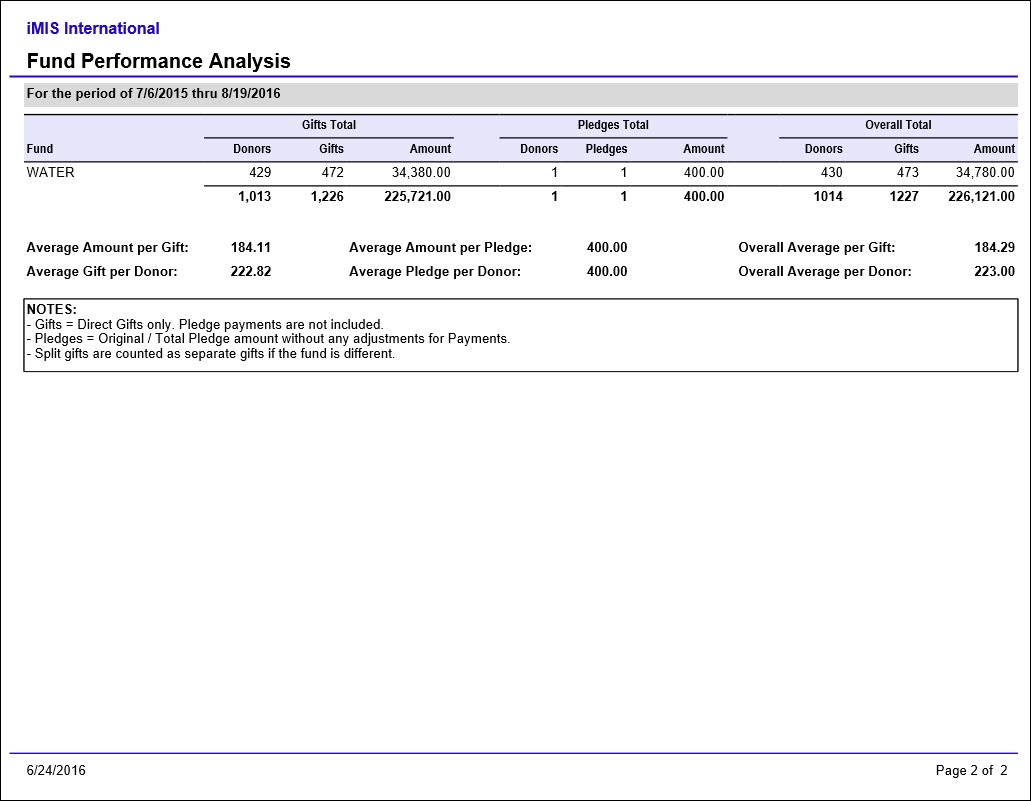
Fund Performance Analysis
Comprehensive summary of Fund results and statistics for a specified date range. Provides a snapshot of each Fund with a summary of number of donors, number of gifts, and amount for Gifts and Pledges separately.
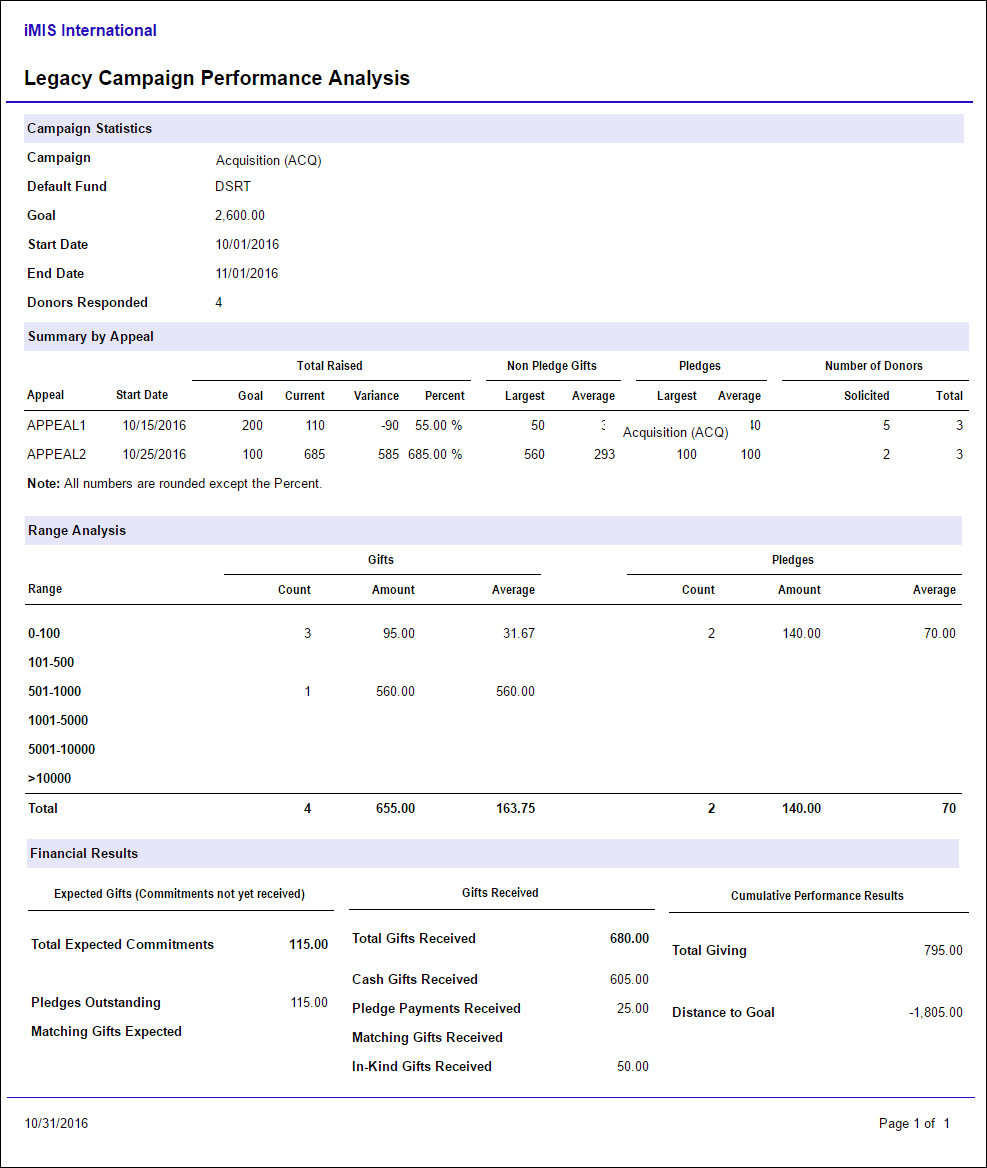
Legacy Campaign Performance Analysis
Comprehensive summary for the specified campaign with Gift and Pledge range statistics and summary information. Includes summary by appeal, frequency range analysis, financial results and donor statistics. Based on legacy campaign data. To access this report, go to Continuum > Fundraising reports, then open the Legacy folder.
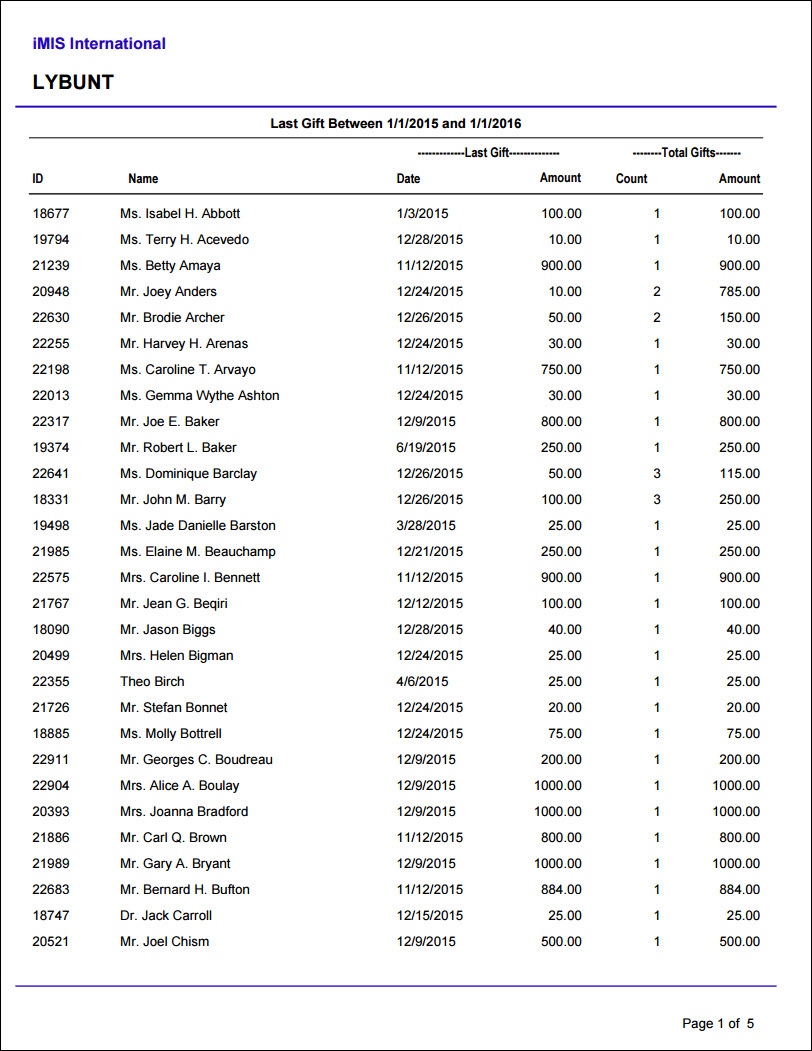
LYBUNT
Lists donors who made donations during a given time frame but have not given since that time frame (Last Year But Not This Year). Includes information about the last gift, and the total count and amount of lifetime gifts.
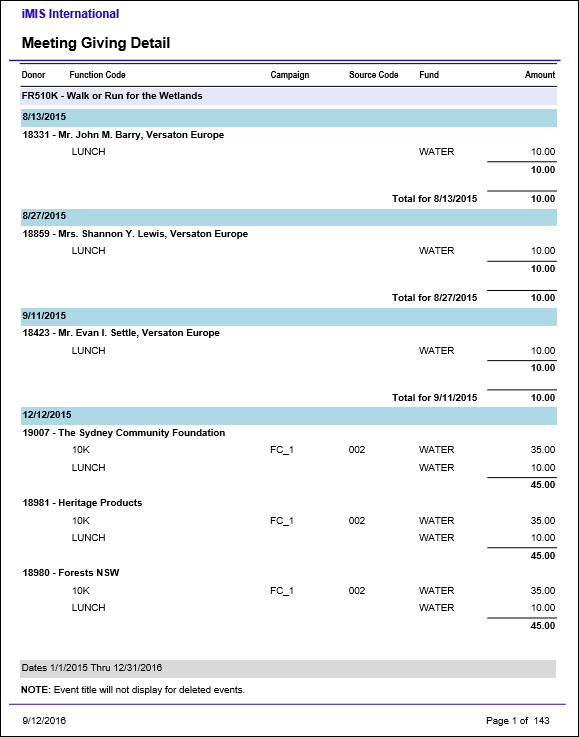
Meeting Giving Detail
Details all gifts from charitable events, grouped by event and transaction date.
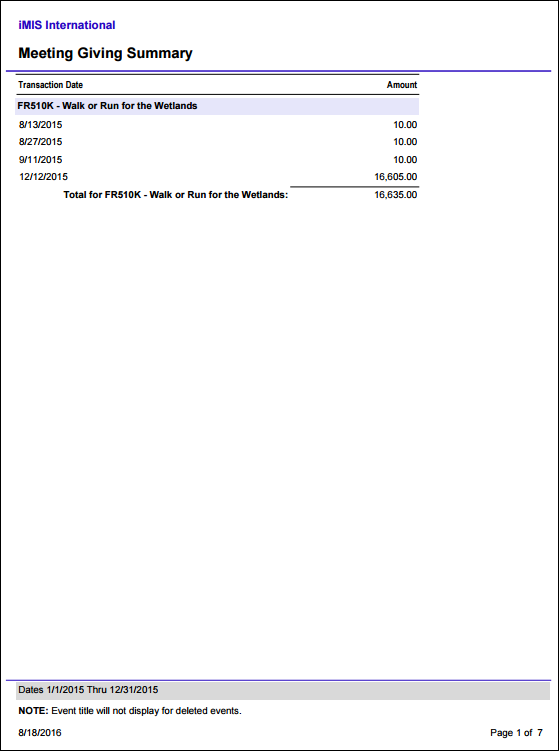
Meeting Giving Summary
Summarizes all gifts from charitable events by date, grouped by event.
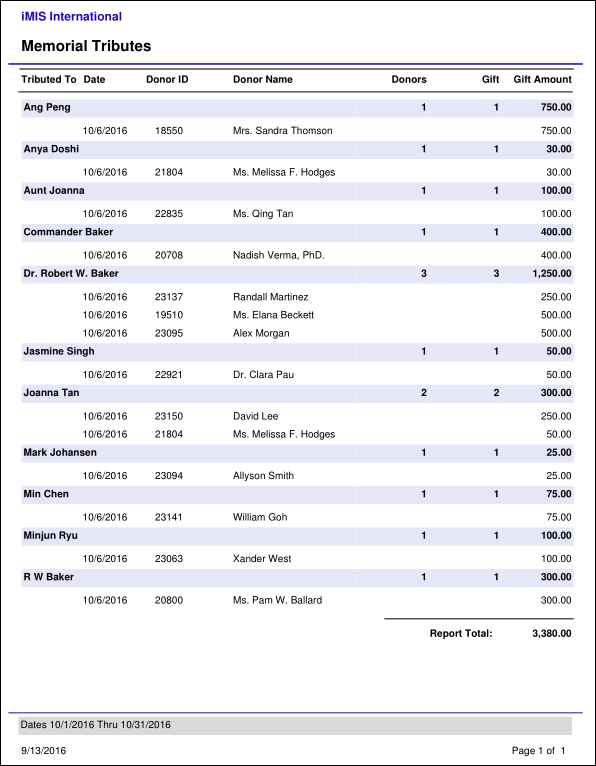
Memorial Tributes
Lists all gifts given as a memorial or tribute to someone, grouped by the honoree. Includes the total number of donors, gifts and gift amount for each honoree, as well as detail rows for each donor and gift amount.
Memorial Tributeswith Contact Notify
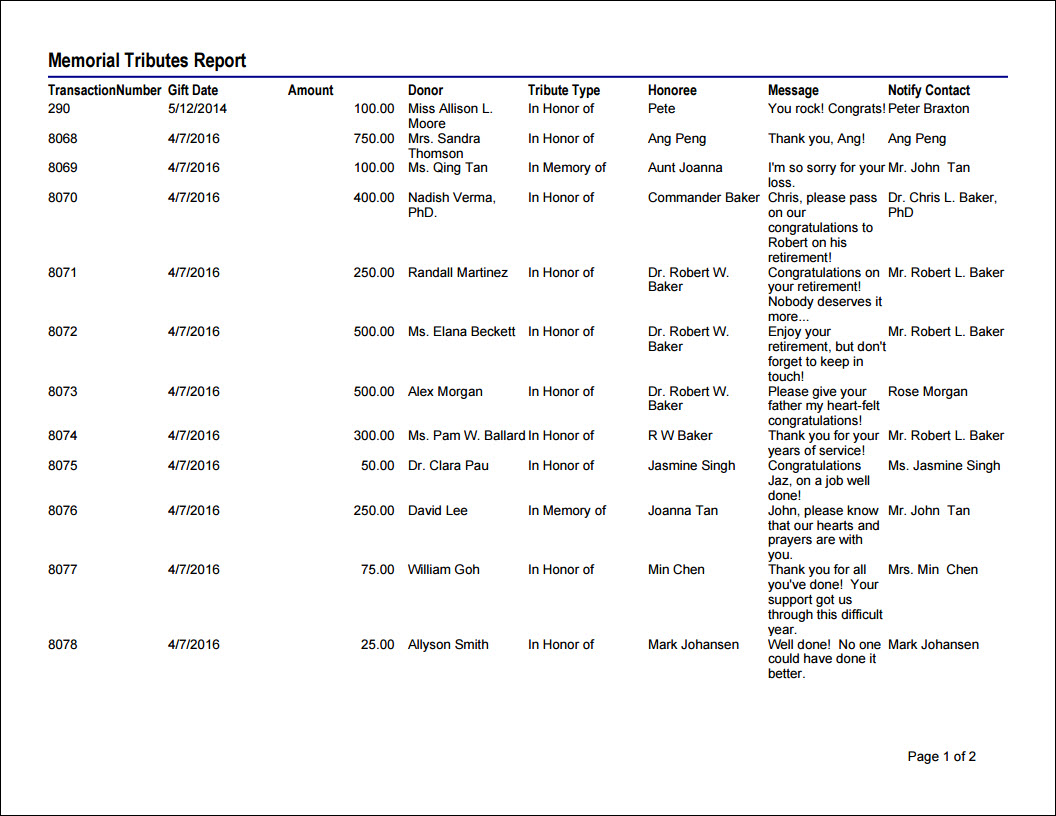
Lists gifts which are given as a tribute to someone, including the tribute type, honoree, message and notify contact. Can be filtered by gift date or amount, donor, honoree or notify contact.
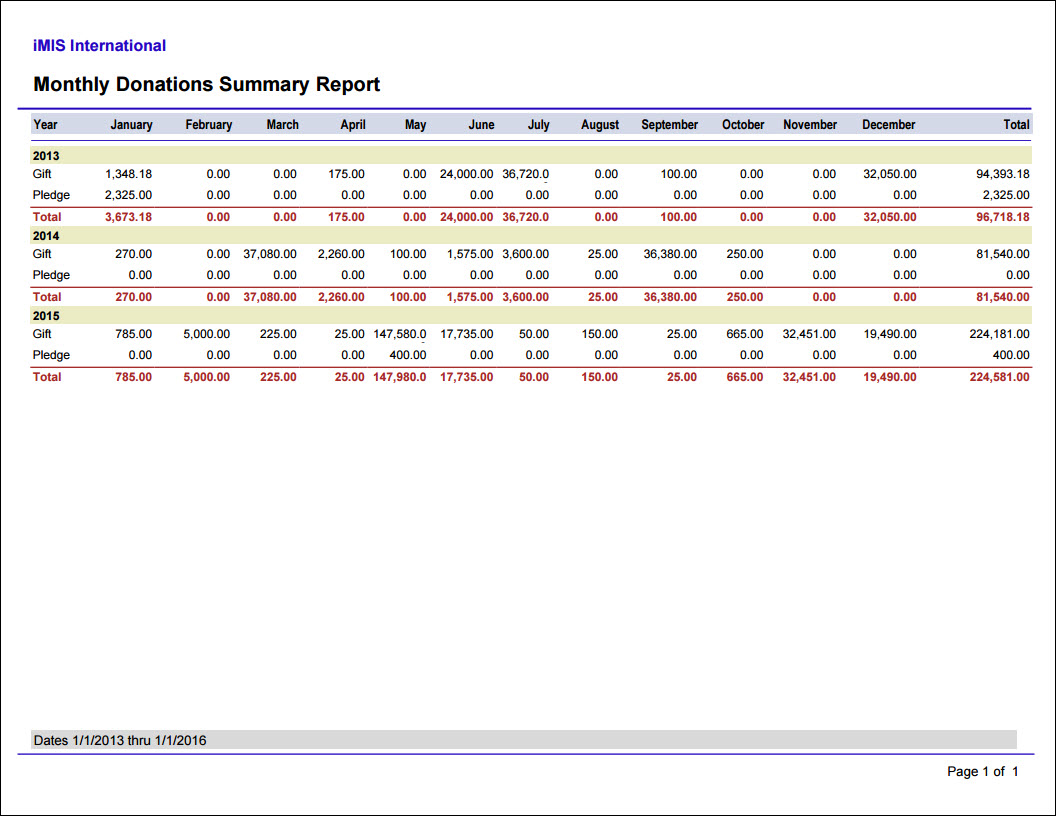
Monthly Donations Summary
Lists all the gifts, pledges, and total donation amounts for each month in a calendar year.
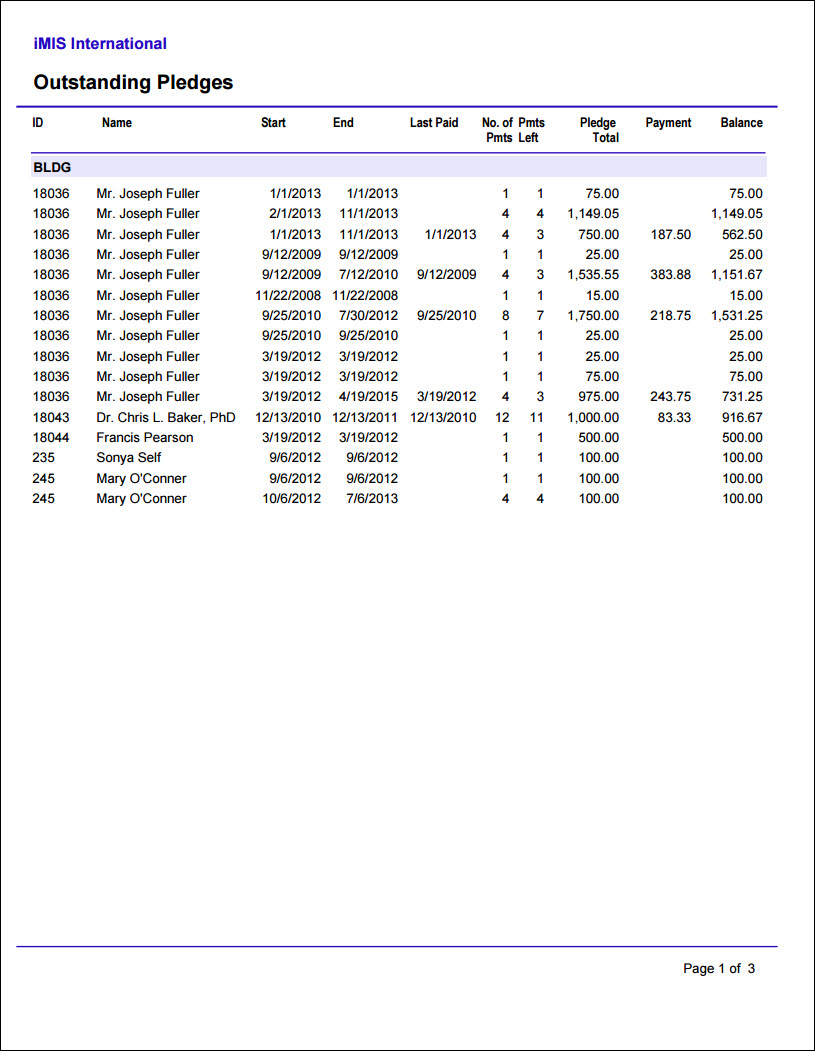
Outstanding Pledges
Prints a list of the outstanding amount for all pledges, grouped by fund. Optional parameter to exclude pledges before a specified date.
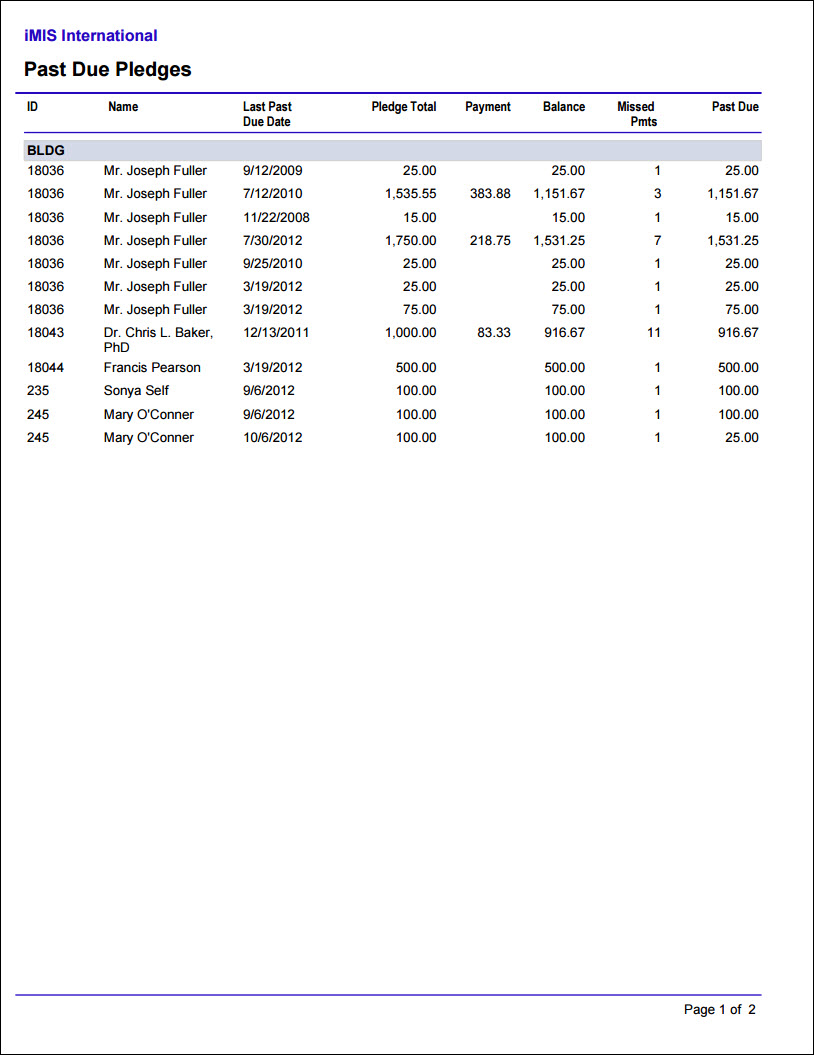
Past Due Pledges
Prints a list of the past-due amount for all pledges, grouped by fund. For non-Fundraising system pledges, the due date is considered to be 30 days after the transaction date.
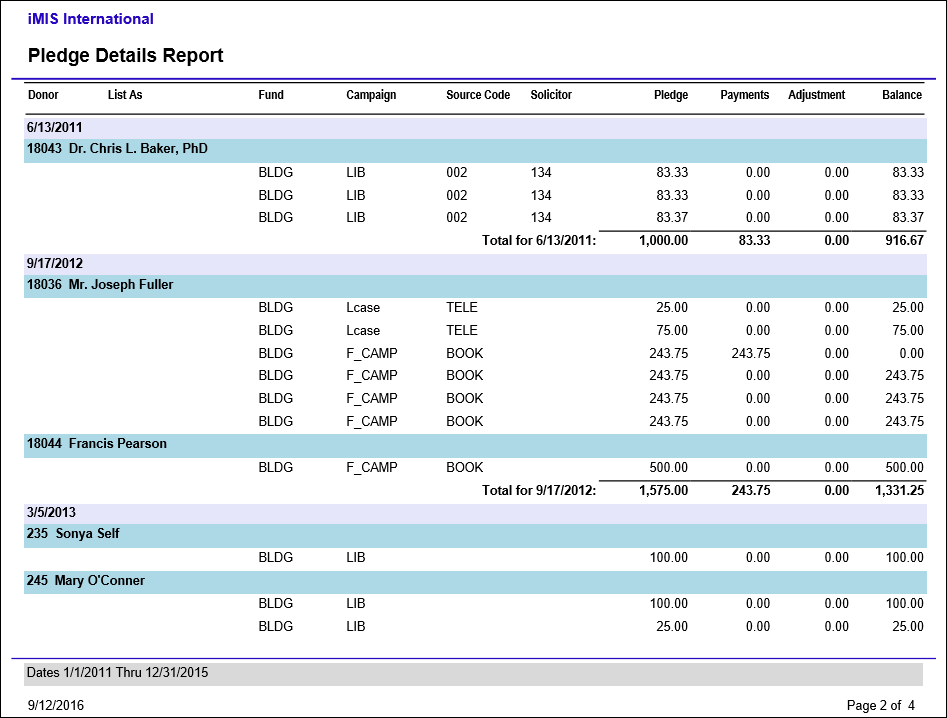
Pledge Details
Details all pledges and installments entered, subtotaled by date and totaled per report.
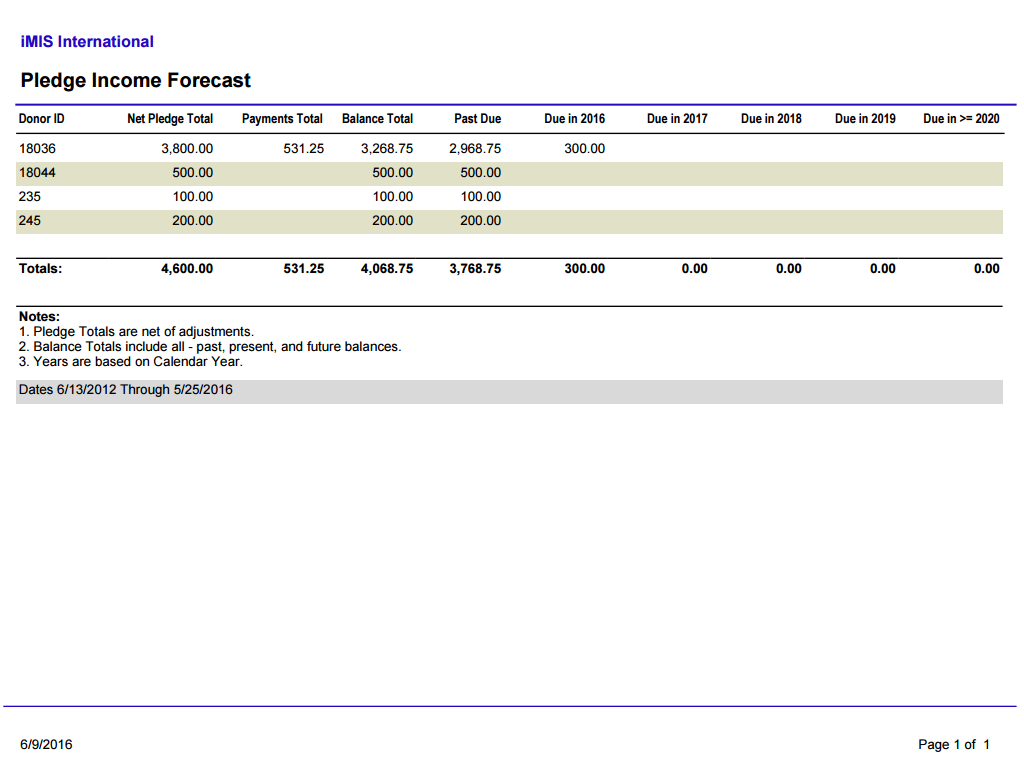
Pledge Income Forecast
Provides a summary of all pledge amounts, total amount paid, and the total outstanding balance for each donor, as well as the amount of expected pledge payments broken into each year.
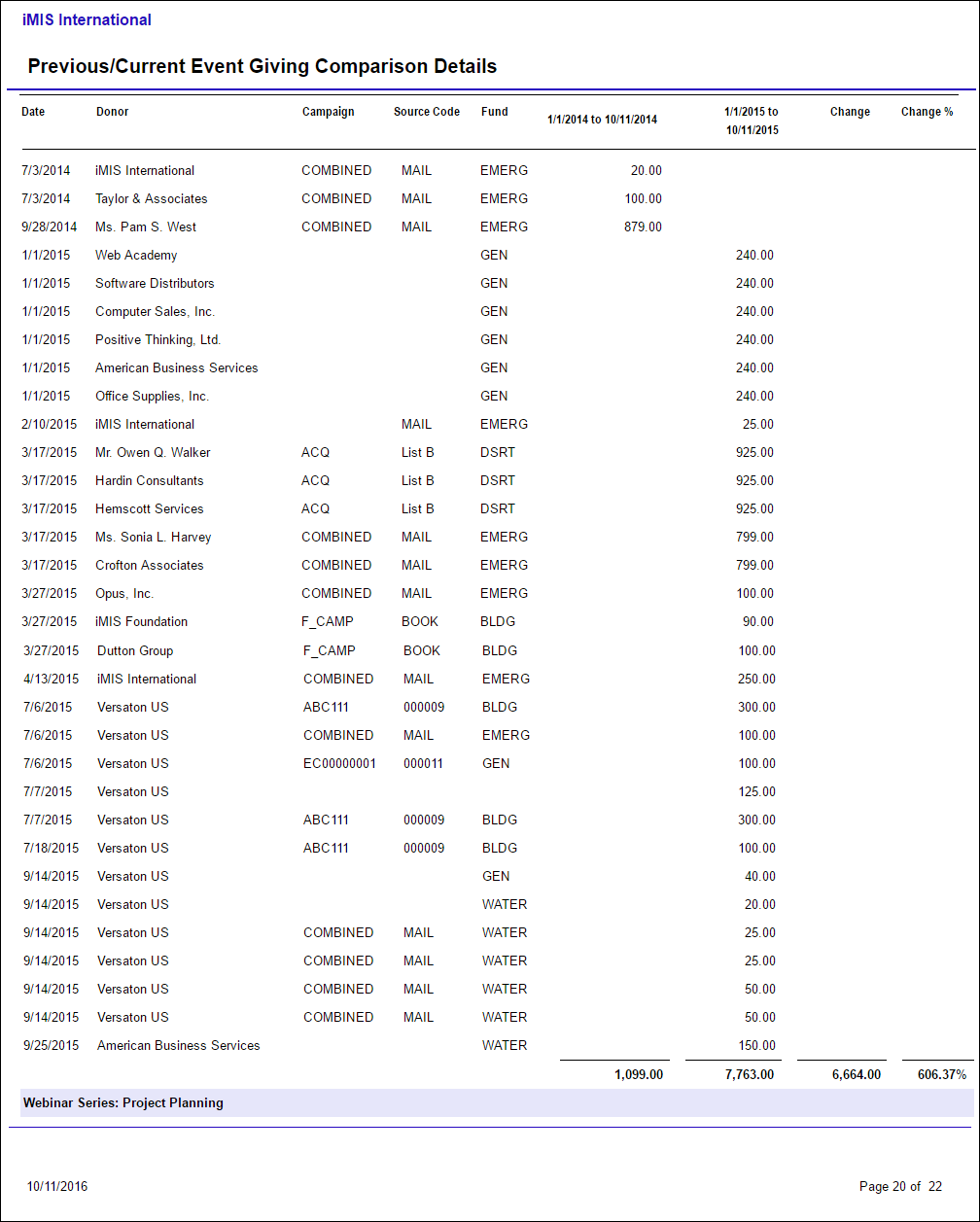
Previous/Current Event Giving Comparison Details
Lists event gift details by donor across two specified time periods, displaying the difference in amounts and percentage of change.
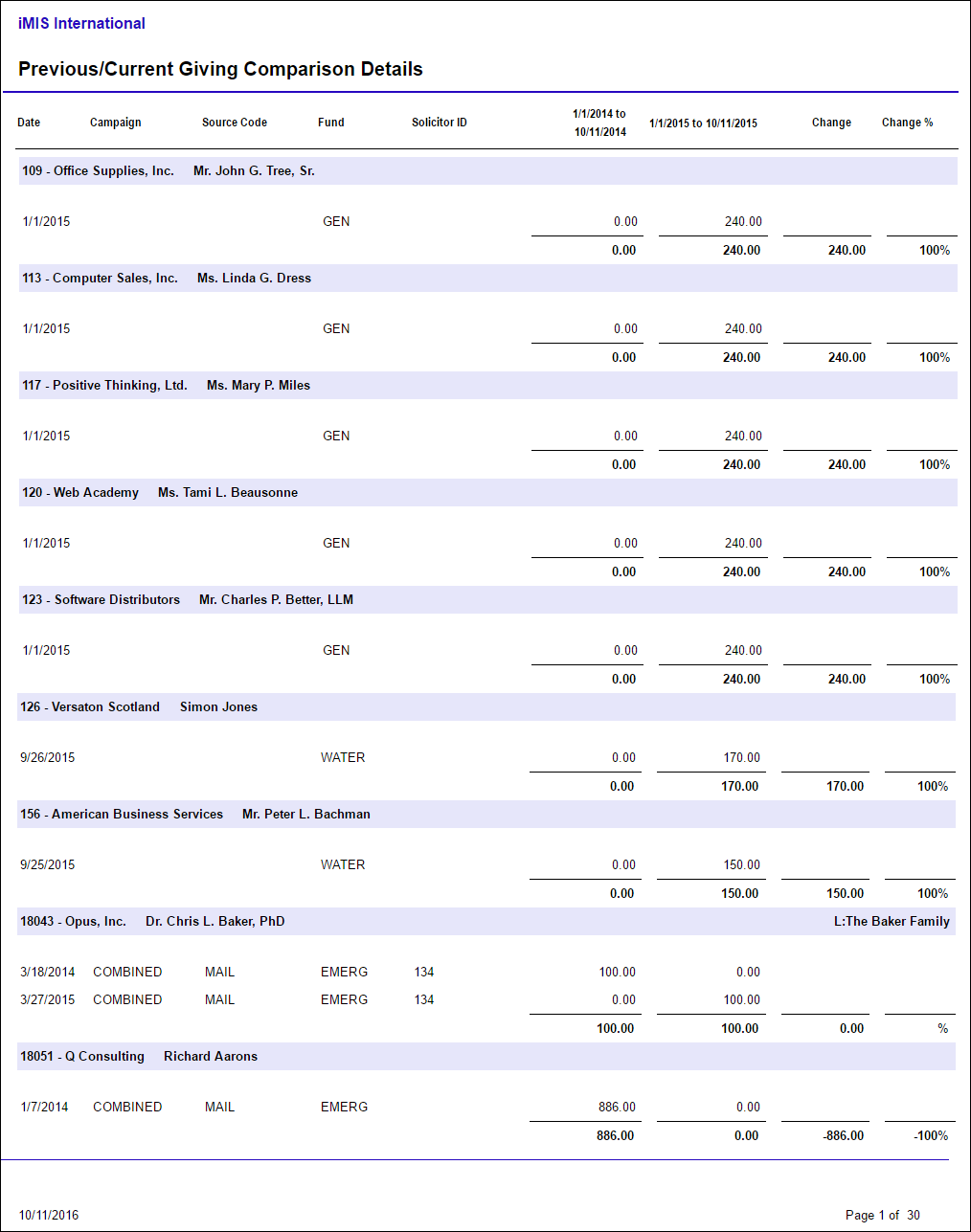
Previous/Current Giving Comparison Details
Lists gift details by donor across two specified time periods, displaying the difference in amounts and percentage of change.
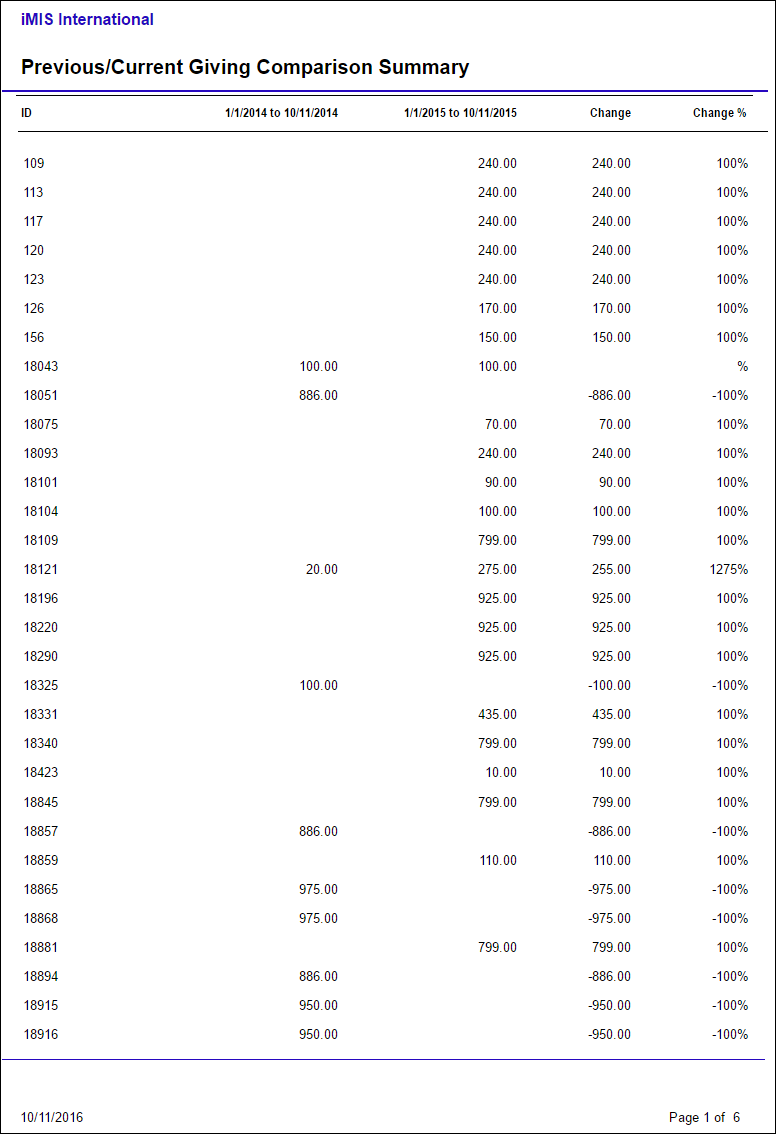
Previous/Current Giving Comparison Summary
Compares the total gift amount per donor across two specified time periods, displaying the difference in amounts and percentage of change.
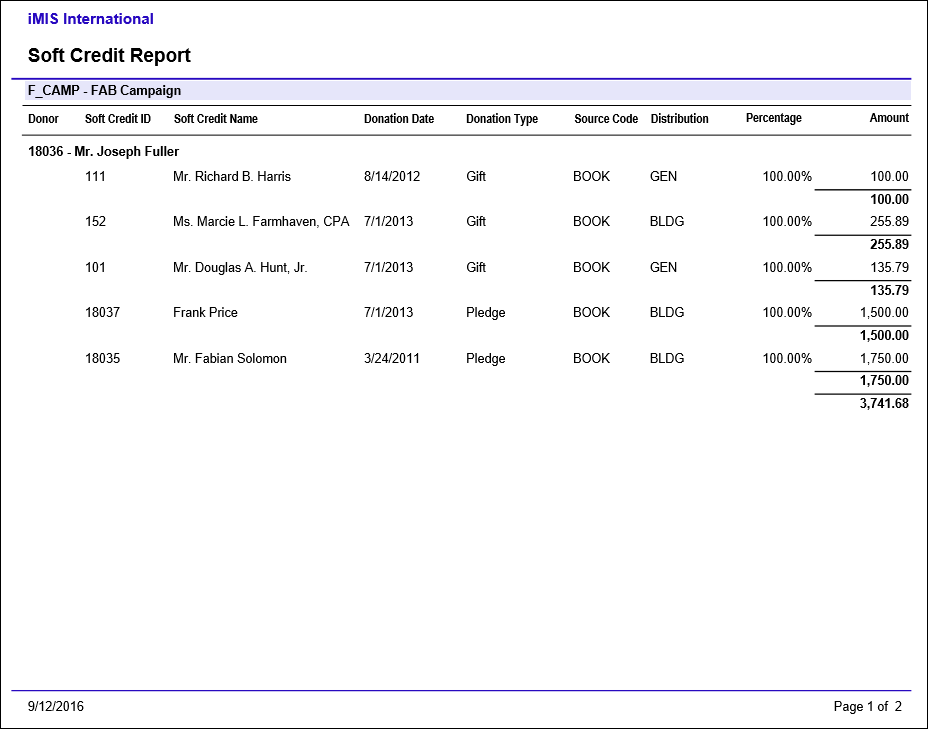
Soft Credit Report
List of soft credits for donations grouped by campaign and donor.
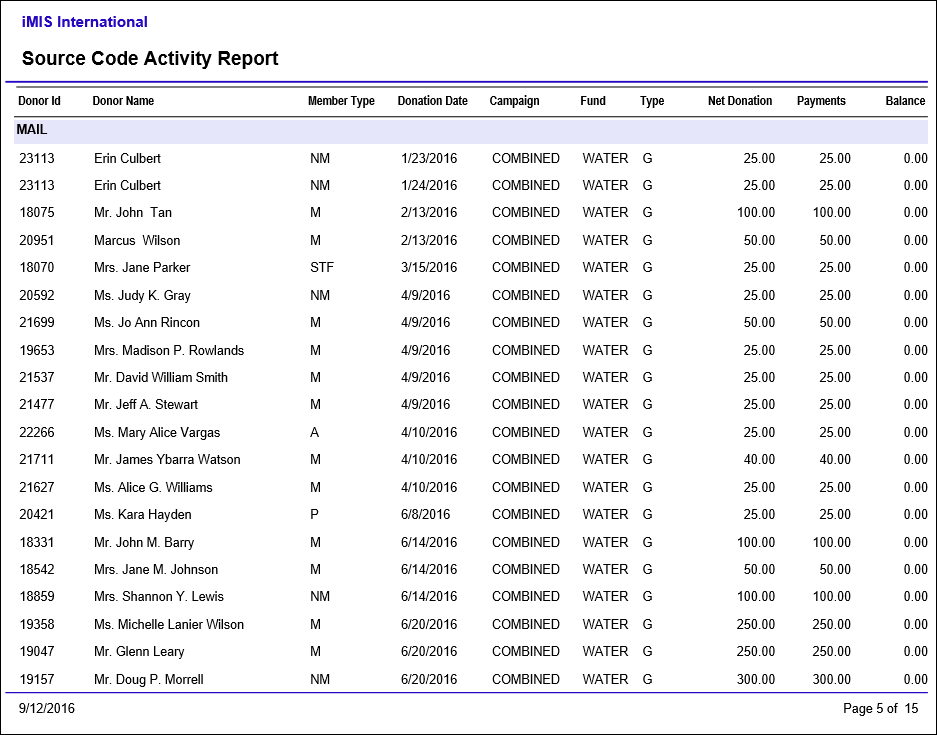
Source Code Activity Report
Provides a detailed listing of all the Gift and Pledge Activities related to each Source Code for a given period of time.
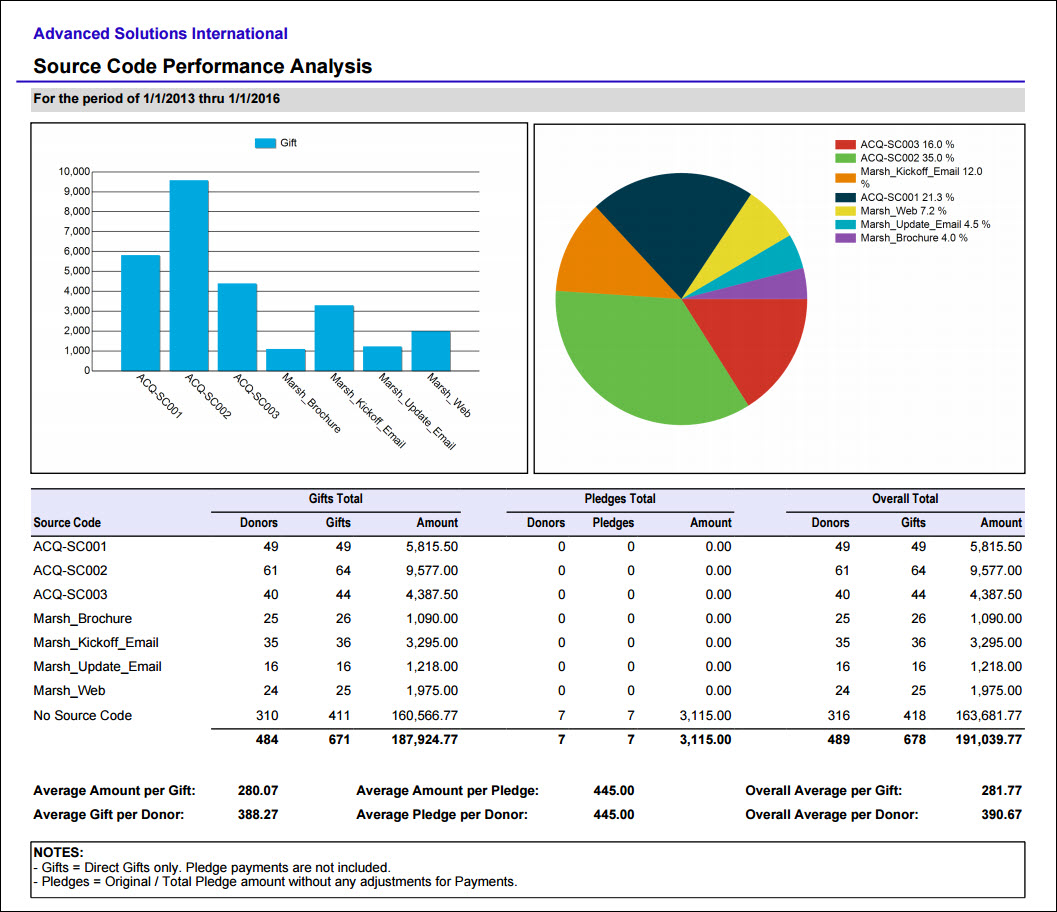
Source Code Performance Analysis
Comprehensive summary of source code results and statistics. Provides a snapshot of each source code with a summary of number of donors, number of gifts, and amount for Gifts and Pledges separately.
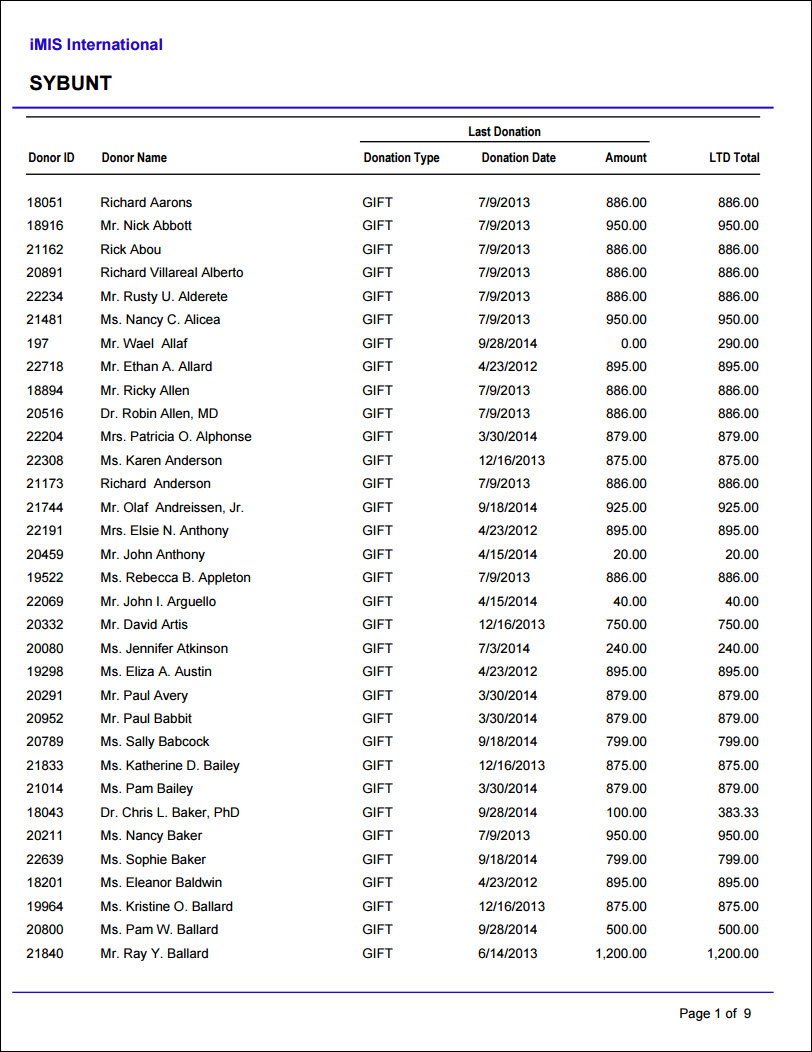
SYBUNT
Lists donors who made donations Some Year But Unfortunately Not This Year. Donors will be included if their last gift was more than two years prior to the run date of the report (based on calendar year; fiscal year is not taken into consideration).
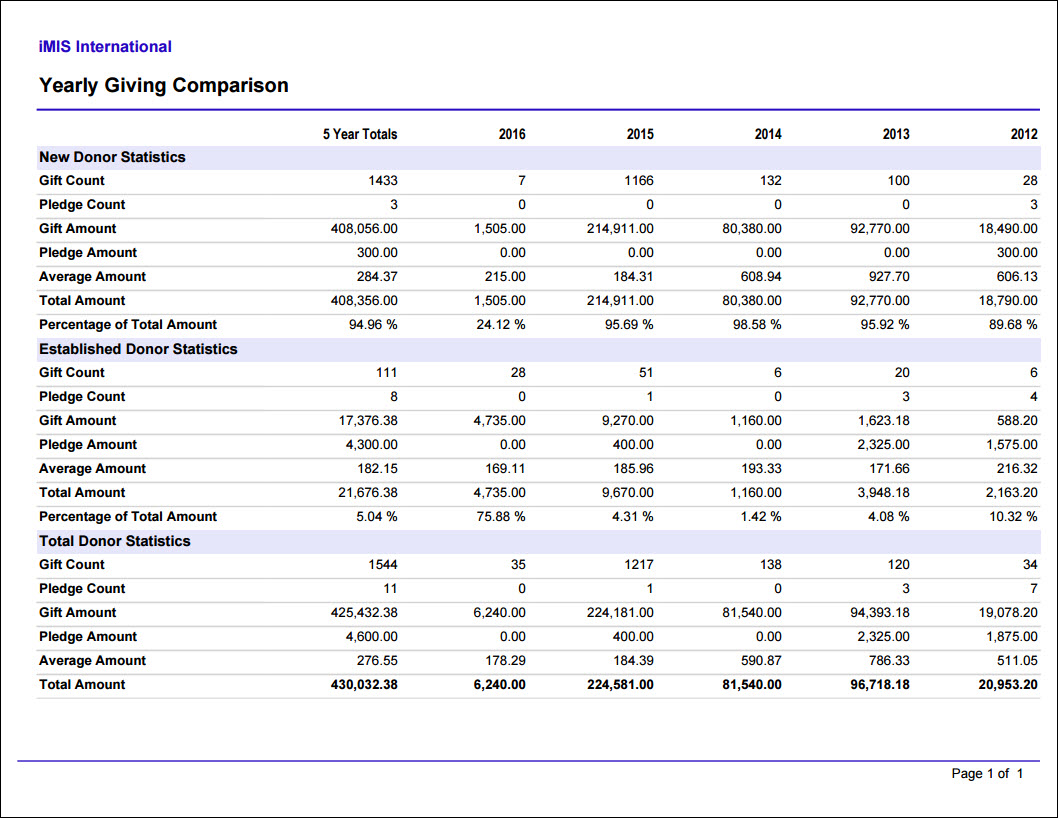
Yearly Giving Comparison
Prints a grid of gift counts and totals for the current year and the preceding four calendar years. Categorized by New Donors (the year the donor made their first contribution), Established Donors, and Total.
Updated 3 months ago