

Finding orders
From the Staff site, you can locate all orders that have been placed (Commerce > Find orders). The default table view displays all orders, but you can enter search parameters to narrow down the results.
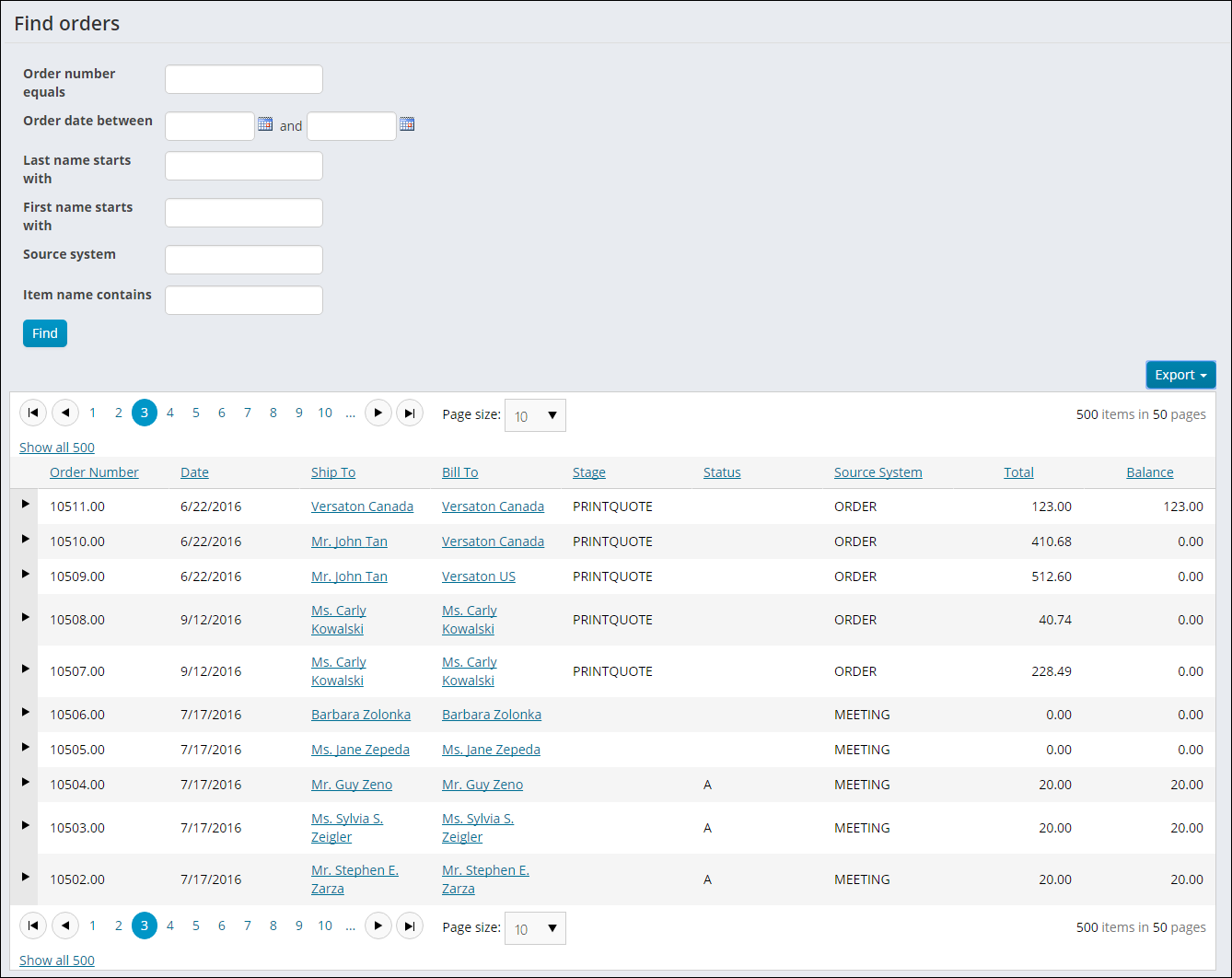
Staff users can Find orders by entering values for one or more of the provided parameters. This tool is especially useful when specific order information is unavailable.
The Find orders query is located at $/OrderManagement/DefaultSystem/Queries/Find orders. To change your parameters, you can make changes to a copy of the query, or you can make a new query using the system query as a template.
Add your new or modified queries to the Find orders folder.
WarningDo not modify a system query. Instead make a copy of the query and apply the changes to the copy. Any system query that is modified will be overwritten on upgrade.
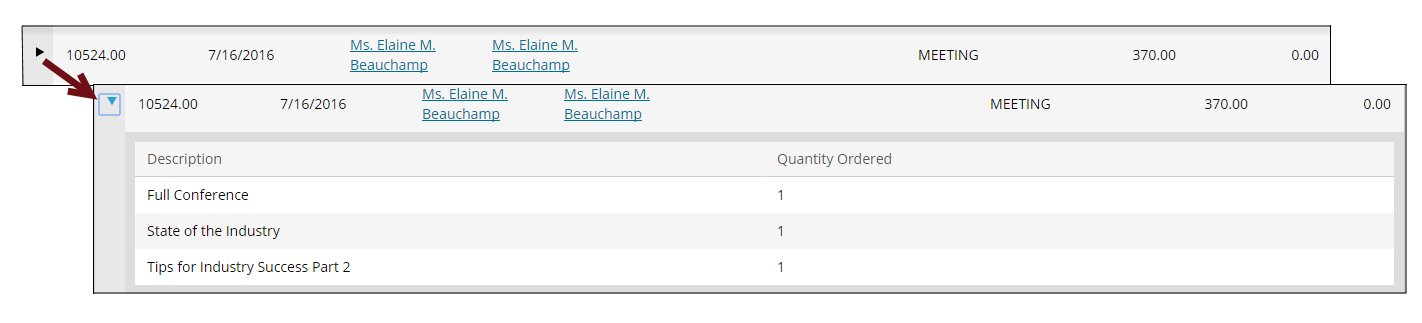
To view a specific order, expand the view by clicking on the arrow to the left of the order. The order Description and the Quantity Ordered will display in a drop-down.
NoteYou cannot select a single order to be exported. All the order results from your query will be exported when you select an Export format.
Updated 3 months ago