

Setting primary organization
The Primary Organization will appear by default in a number of places, such as on event badges and reports.
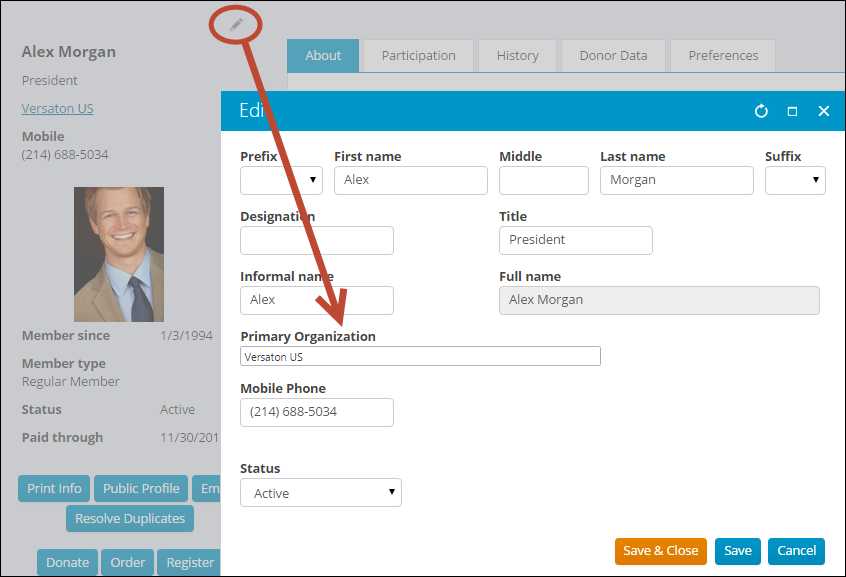
The place to set Primary Organization is on each contact’s Contact Mini Profile:
- If the organization already has a contact record, you can select the organization name from the drop-down.
- If the organization does not have a contact record, you may want to create the organization record first, then return to the person’s Contact Mini Profile to add the Primary Organization.
- If adding a contact record for the organization is not desired, you can simply type the name of the organization into the Primary Organization field.
If you delete or change a person's Primary Organization, they are completely removed from that organization.
NoteTo clear out an existing name or filter, delete all of the characters in Primary Organization.
Changing organization membership information
To change a member's role or title, do the following:
- From the Staff site, navigate to the organization profile page.
- Click the Contacts tab.
- Locate the member you would like to edit, then select their current role.
- From the Group member detail window, you can edit the Role and Title .
Updated 3 months ago
Did this page help you?