

Accounting reports window
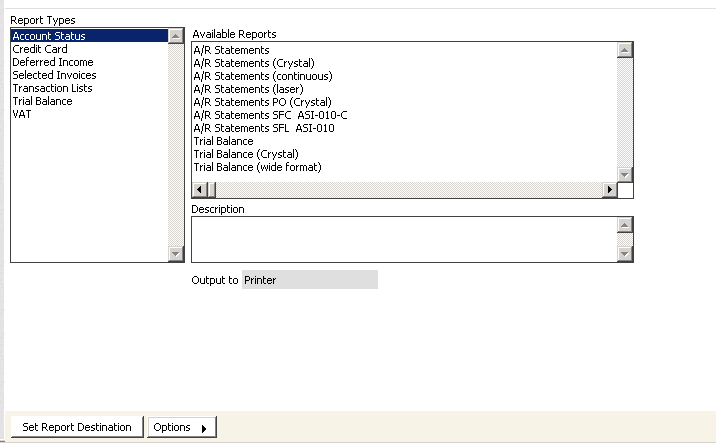
The following reports are the most frequently used in Accounting, and are often used on a daily basis:
- On-screen account inquires
- Accounting Transaction reports
- Accounting Transaction journal
- Accounting Statements reports
- Trial Balance reports
- Deferred Income reports
- Selected Invoices reports
- Credit/Debit Card Authorization reports
To view on-screen account inquiries
Perhaps the most important inquiry tool you will use is located in the customer's record. For example, if a customer asks for instant information on the status of an account item, you can immediately open screens that show overall and detailed data on open items.
- From Customers, find a customer's record.
- The name and address data for the selected customer displays on the Manage customers window.
- Select the AR/Cash tab.
- Double-click on a line item to display the transaction details on the Transaction Ledger window.
- Click OK.
- Click Print Trial Balance on the AR/Cash tab. The system automatically generates a Trial Balance report for the specified customer ID.
Updated 6 months ago
Did this page help you?