

Exhibited Product Conflicts window
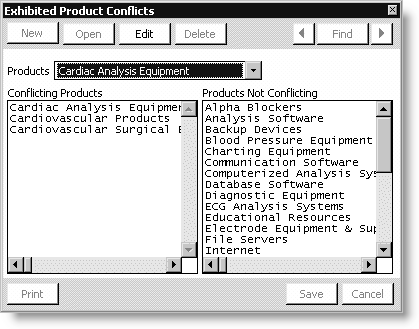
Products
Select a product for which you want to define a list of conflicting products.
Conflicting Products
Lists a selected product's conflicting products.
Products Not Conflicting
Lists a selected product's non-conflicting products.
To manage conflicting products
- Open the Exhibited Product Conflicts window:
- From Exposition, select Set up tables > Product master list to open the Set up product master list window.
- Click Conflict List.
- Select a product from the Products list.
- Click Edit.
- (optional) To add conflicting products, double-click a product in the Products Not Conflicting list. The product moves to the Conflicting Products list.
- (optional) To delete conflicting products, double-click a product in the Conflicting Products list. The product moves to the Products Not Conflicting list.
- Click Save.
Updated 6 months ago
Did this page help you?