

Print quotes window
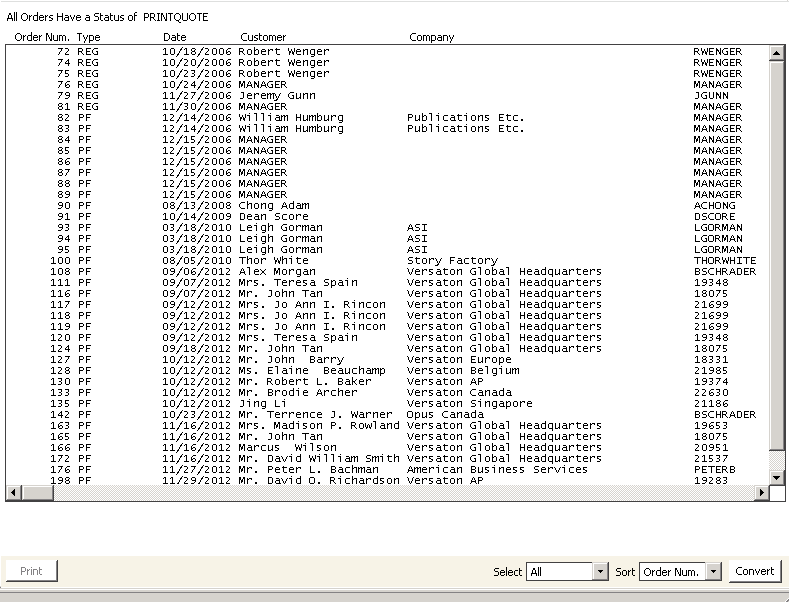
To print sales quotes
- Enter a pro forma order (see Entering orders).
- From Print quotes window, select the order(s) for which you want to generate sales quotes. To edit an order, double-click it to open it on the Order Entry window.
- Click Convert. A message displays prompting you to confirm moving the pro forma order(s) to the next stage.
- Click Yes to convert the order(s) and print the sales quote(s).
Updated 6 months ago
Did this page help you?