

Expo Description window
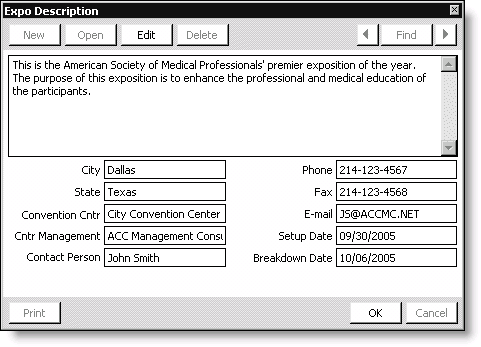
Description
Enter a description of the exposition (1000 alphanumeric characters). Use the Description for inquiries, to paste content into word-processing documents, or to print on reports you design.
User-defined Fields
Enter all applicable exposition information. The user-defined fields are enabled under the Expo Description Fields area of the Exposition Set up module window.
To define an exposition description
- Open the Expo Description window:
- From Exposition, select Set up an exposition, and double-click an exposition to open the Set up an exposition window (second instance).
- Click More and select Description.
- Click Edit.
- Enter a Description of the exposition.
- Enter any other applicable information in the User-defined Fields.
- Click OK.
Updated 6 months ago
Did this page help you?