

Events Advanced Features window
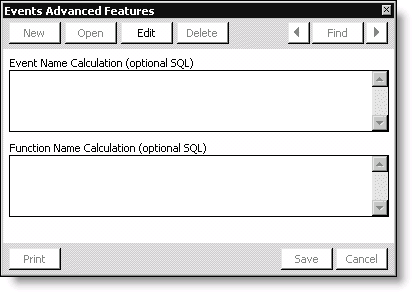
Event Name Calculation (optional SQL)
Specifies the name of the SQL string used to store the procedure that automatically assigns event codes.
Function Name Calculation (optional SQL)
Specifies the name of the SQL string used to store the procedure that automatically assigns function codes.
To create a stored procedure
- From the menu bar, select Utilities > SQL Query to open the SQLQuery window.
- Click New.
- Enter the SQL command in the SQL Command Text field. For example, the following SQL command will create a stored procedure to generate unique, consistent event codes that include the year and event number count:
CREATE PROCEDURE Meeting_Calc @MeetingCounterName varchar (30) AS

Declare @MeetingCounter int, @Count int
select @Count=Count(*) from Counter
where COUNTER_NAME=@MeetingCounterName
if @Count=0
begin
insert into Counter (COUNTER_NAME,LAST_VALUE)
values (@MeetingCounterName,1)
select @MeetingCounter=1
end
else
begin
update Counter set LAST_VALUE=LAST_VALUE+1
where COUNTER_NAME=@MeetingCounterName
select @MeetingCounter=LAST_VALUE from Counter
where COUNTER_NAME=@MeetingCounterName
end
select convert(varchar,datepart(yy,getdate()))+convert(varchar,@MeetingCounter)- Click Execute.
To set up event and function name calculations
- From Events, select Set up module.
- Click Advanced.
- Click Edit.
- Enter the SQL string that executes the stored procedure in the Event Name Calculation field or the Function Name Calculation field. For example, enter Meeting_Calc 'MeetingCounterName' in the Event Name Calculation field.
- Click Save.
Updated 6 months ago
Did this page help you?