

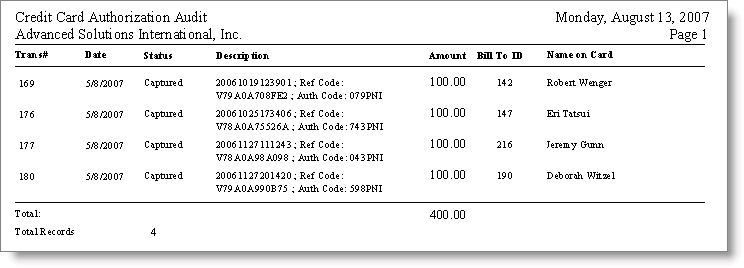
Credit Card Authorization Audit report
This report prints a list of all credit card transactions that were authorized within the given date range and/or Org Code. You can use this report to compare with the results of queries you receive from your gateway provider. Run this report from:
Desktop: AR > Generate Reports > Credit Card > Credit Card Authorization Audit (Crystal)
NoteIf Advanced PCI Compliance > Do not retain cardholder information is enabled, iMIS saves transactions without cardholder data and shows only gateway reference number and authorization code fields.
Updated 6 months ago
Did this page help you?