

Managing chapter members
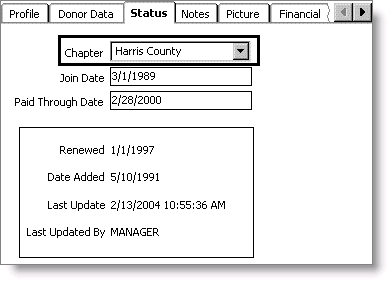
When a customer belongs to only one chapter, you only need to select the appropriate chapter code in the appropriate field on the Status tab on Customers > Manage customers. The label that displays on the Status tab depends on the value you entered in the Chapter Prompt field on the Customer Setup - Basic Options window.
NoteThe Customers module is available only in Desktop.
iMIS also supports situations in which you need to enroll customers in multiple chapters, or perform chapter maintenance.
NoteThe ability to manage chapter rosters is available in both Desktop and Advanced Accounting Console.
Updated 6 months ago
Did this page help you?