

Adding a Subscription Item
Before printing labels for a subscription, you must add the subscription item to the customer’s Dues/Subscriptions window and bill the customer for the subscription.
To add a subscription item to a customer record
- From Customers, select Manage customers and find the customer requesting the subscription.
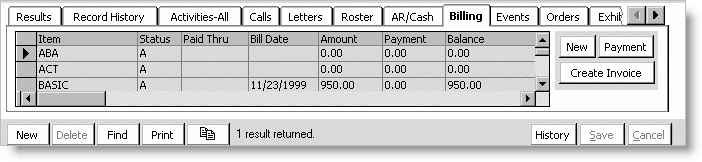
- Select the Billing tab.
- Click New to open the Dues/Subscription Item Detail window.
- Enter the subscription code in the Item field, or click the Find icon to select the code.
- Enter the Begin Date.
- Click Save to return to the Billing tab.
Updated 6 months ago
Did this page help you?