

Configure certification options window
Activity
Opens the Certification Activity Setup window where you can map additional user-specified fields to certification activity records, and specify up to seven additional certification-related data fields (three character fields, two numeric fields, and two date fields) to add to the certification-generated activity fields.
Options
Opens the Certification Systems Options window where you can set the global Certification module system options.
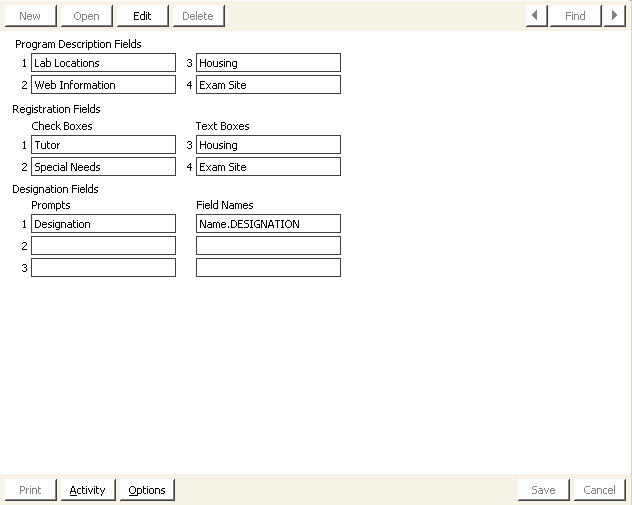
Program Description Fields
In this area of the window, activate up to four user-defined, program-related fields. Assign purposes and labels to any of these fields according to your needs. If you define a user prompt in one of the Program Description Fields, the field is shown on the Program Description window.
Registration Fields
In this area of the window, activate up to four user-defined, registration-related fields. You can create two checkboxes and two text fields. If you define a user prompt in one of the Registration Fields, the field is shown on the Registration Description window.
Designation Fields
You can specify the field to be updated in the customer's record when the program is complete, for example, Name.DESIGNATION. After the completion test is performed and the program is marked complete, iMIS automatically inserts or appends the new designation in the customer's record.
NoteIf a field is set as a user-defined field on a table that is not Always Create, and does not have a record for the registered member, the designation is not updated when the program is closed.
Updated 6 months ago