

Defining the BACKISSUE Activity Type
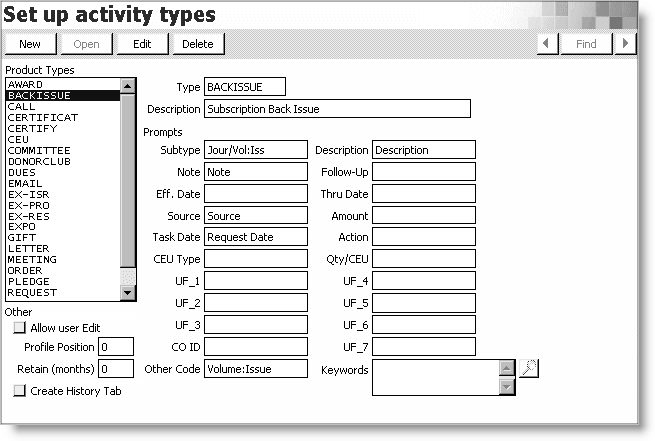
Before you can enter a back issue request for a publication, you must create the BACKISSUE activity type on the Set up activity types window.
To define the BACKISSUE activity type
- From Customers, select Set up module > Activity types to display the Set up activity types window.
- Click New.
- Enter BACKISSUE in the Type field.
- Enter a Description for the activity.
- Enter a prompt for Subtype.
- Enter a prompt for Description.
- Enter a prompt for Note.
- Enter a prompt for Source.
- Enter a prompt for Task Date.
- Enter a prompt for Other Code.
- Click Save to display the Set up activity types window.
Updated 6 months ago
Did this page help you?