

Delete expired items window
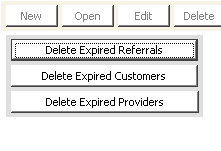
To delete expired items
- From Delete expired items, click Delete Expired Referrals.
- Enter the date before which you want to remove the transactions of completed referrals. The Older Than date defaults to the current system date. You can override this value.
- Click OK.
- A message displays asking you to confirm the deletion. Click Yes.
Updated 6 months ago
Did this page help you?