

Account summary for group payments
If the Bill Me account or Debit Account options have been set up for a group in TopClass, administrators can access the account summary for either option from the group's Extra Info (Advanced Options > Extra Info).
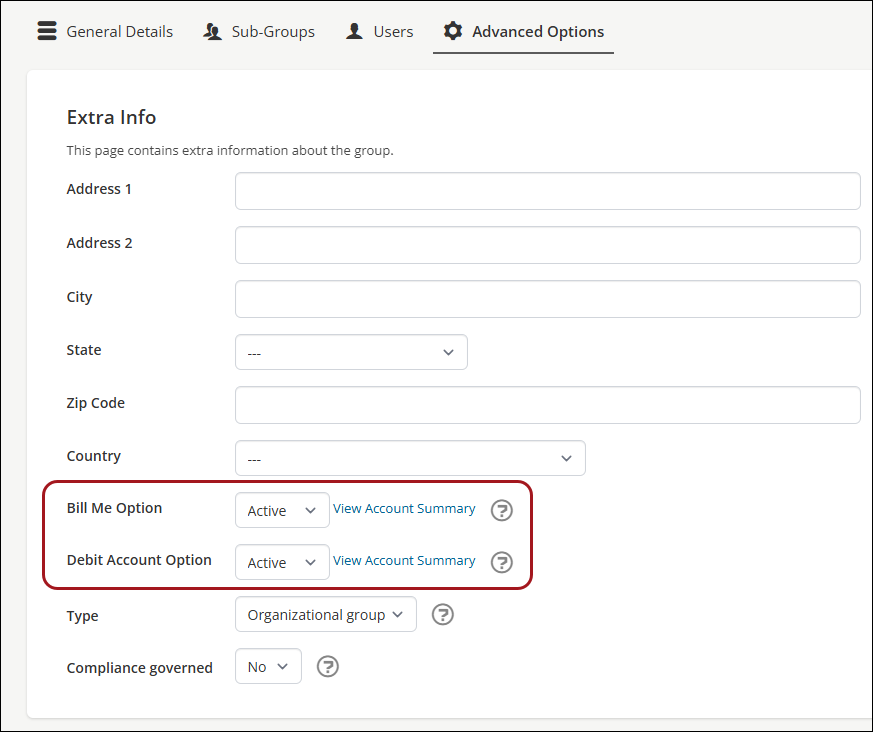
To view the summary of either activated account type, click View Account Summary. Administrators can also access the Account Summary by going to eCommerce > Account Summary.
Adding funds to a group's debit account
It is possible to add funds to a group’s debit account by creating a transaction against it. Funds are used on a first-come-first-served basis when users within the group purchase learning activities from the catalog with a group's debit account.
To add funds to a group's debit account, do the following:
- Go to eCommerce > Account Summary.
- Select the debit account.
- Click the Payments tab.
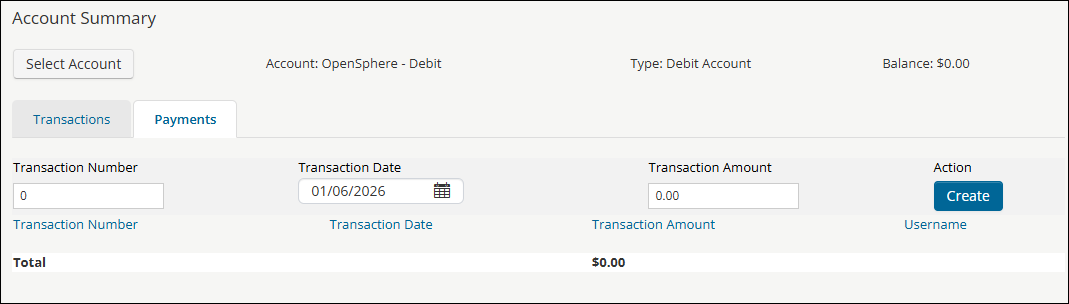
- Configure the transaction:
- Transaction Number - The number associated with the transaction.
- Transaction Date - The date associated with the transaction.
- Transaction Amount - The amount of funds to be added to the Debit Account.
- Click Create.
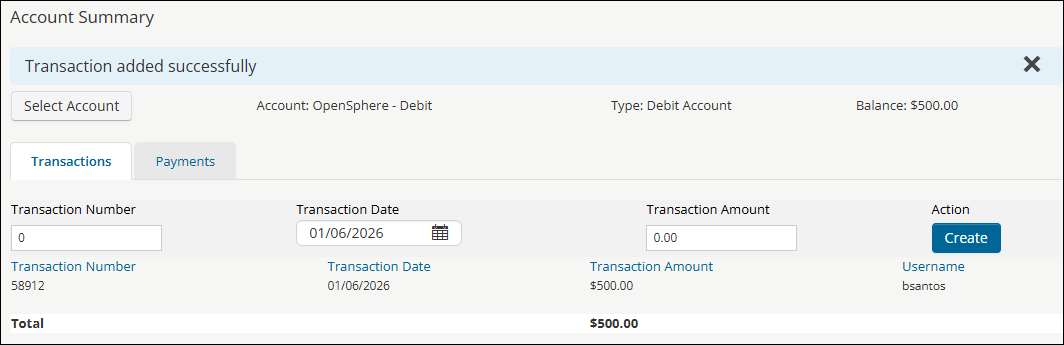
The new transaction is visible in the Transactions tab.
Updated 5 months ago