

Creating a coupon
Do the following to create a coupon:
- Go to eCommerce > Coupons.
- Click Create to create a new coupon.
- Enter a Code and Title for the coupon.
- From the Type drop-down, select a coupon type.
- Configure any additional settings for the coupon.
- Click Create.
Once the coupon has been created, mark the coupon as Active to make it available for use.
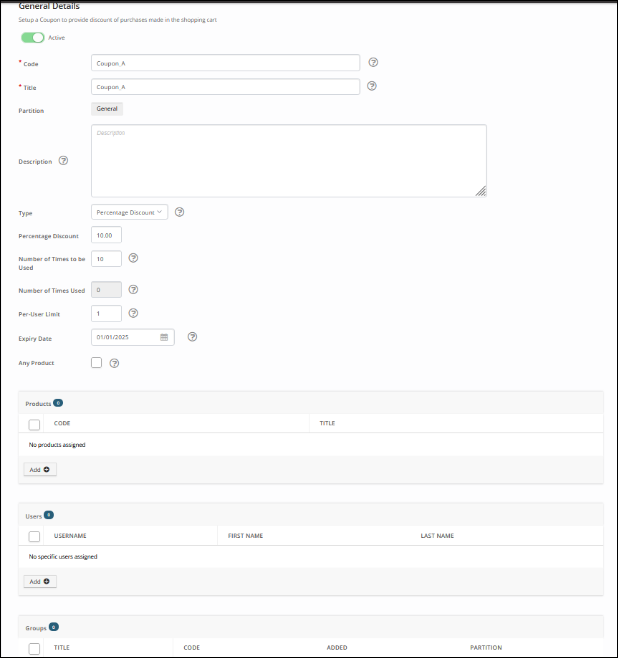
Additional settings
Use the following fields to further customize a coupon:
- Description - Sets a description for the coupon.
- Type - Specifies the type of discount provided by the coupon.
- Users - Defines users who can use the coupon.
- Groups - Defines a group of users who can use the coupon.
- Expiry Date - Defines an expiry date for the coupon. Coupons without an expiry date never expire. Coupons with an expiry date remain valid up until and inclusive of the specified date.
- Any Product - If enabled, the coupon can be used to purchase any products in the TopClass system. You will be presented with an option to further specify what items can be purchased using this coupon.
- Products - If Any Product is not enabled, you are given the option of choosing which product/s this coupon should apply to. It is possible for this coupon to be used to purchase more than one product.
Updated 5 months ago
Did this page help you?