

Accessing the Learning Contract as a student
When Learning Contracts are enabled on TopClass, a new Learning Contract Invitations widget will appear on the Learning Center dashboard.
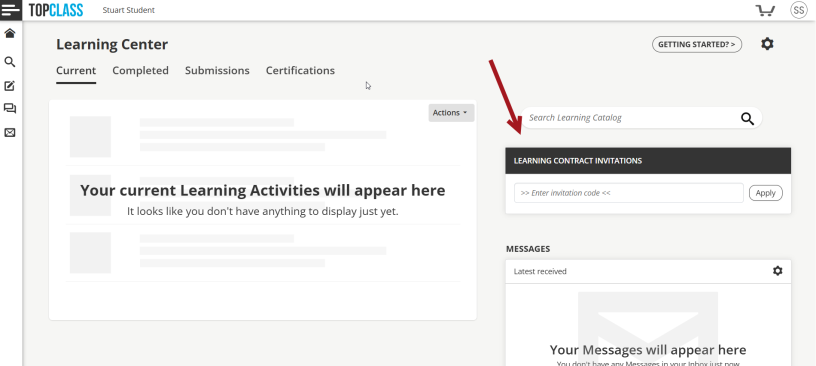
On creation of the Learning Contract, if Require Invitation Code is set to:
- Yes – The student must enter an invitation code in their Learning Center widget to enroll, even if they have received an invitation notification.
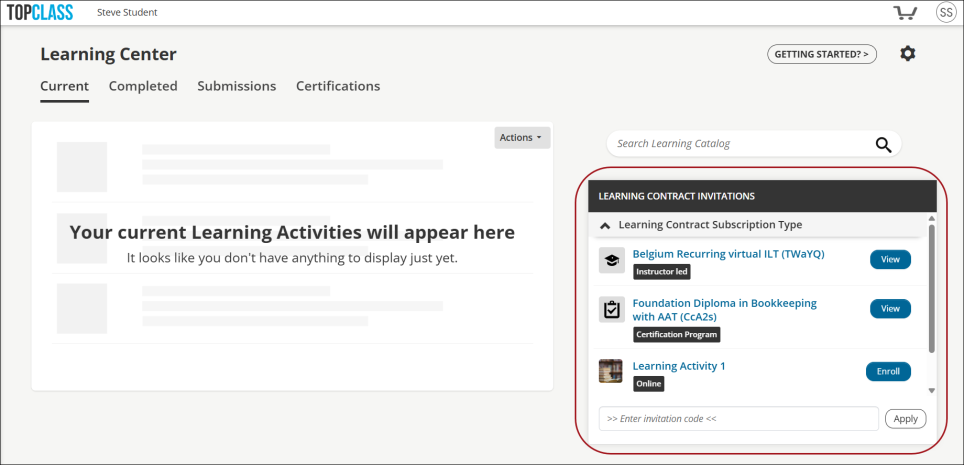
- No – The activity will automatically appear in the students Learning Center widget once they are invited, and no invitation code is required to enroll.
Student users can view details of the Learning Contract and associated Learning Activities (Online and Instructor Led) and Certification Programs, and follow the steps to enroll.
Updated 5 months ago
Did this page help you?