

2020 Release Notes
October 2020 (10.5.2)
New Features
Virtual Conference
NEW – Separate system setting to turn on virtual conferences - A new separate system setting for virtual conferences has been added. This system will be off by default and can be switched on by our Services team on request. This switch is used in conjunction with the Virtual Flag. Both Virtual Conference and Virtual Flag must be enabled to use the Virtual Conference module in TopClass.
NoteVirtual conference management is separate to the existing conference management feature. Virtual conference management is an optional feature that can be configured on request for customers using TopClass 10.5 and subsequent releases. Your Customer Success Manager or Project Manager can provide further details.
iMIS Integration – Virtual Conference
NEW – Integration points for virtual conferences included in our standard iMIS integration bridge. This includes:
- Enrollment synchronization
- Cancellation synchronization
- JIT
- ELT
- Writebacks
- Conferences that have credits specified at Conference level - one record per credit written back to IMIS
- Conferences that have credits specified at Session level - one record per credit written back to IMIS for each session student attended - no record written back for overall conference.
- Redirect from welcome page to iMIS when using IMIS catalog
Certificate Download
- NEW - Learners have the ability to download all their certificates:
- Ability to download all from the Completed tab in the Learning Center
- Ability to download those based on filters applied on the Completed tab in the Learning Center
- Ability to download certification program certificates from the Certifications tab in the Learning Center
Enhancements
Integrations
- Enhancements and bug fixing for queue management and write backs.
- Improved error handling for iMIS 2017 completion write back.
Miscellaneous
- Added support for new currency: Australian Dollar
- Added print button for payment confirmation
- Minor enhancements and bug fixes
June 2020 (10.5)
New Features
Virtual Conference Management
In response to the need for education and certification providers to deliver more learning experiences online as a result of the global pandemic, we have added the ability to set up and manage virtual conferences within TopClass.
In consultation with our customers, we have developed set functionality to enable the setup, management and delivery of single or multi-track virtual conferences offered as single or multi-day events. This feature leverages TopClass end-to-end integrations with Zoom Webinar and GoToWebinar, and it can also be used with other webinar and video conferencing platforms.
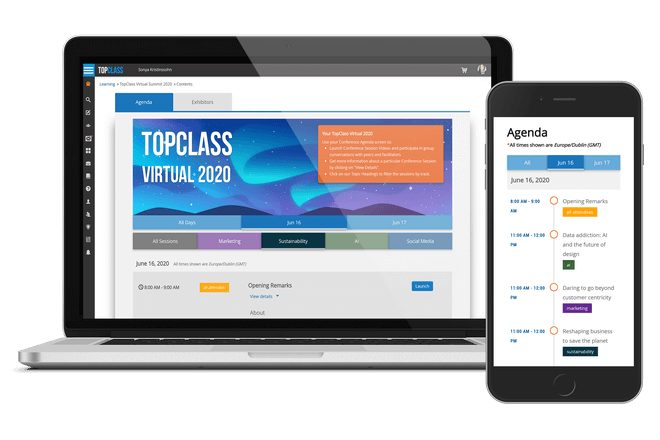
NoteVirtual conference management is separate to the existing conference management feature. Virtual conference management is an optional feature that can be configured on request for customers using TopClass 10.5 and subsequent releases.
NEW – Virtual Conference Management
You can now create a virtual conference event.
-
Supports integration with:
- Zoom Webinar
- GoToWebinar
- Generic Virtual ILT (such as Adobe Connect)
-
Add virtual conference branding:
-
Ability to specify a virtual conference header image or conference header background color
-
Upload a virtual conference logo
-
Specify virtual conference overview text that will be displayed to students. This includes the ability to specify:
- Background color
- Text color
- Provide virtual conference administrators with a preview mode so they can see what the Conference will look like when viewed by learners
-
Ability to enter terms and conditions for the virtual conference
-
Ability to create exhibitors, sponsors, and partners and link them to virtual conference events; with the ability to specify:
- Logo
- URL
- Description
- Contact Details
- Category
-
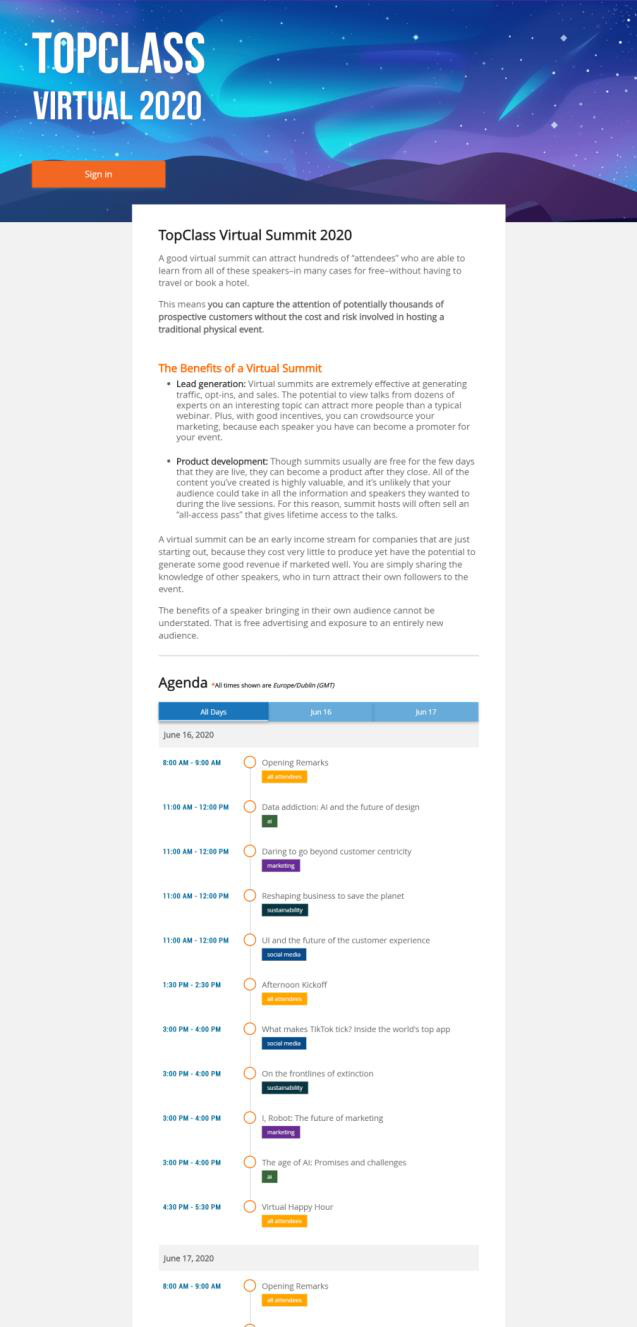
A separate, publicly-accessible welcome page for virtual conference that shows all relevant information to learners including:
- Virtual conference description
- Time-based breakdown of virtual conference
- Terms and conditions for virtual conference (if entered)
- Carousel of sponsors
- Carousel of partners
-
The welcome page will also cater for different workflows, such as if students are logged in, or if they are enrolled in a virtual conference. The welcome page also has Single-Sign-On (SSO) support.
-
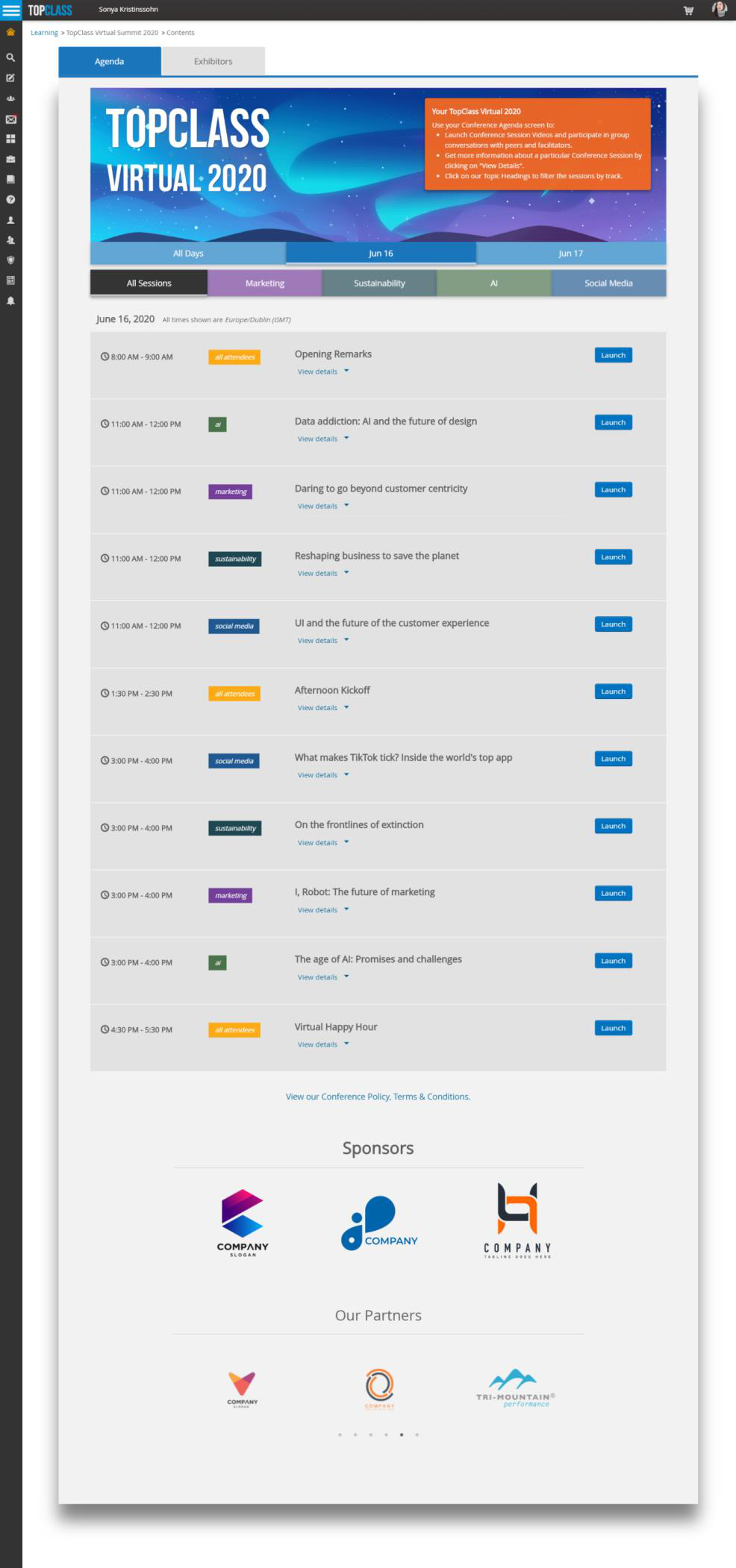
Time-based agenda view for virtual conferences. This is viewable from:
- Catalog
- Learning Center (which will also include launch functionality)
-
Registration of students - Students are enrolled in all sessions of virtual conference at the time of enrolment. If a new session is added after a student has been enrolled, a new synchronization process will be kicked off in background to synchronize student enrolment with the additional session(s).
-
Finalize attendance functionality - this finalizes the attendance for student at overall conference level
- If a learner has been marked attended for at least one session, they will be marked Attended at overall virtual conference level.
- If a learner did not attend any sessions they will be marked as No Show at overall virtual conference level
-
Notification changes:
- Reminder of upcoming conference notification
- Enrollment notifications are not sent for individual conference sessions. The notification of virtual conference enrollment confirms enrollment for the entire virtual conference
- Virtual conference enrollment notification includes the welcome page link to the virtual conference
New public-facing virtual conference welcome page:
Time-based agenda view, showing example of a multi-day, multi-track virtual conference:
Enhancements
Notifications
- NEW – Assignment notification - Notification that is sent to the user when they are assigned an activity
- NEW – Submission Reviewed notification - Notification that is sent to the user when instructor adds feedback or scores to their submission
Configuration
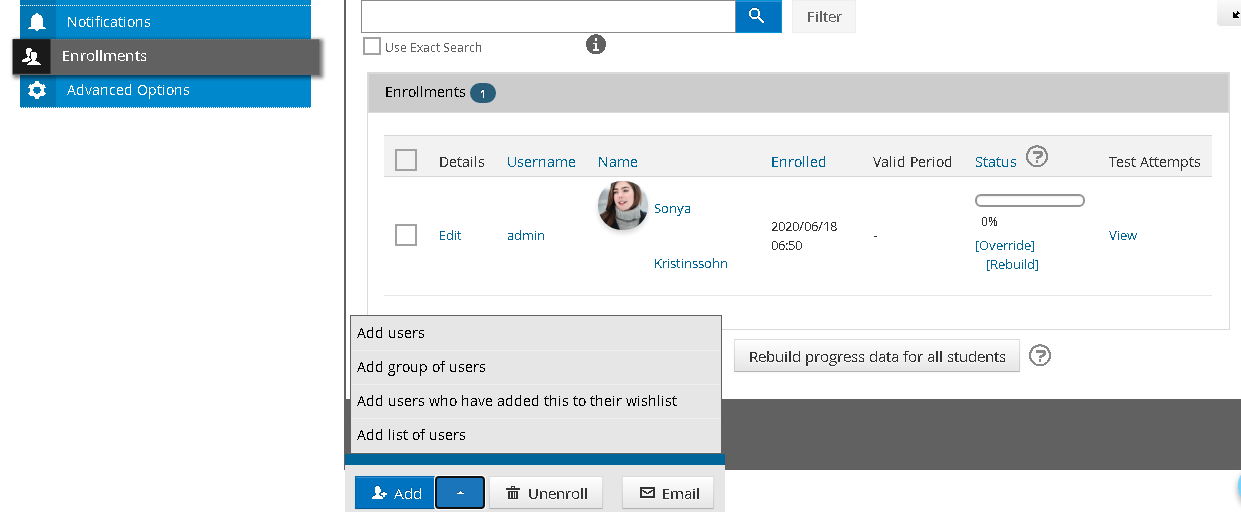
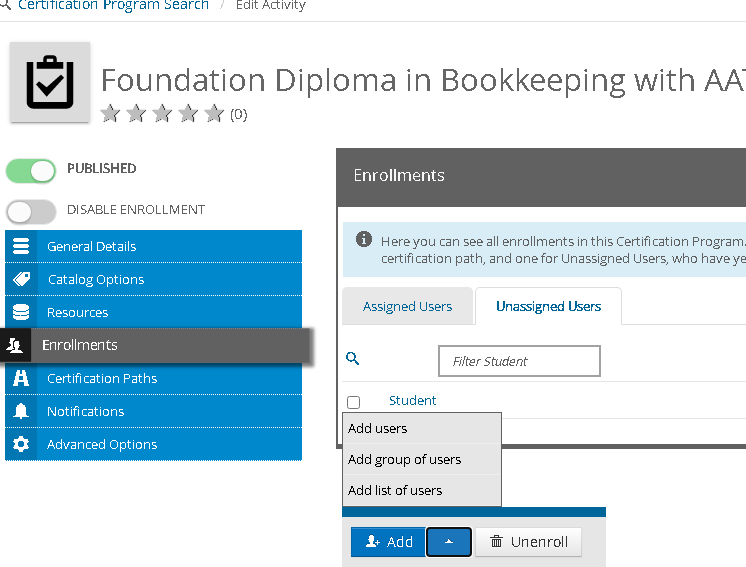
NEW- Bulk add student operations for online activities and certification programs
-
Online Activities: From the Enrollments tab for an online activity, you can now:
- Add users
- Add a group of users
- Add users who have added this to their wish list
- Add list of users
-
Certification Programs: From the Unassigned tab of a certification program and on the Enrollments tab for each certification path in a certification program, you can now:
- Add users
- Add a group of users
- Add list of users
Miscellaneous
- Added the ability to delete non-active price plans
- Minor enhancements and bug fixes
April 2020 (10.4.8)
Enhancements
The TopClass 10.4.8 release is a maintenance release, focusing on enhancements and updates to the underlying technology stack, with no new features.
Content Enhancements
- NEW – System setting to control auto-expansion of course navigation menus on course overview screen - A new system setting allows auto-expansion to be disabled for customers who have extended course hierarchies. This setting can be accessed by going to System Setting > Content > AutoExpandAllCourseHomeMenu.
- Interactive Video - Progress saved when a learner exits a video. When the learner returns, they will be brought to the point in video where they exited.
Miscellaneous
- Updates to translations for French, Spanish, German, and French Canadian to include Interactive Video functionality and to incorporate terminology change from Designations to Certification Programs.
- Minor enhancements and bug fixes.
Updated 5 months ago