

Creating a user
Do the following to create a user:
- Go to Resource Management > Users.
- Click Create.
- Enter the following:
- A unique Username
- The user's First name and Last name
- Email if you have it
- Temporary Password
- Click Create.
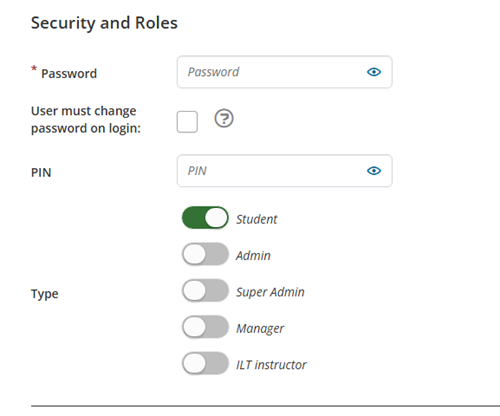
You will be taken to the General Details tab, where you can enter more information and choose the type for the user using the toggles:
Updated 5 months ago
Did this page help you?