

Latest Release: November 2026
The November 2026 release (10.8.2) introduces AI-powered translation of test questions, new reporting options including a PARS report and instructor report access, and expanded test and assessment controls. It also delivers enhancements across content and learning activities, administration, credits, certification programs, display configuration, integrations and e-commerce.
Together, these updates help deliver learning to a wider audience with less effort. AI translation lets assessments reach multilingual learners, while new exam access controls, percentage grading and flexible test layouts make assessments more secure and easier to take. Expanded reporting supports compliance and gives instructors better visibility into their learners without extra admin work. Smarter credit awarding, new certification grace period options and more flexible activity and e-commerce settings reduce administrative overhead and give teams finer control over how learning is delivered, sold and tracked.
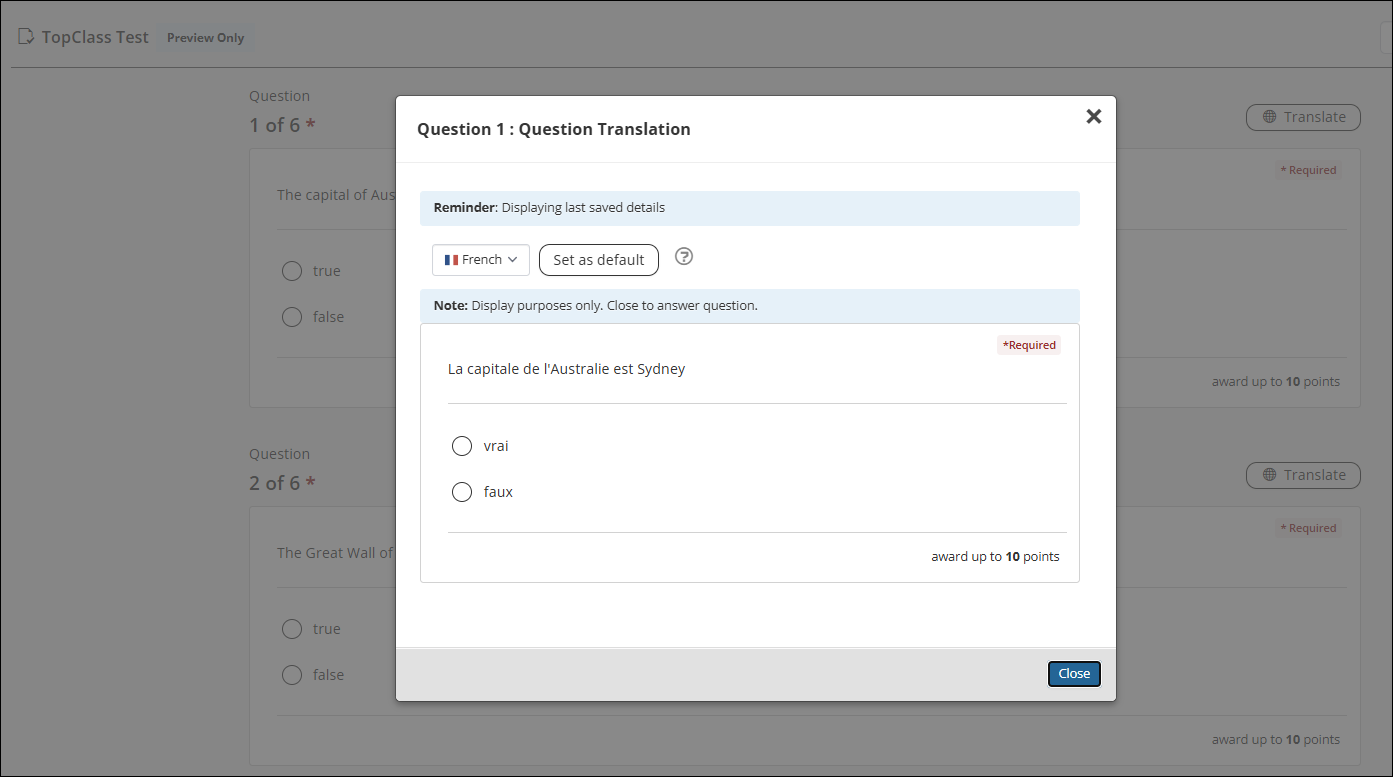
Using TopClass AI to translate test questions and new admin question layout
The TopClass AI Generator can now be used to translate test questions and answers at a question-bank level. When the setting is enabled, super administrators can choose to translate questions, answers, or both. They are also able to edit or enter their own translation texts for each language. Students will then have the option to view the translations before selecting the answer in the default language.
In addition to this new feature, the admin question layout has been changed from a tabular format to a continuous list format, so that admins can view questions and answers on the same screen. See AI Test Question Translator for details.
TopClass Reporting
PARS Report
TopClass now includes a PARS report. For each learning activity (online and ILT), administrators can complete the PARS-specific fields on the PARS tab and edit the PARS parameters for that activity. Each activity then outputs a line into the PARS report, which gives an account of all users (physicians and non-physicians) who completed the activity within a specified time period. See Reports: PARS Report for details.

Instructor access to reports
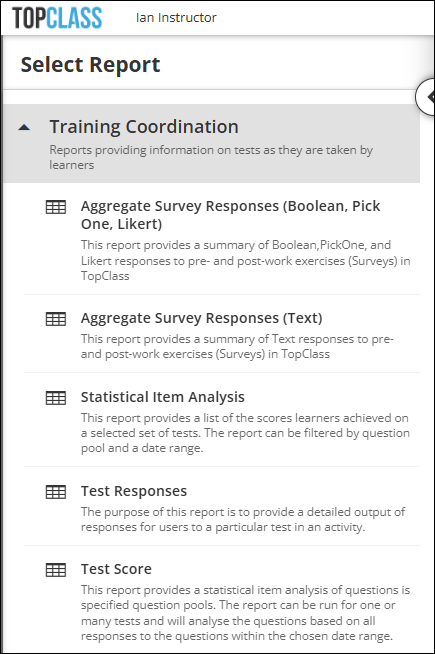
Super Administrators can now give Instructor users access to certain reports, so they can manage and track their assigned student learners. The following are the Training Co-ordination reports available to Instructor users:
- Aggregate Survey Responses (Boolean, Pick One, Likert)
- Aggregate Survey Responses (Text)
- Statistical Item Analysis
- Test Responses
- Test Score
See User privileges for details.
Tests & Assessments
Displaying test questions on one page per question bank
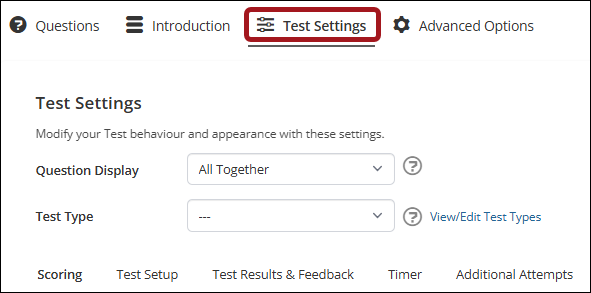
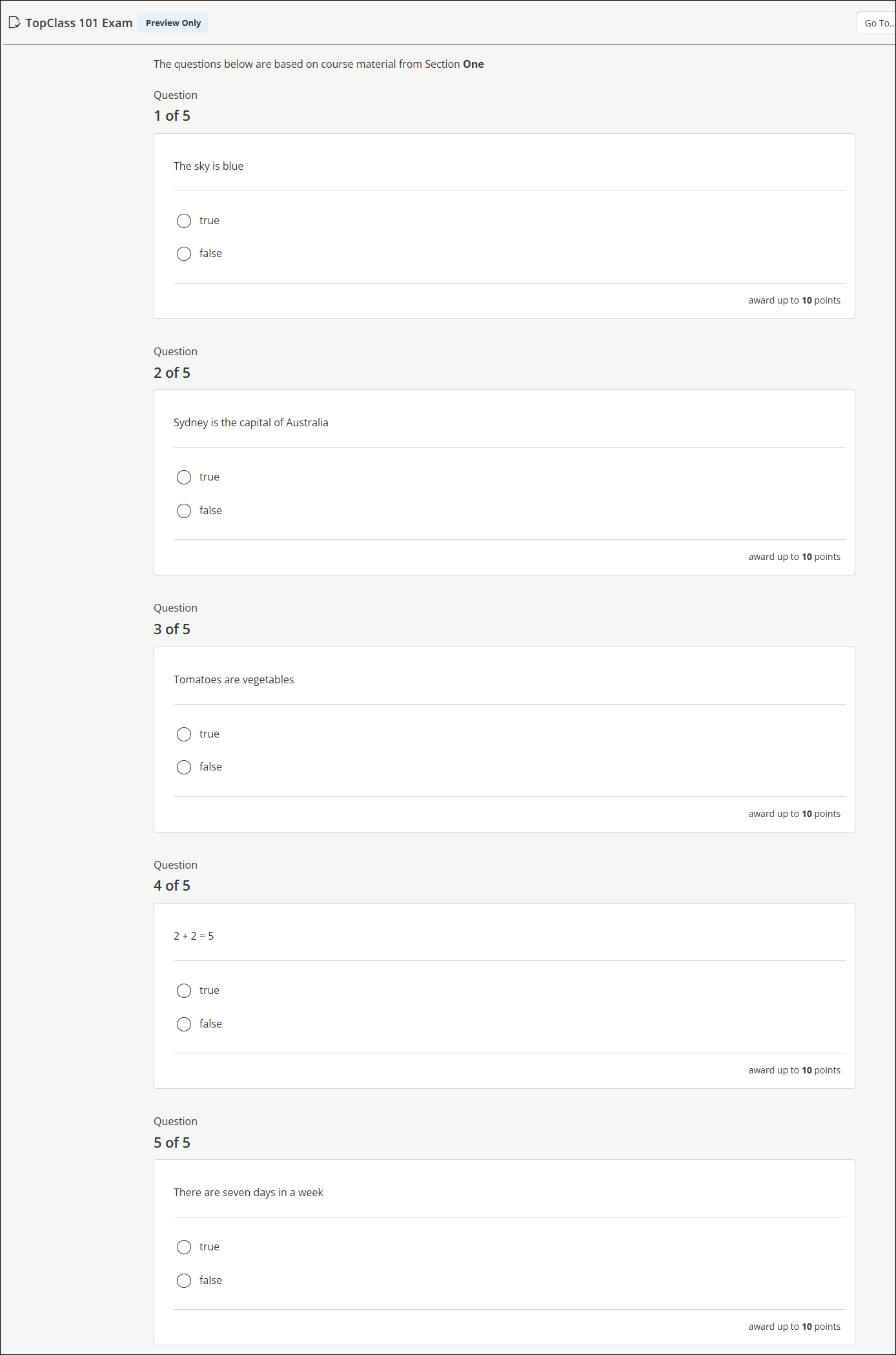
A new test setting allows test questions to be displayed by question bank. Questions from each question bank will be displayed on one page and administrators can add an introduction of the question bank that will be visible to the learner when this test setup is configured. It is also now easier to re-order question banks with the introduction of question bank "drag & drop" functionality. See Creating and Configuring Tests for details.
Displaying grading as a percentage on tests
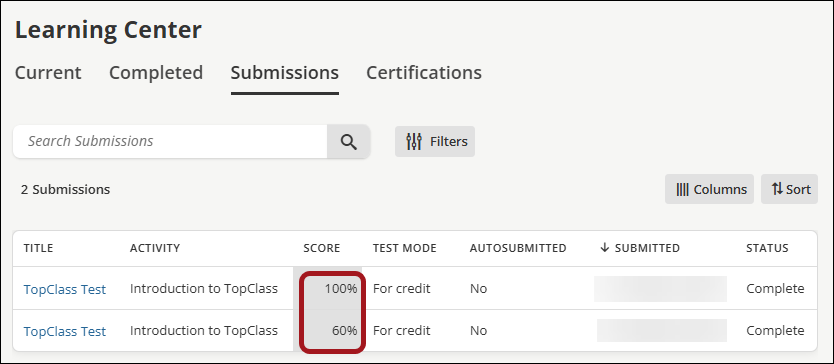
Administrators can now choose to display grades as a percentage. If enabled, both learner and admin screens will display the overall grade achieved as a percentage as will reports. See Creating and Configuring Tests for details.
Controlling access to exams
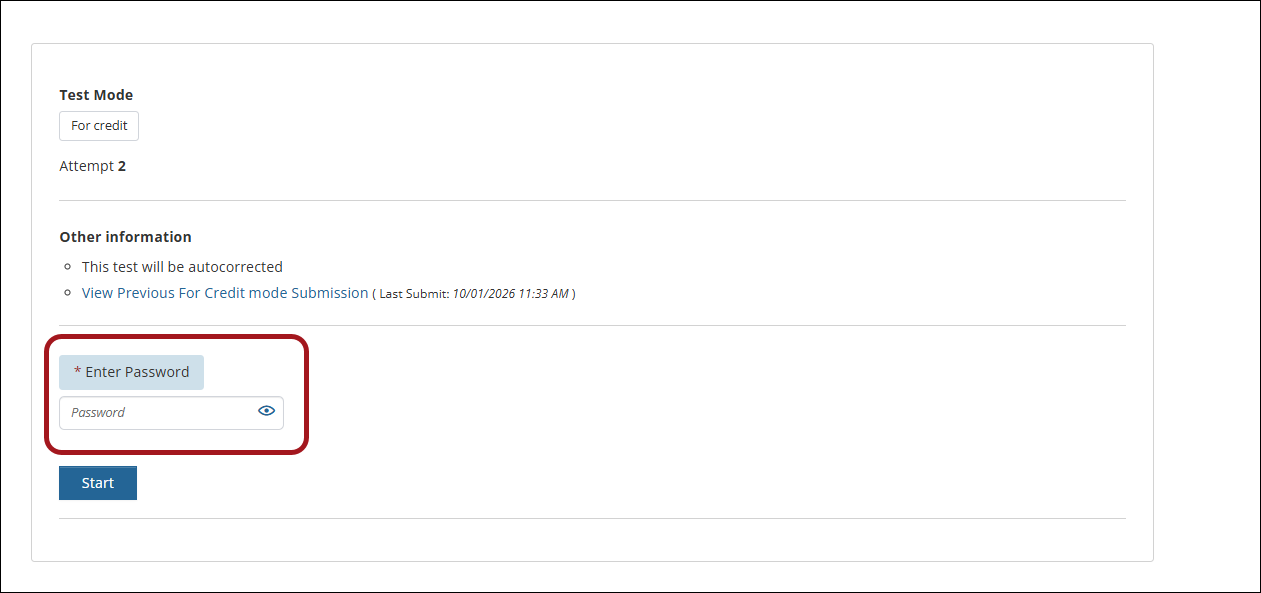
To control access to exams, administrators can enable PIN access, where each learner is issued with a unique PIN and must enter the code to access the exam. Exam security has been extended with the introduction of a shared password option. When configuring a test, administrators can choose to add a single, shared password for the exam. Learners will need to receive and enter the password to gain access to the exam. See Controlling access to tests for details.

Marking SCORM content as non-scorable content
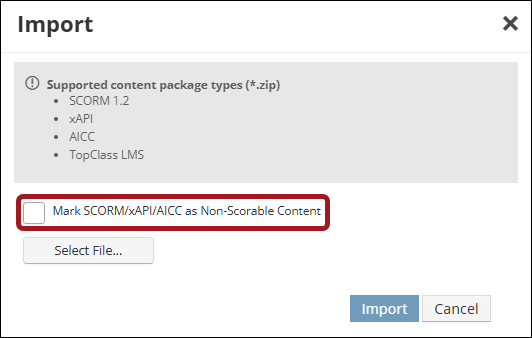
SCORM content can be marked as non-scorable content within a course. SCORM packages that are used solely to deliver content (i.e. do not contain scoring information) can be excluded from the Submissions tab on the Learning Center and from reports used for assessment data. See Creating Content for details.
Additional Enhancements
Review the following additional enhancements in the November 2026 release.
Content & Learning Activities
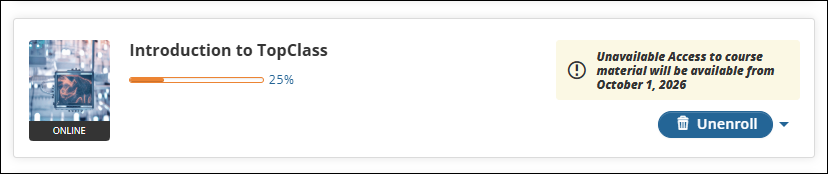
Marking Activities as Unavailable
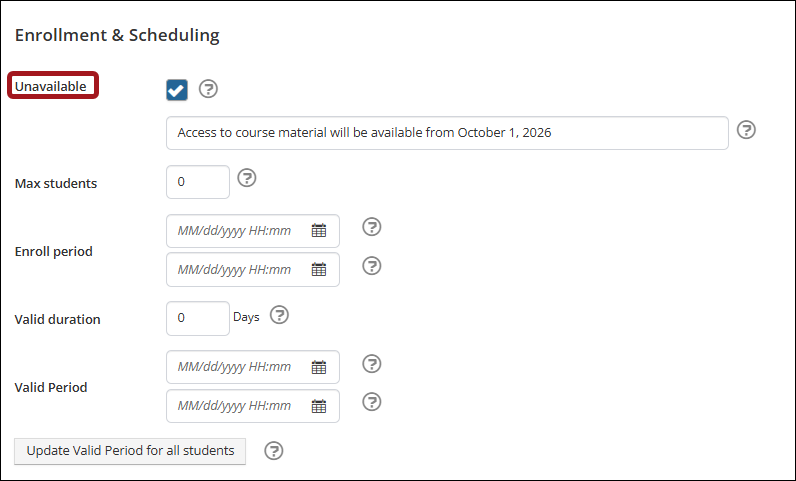
A new flag has been added to allow administrators to mark an activity as "unavailable" on the current learning, archived learning and certification program tabs in the student Learning Center. This can be used for scenarios where an administrator wants students to purchase and/ or enroll in an activity, while continuing to add content or configuring the activity. Administrators have the option to add a customized message to provide more details to learners. See Creating an online activity for details.
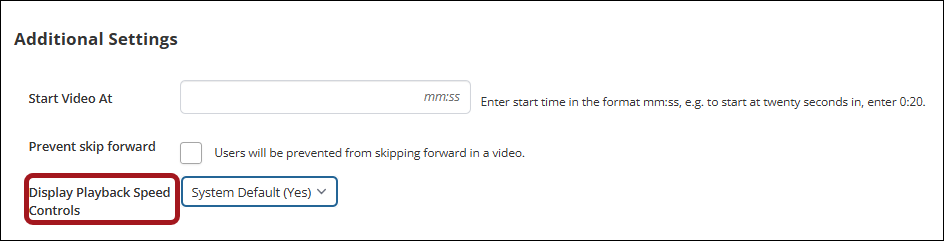
Disabling interactive video speed controls
When congifuguring interactive video settings, administrators can now choose to disable the video playback speed controls for learners. This means that if set to No, learners will not have access to the playback speed controls and must watch the video at the normal playback speed.
Enabling learners to retake SCORM and use Ab-Initio functionality
When using SCORM content in a learning activity, a new system setting can be enabled to give learners the option to choose to reset the session and start again from the beginning using SCORM's Ab-Initio functionality, rather than resuming from where they left off. Attempt limits can be set and extended by super admins. Contact your TopClass representative or enter a Support Ticket for details.
Administration
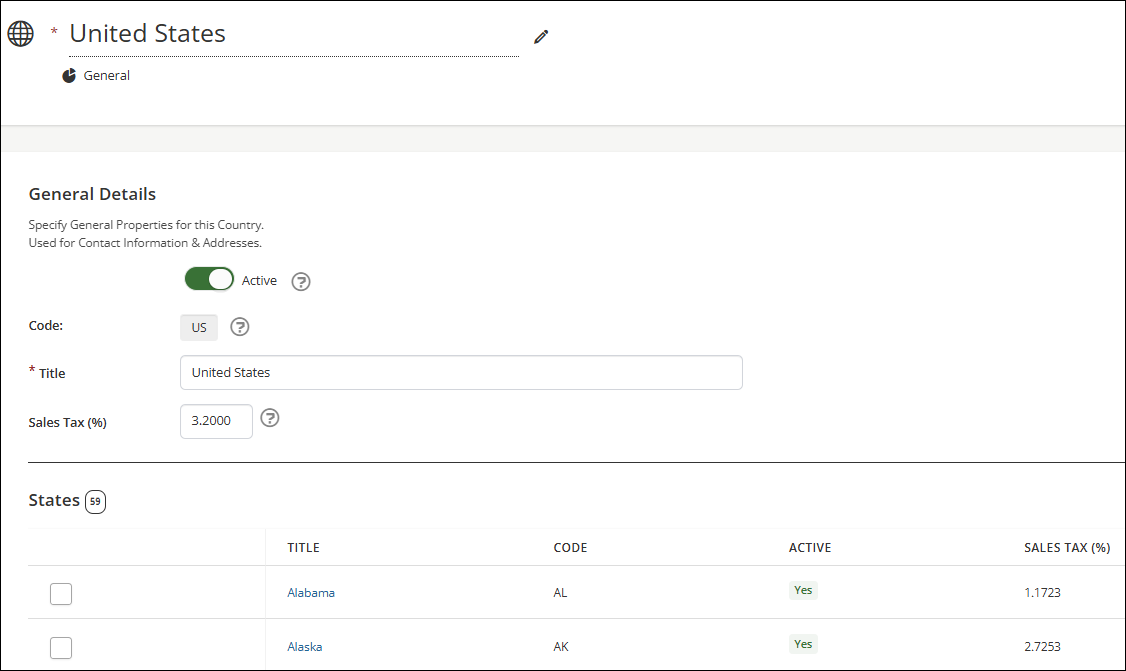
Increasing the number of allowable decimal places on sales tax value
Previously, a two decimal place limit was placed on the value for sales tax. As some countries and states have a sales tax value with more than two decimal places, the limit has been increased to four decimal places. See System Settings: Countries for configuration details.
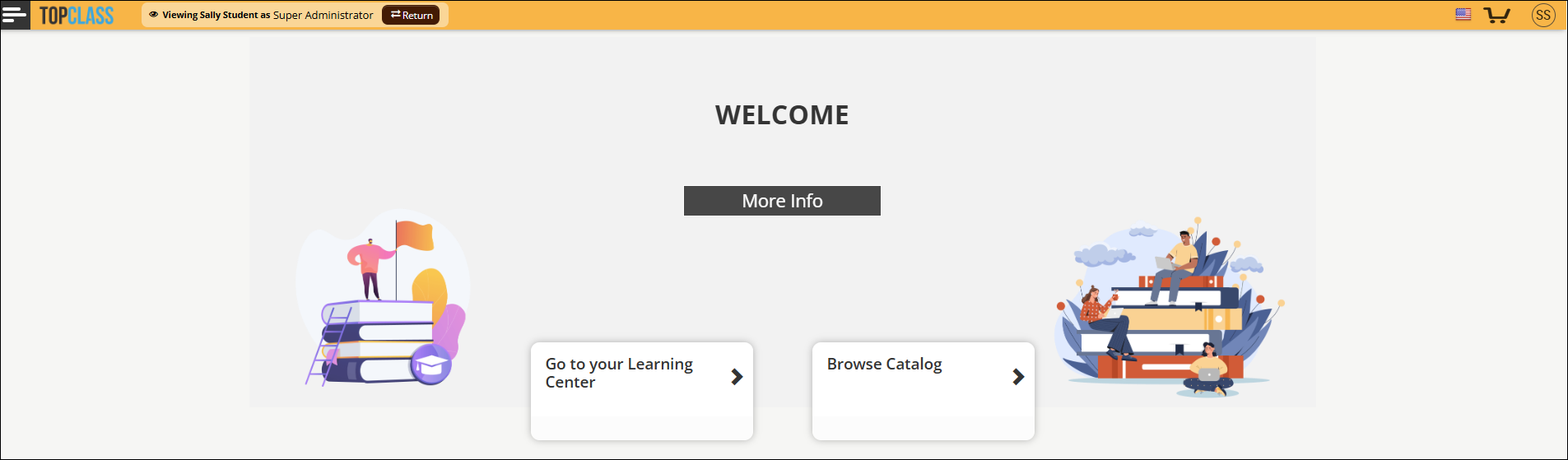
Allowing authorised user to impersonate another user while keeping their own session active in the background
When an authorized administrator impersonates another user (using the Log in as this user link on a user's profile), their own session will remain active in the background. The header bar on the impersonated session will be highlighted and display a Viewing as note. The authorized administrator will then be able to easily exit that impersonated session using the Return button and return to their original session without having to re-authenticate. See Logging in as another User for details.
Resetting Admin privileges when admin role is revoked
When an admin role is revoked and then reinstated, any previously configured Admin privileges will be reset to default, and super administrators must reselect necessary Admin privileges. See User privileges for details.
Credits
Awarding partial credits in ILT activities incrementally
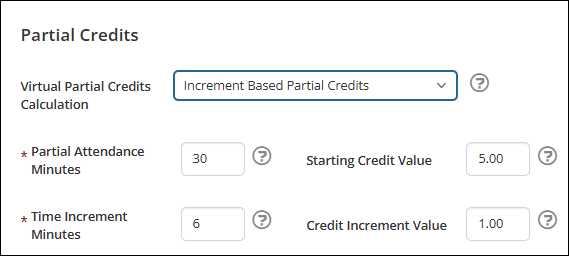
For ILTs with virtual Zoom sessions (meetings and webinars), administrators can choose to award partial credits incrementally. Credits are awarded progressively based on attendance time, starting with an initial credit value and increasing by a configured amount at each time increment. See Awarding Partial Credits in ILT activities for details.
Awarding credit sub types when a group restriction is in place
Updates have been made to include credit sub types when a learning activity is configured to award credits by group. See Awarding Groups for details.
Certification Programs
New grace period option on certification paths
An enhancement to certification path grace period options has been made to include the ability to complete certification path requirements (for example, mandatory, elective, final or fee items) during the grace period, but credits earned during the grace period will not be counted towards certification credit requirements. This new grace period option is called Claim Credits & Complete All. For clarity and to distinguish the new option, the existing Complete All grace period option has been re-named to Record Credits & Complete All. The behavior will remain the same. See Setting up grace periods for Certification Paths and Certification Programs for details.
Display configuration
Configuring the display of featured learning in the catalog
Administrators have the option to turn off the featured learning view in the catalog using a new system setting. This setting will not affect the display of the featured learning widget on the landing page. See System Settings: Catalog for details.

Refining the language picker configuration
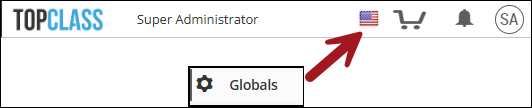
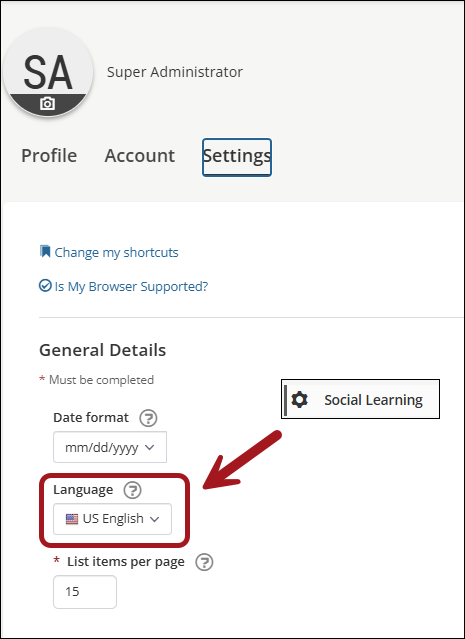
There are two places where the language picker can be accessed by users - the header bar (Global) and on the user profile settings (user profile). The configuration of the language picker for each location has been separated into two system settings so administrators can now decide if they want to display or hide it in both locations. See System Settings: Globals and System Settings: Social Learning for details.
Integrations
Updating ILT credit records in an external vendor
A new iMIS writeback configuration has been added to allow ILT credit records to be updated in iMIS when a change to the ILT credit award is made in TopClass. The writeback endpoint must be an activity table for the successful writeback of updated ILT credit records. Contact your TopClass representative for details or enter a Support Ticket.
Updating the periodic scheduler unit to hours for integrations and notifications
For improved stability and performance the periodic scheduler for integrations and notifications has been updated so that administrator can schedule it to run in hours instead of minutes.
E-Commerce
Admin E-commerce access without Shopping Cart exposure
Administrators can now retain full access to e-commerce configuration — the E-commerce menu, price plans, and pricing management in Activities, Users, and Group Operations — while keeping the shopping cart experience hidden from end users. Previously, disabling the shopping cart hid all e-commerce functionality, including for administrators.
With Shopping Cart Enabled left on and External Catalog Redirect configured for paid items:
- The shopping cart icon is removed from the header so end users cannot access a cart.
- Price plan pricing is hidden from the catalog.
- Paid items continue to redirect to the external catalog as expected; free items continue to enroll directly when configured to do so.
See System Settings: Configuration and System Settings: Catalog for details.
Updated about 3 hours ago