

Creating blended activities
A blended activity is an online activity that also requires an ILT session. The requirement is highlighted to students in the catalog.
To create a blended activity, do the following:
- Create the course content. Ensure the content has the online and ILT activities.
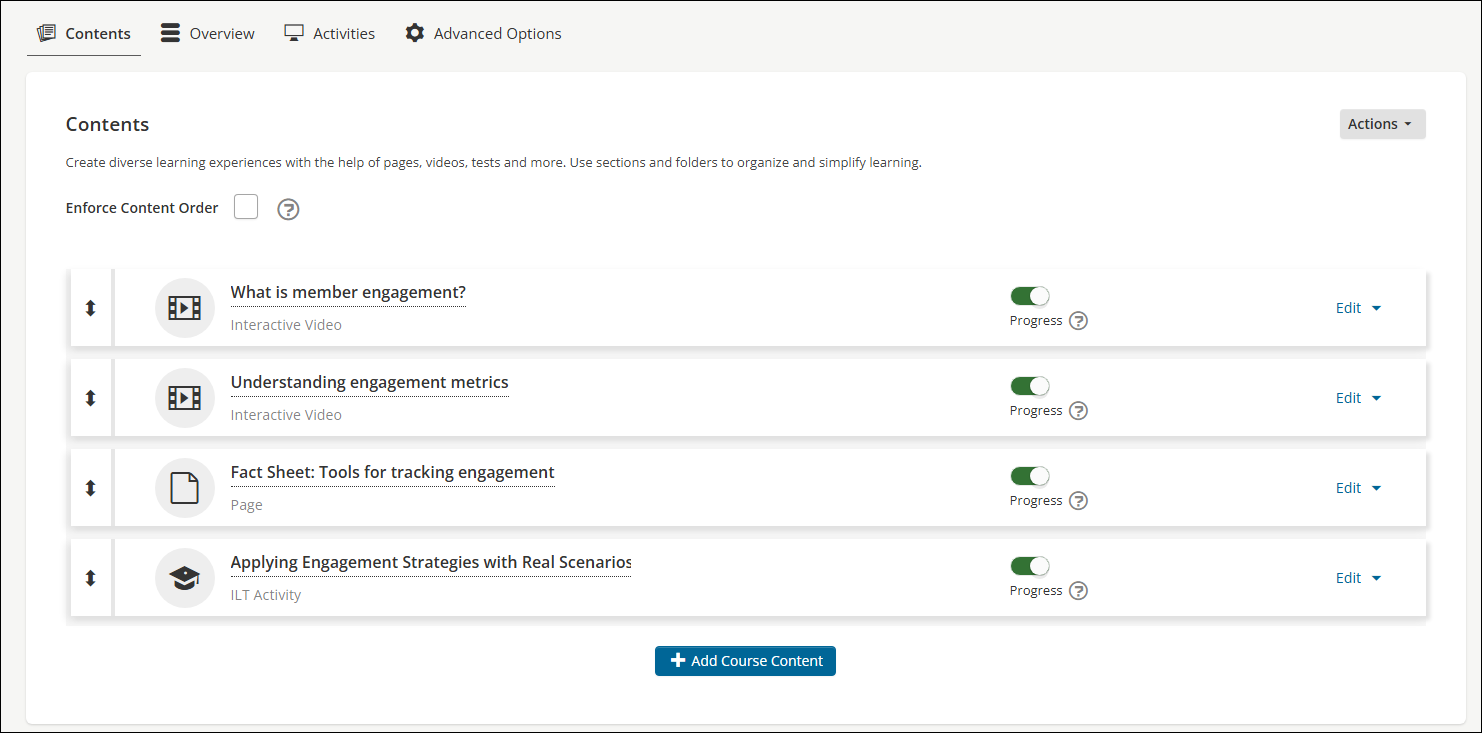
-
Create the online activity, ensuring the following:
- From the General Details tab, enable Blended.
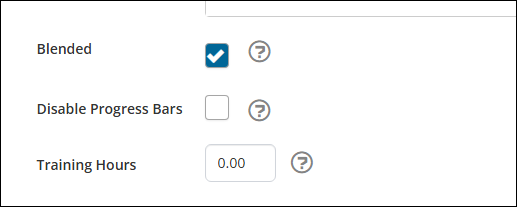
- From the Resources > Contents tab, add the blended content.
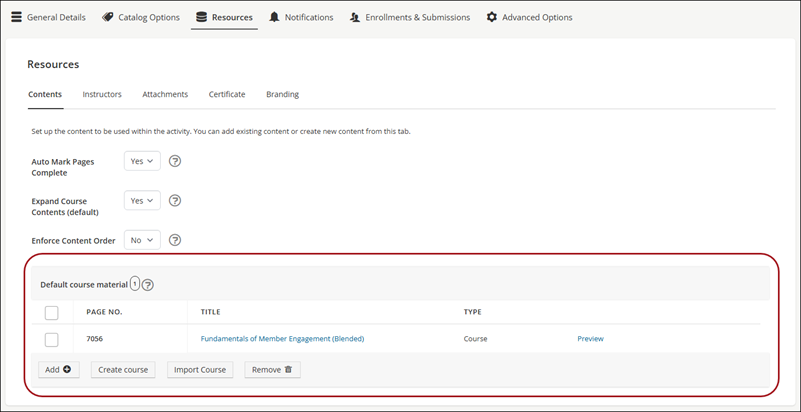
-
(optional) If the ILT includes only one session, you can enable a system setting that automatically enrolls users into that session. The session must have a future date and must not be hidden. To enable this setting, do the following:
- Go to System Administration > System Settings.
- Click the Catalog tab.
- From the Auto-enroll single session ILTs within blended activities setting, choose Yes.
- Click Save.
Updated about 2 months ago
Did this page help you?