

Latest Release: August 2026
This release focuses on modernizing the learner experience and giving administrators finer control over credits, testing, and content.
Highlights include new Catalog and Navigation Menu layout themes, the ability to award credits by subtype, one-click enrollment into free catalog activities, expanded proctoring for interactive videos, and AI-generated course descriptions. Additional enhancements cover test configuration, certificate display, SCORM content handling, catalog SEO, and iMIS/Higher Logic integrations.
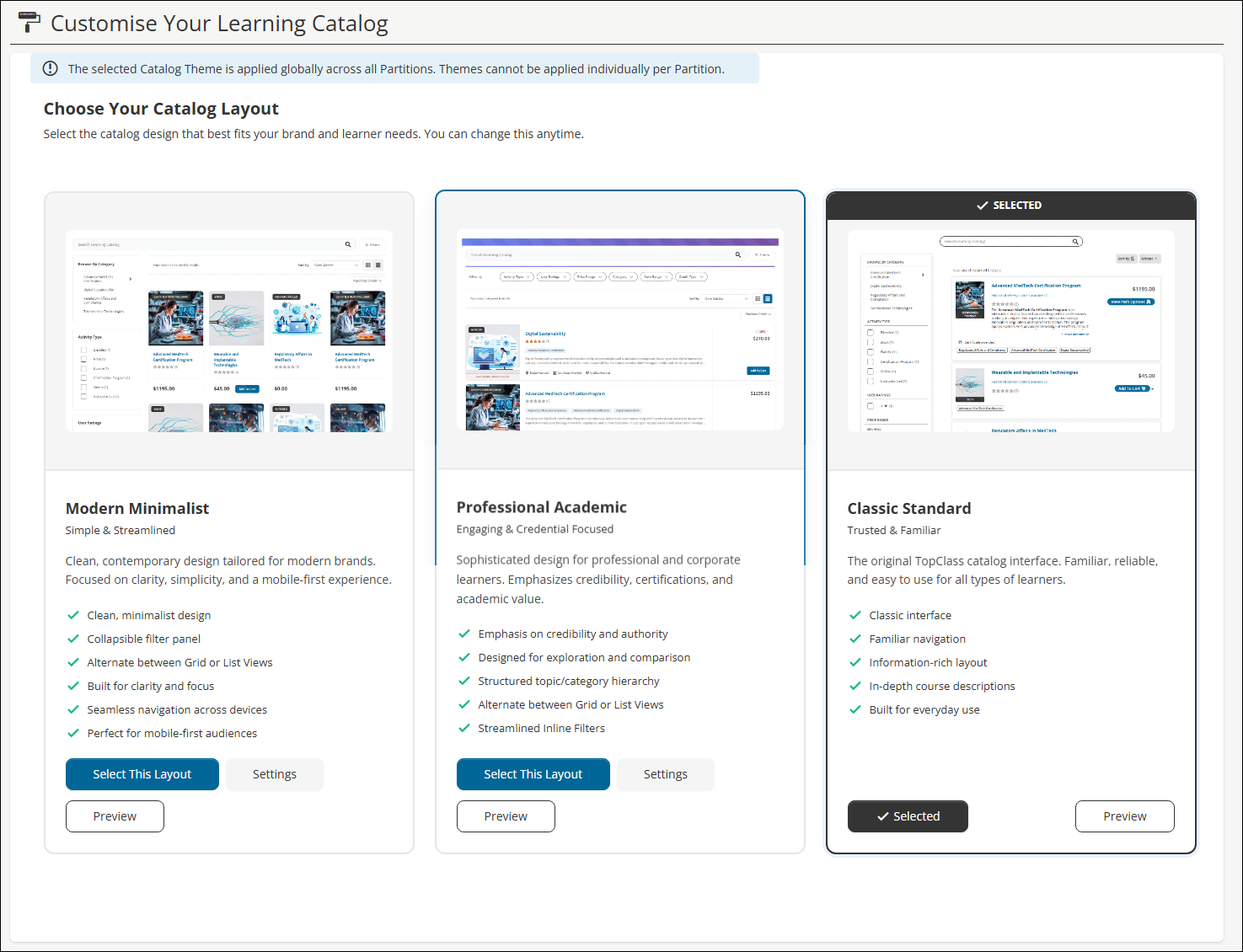
Catalog Theme selection for a modernized browsing experience
Administrators can now choose from three new Catalog layout themes — Modern Minimalist, Professional Academic, and Classic Standard (the existing default) — to refresh the look and feel of the learning catalog without any functional changes to search, filtering, or enrollment. Each theme can be previewed live against real catalog data before committing; applying a theme is immediately visible to all users and applies globally across all partitions. Improvements across the new themes include collapsible filter panels, grid/list view toggles, simplified sort controls, and a redesigned session-selection experience for instructor-led training that removes cramped inline dropdowns in favor of a larger, more flexible layout. See Customise the learning catalog for details.
New Navigation Menu layout options
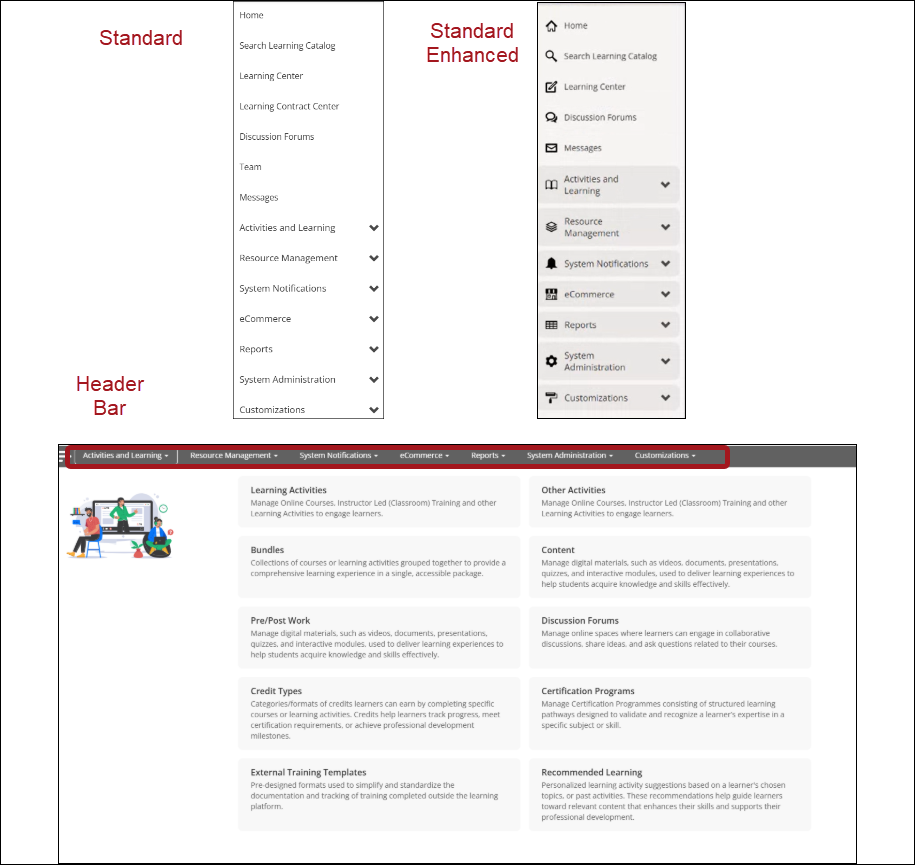
With the introduction of new navigation menu layout patterns, super administrator can configure and customize the location and layout of the navigation menu allowing enhanced alignment with their organization's branding. There are three options: Standard (default); Standard Enhanced; Header Bar. See Customizing Navigation branding settings for details.
Proctoring of Interactive Videos through Integrity Advocate
Proctoring through Integrity Advocate (IA) has been extended to include interactive videos. When proctoring is enabled on an interactive video, learners will need to view it whilst meeting the examining criteria set out in IA. For example, whilst being recorded and remaining on the same browser tab. Once complete, IA will review the session and update the completion status of the interactive video. See Proctoring in TopClass for details.
Generating course descriptions using TopClass AI Generator
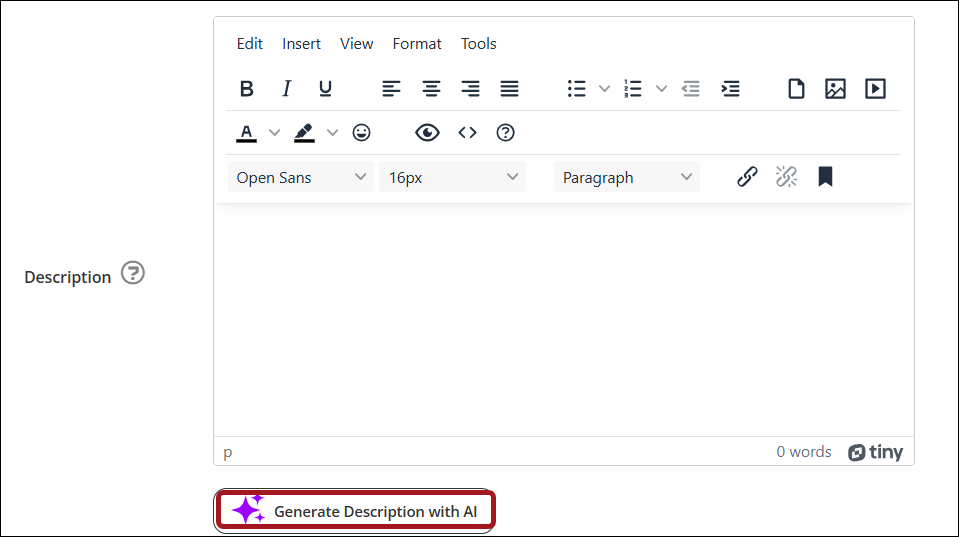
The TopClass AI Generator is now available to create course descriptions based on text content associated with the activity. By expanding AI capabilities to the course description, it reduces the administrative load when creating activities. See AI Course Description Generator for details.
Tests & Assessments
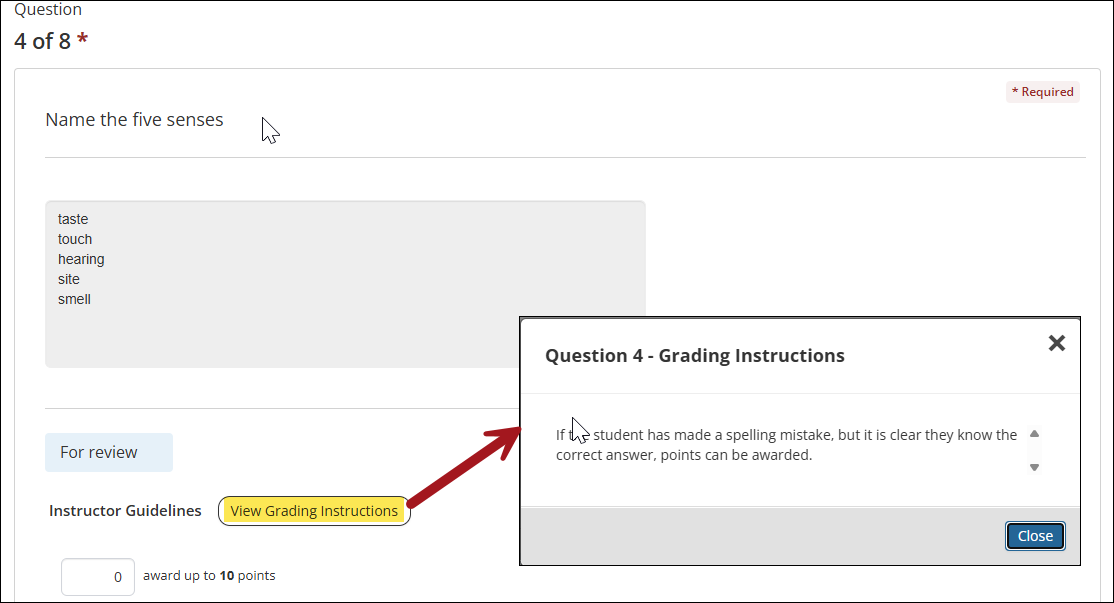
Adding instructional text for instructors on questions
When creating questions, admin users have the option to add instructional text for instructors when grading a test. This new feature allows for alignment and standardization across the grading process. See Creating and Configuring Tests and Creating Questions for details.
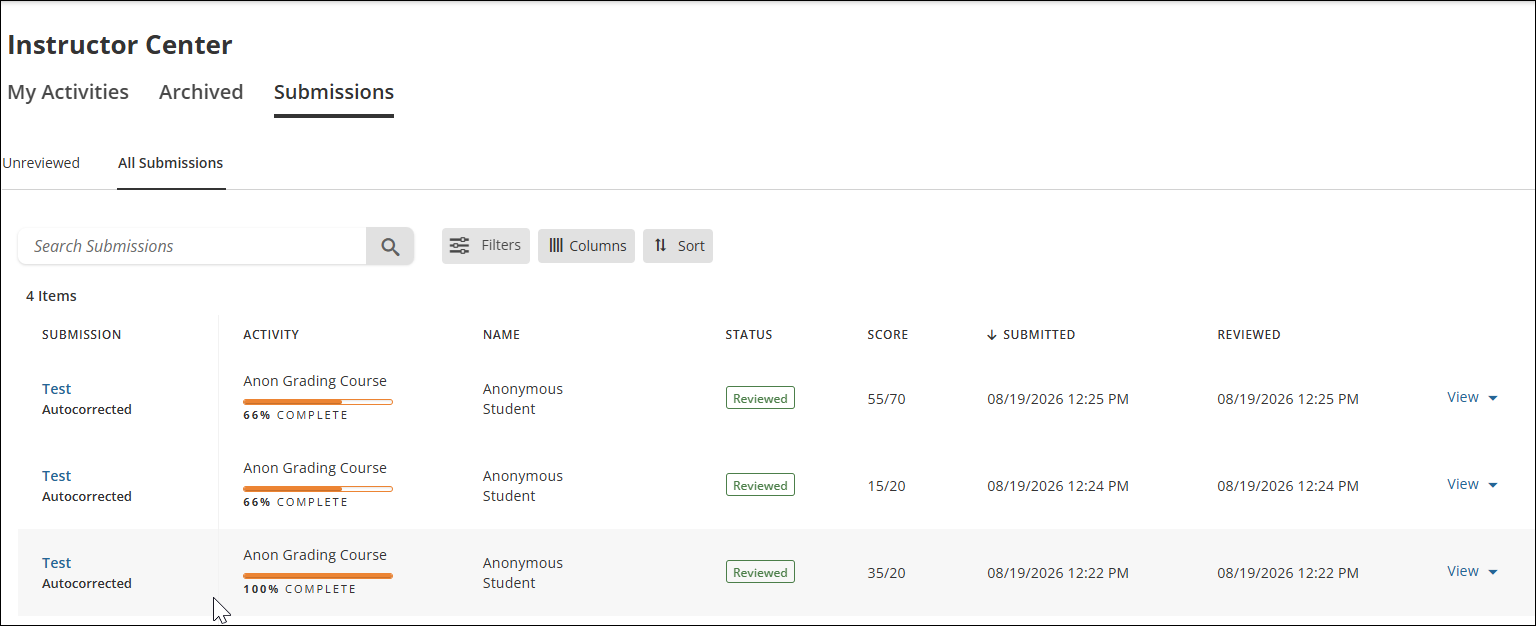
Allowing anonymous grading for tests
A new test setting allows for tests marked for manual grading to be graded anonymously. When enabled, instructors will not have access to the learner's identification information ensuring fair and impartial grading. See Creating and Configuring Tests for details.
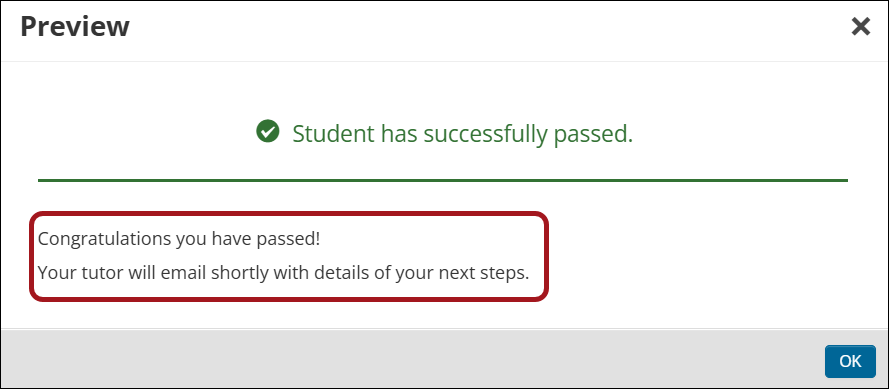
Customizing Pass/ Fail messages for tests
In TopClass administrators can now create a bank (library) of customized pass/fail messages that can then be assigned to specific tests. This enhancement allows for more meaningful and context-specific feedback for learners based on their performance. See Test Result Messages for details.
Additional Enhancements
Review the following additional enhancements in the August 2026 release.
Credits
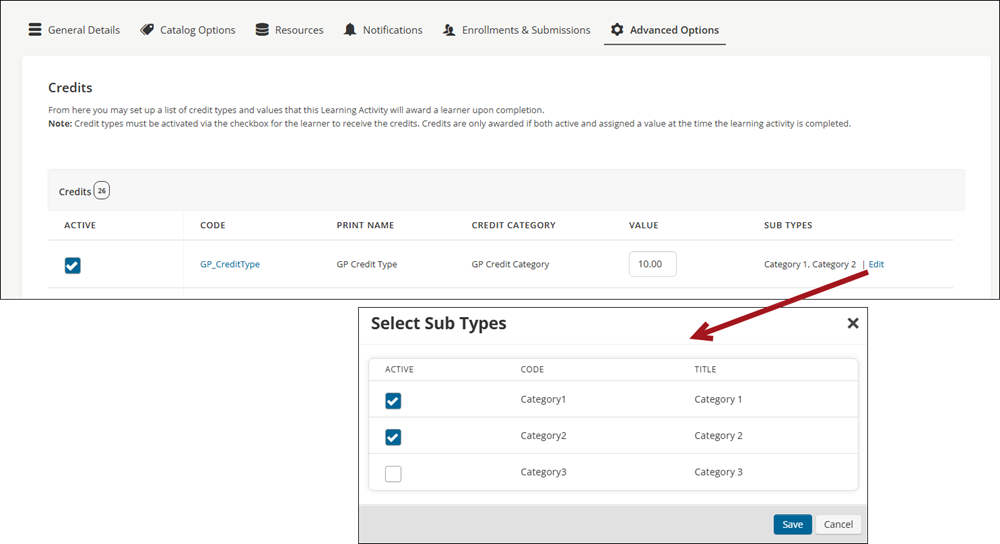
Awarding credits by multiple substypes from an activity
The option to award multiple subtypes of a credit is now available, allowing for a more distinct breakdown of credits earned by a learner. At present, when a credit is set for an activity, administrators can indicate the credit subtype. For example, an activity awards 10 CME of subtype ethics and management. A new system setting allows administrators to choose to award credits by specific subtypes. For example, 10 CME credits awarded for which 4 are ethics and 6 are management. See Advanced Options for Learning Activities for details.
NoteThe credit award setup of existing TopClass clients will not be affected by this enhancement. To change your credit awarding process or for more information, contact your TopClass representative or enter a Support Ticket.
External Catalog
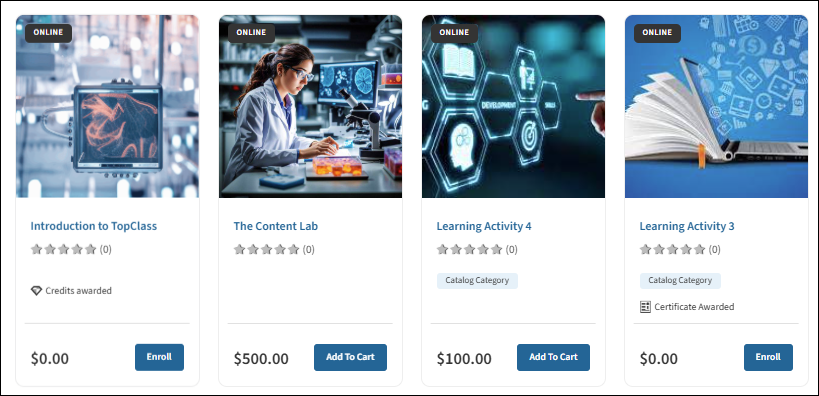
Enrolling directly into free activities
A new External Catalog Free Activities Enrollment setting is now available (System Administration > System Settings > Catalog). When a catalog redirect is in place (External Catalog Redirect is set to Yes) and an offering is free (no price, or a price of 0.00), learners will now see an Enroll button and can enroll directly into the activity within TopClass — even if the activity has an External ID and External Source configured — eliminating any irrelevant redirect steps. Paid activities, bundles, and fee-type items are unaffected and will continue to redirect to the external catalog as before. See System Settings: Catalog for details on configuring this setting alongside External Catalog Redirect and Zero cost offering settings.
Certificates
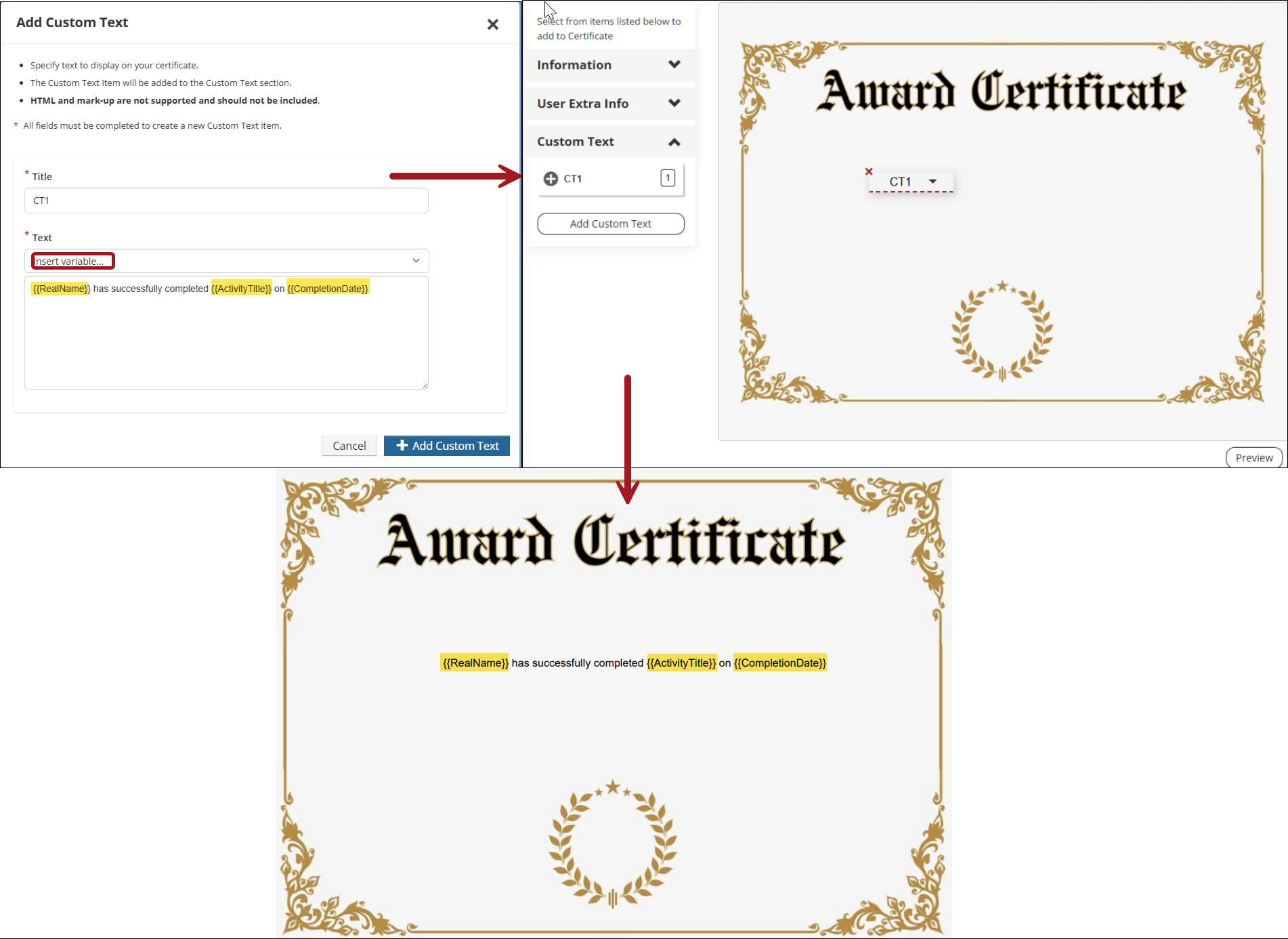
Adding a certificate variable inside certificate custom text
Enhancements have been made to the certificate template to allow certificate variables to be inserted into the custom text field. See Creating certificates for details.
Certification Programs
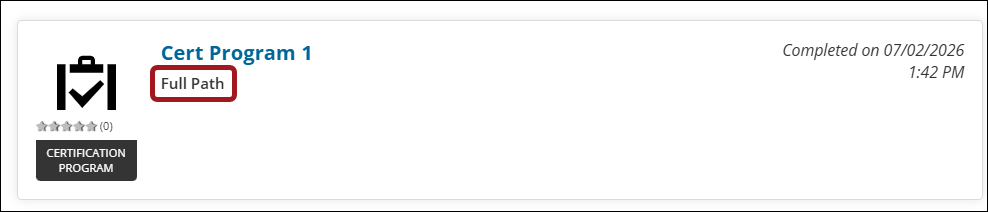
Displaying cert path title on Completed tab of the Learning Center
A new system setting enables the inclusion of the certificate path title, along with the Certification Program title, on the Completed tab of the Learning Center. See System Settings: Configuration for details.
Content & Learning Activities
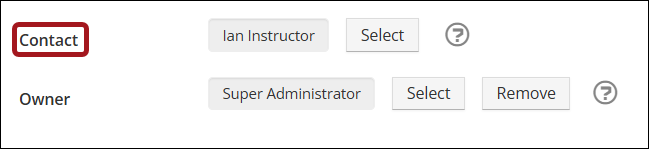
Assigning a course contact
Previously, the contact details for a course activity defaulted to the course activity owner (user with full editing rights for the activity). It is now possible to nominate a different user (for example, an instructor or tutor) as the course contact, and their details will be displayed to learners on the course information pages. This enhancement means that the course contact and the course administrator (owner) can be separated and roles are streamlined.
Setting interactive video completion time
Super Administrators can set a specific time within an interactive video whereby the video is considered complete. This enables the video to be marked as complete once the learner reaches the specified time, without requiring the video to be watched in its entirety.
Catalog & SEO
Generating llms.txt files
A llms.txt file is a structured text file that provides a readable overview to AI tools, ensuring AIs access accurate information rather than pulling from outdated sources. A new system settings section (GEO) has been created to allow administrators to complete fields for the llms.txt file, including About Description, Contact URL, Organization/Provider Name, SiteTagline/Purpose. See System Settings: GEO for configuration details.
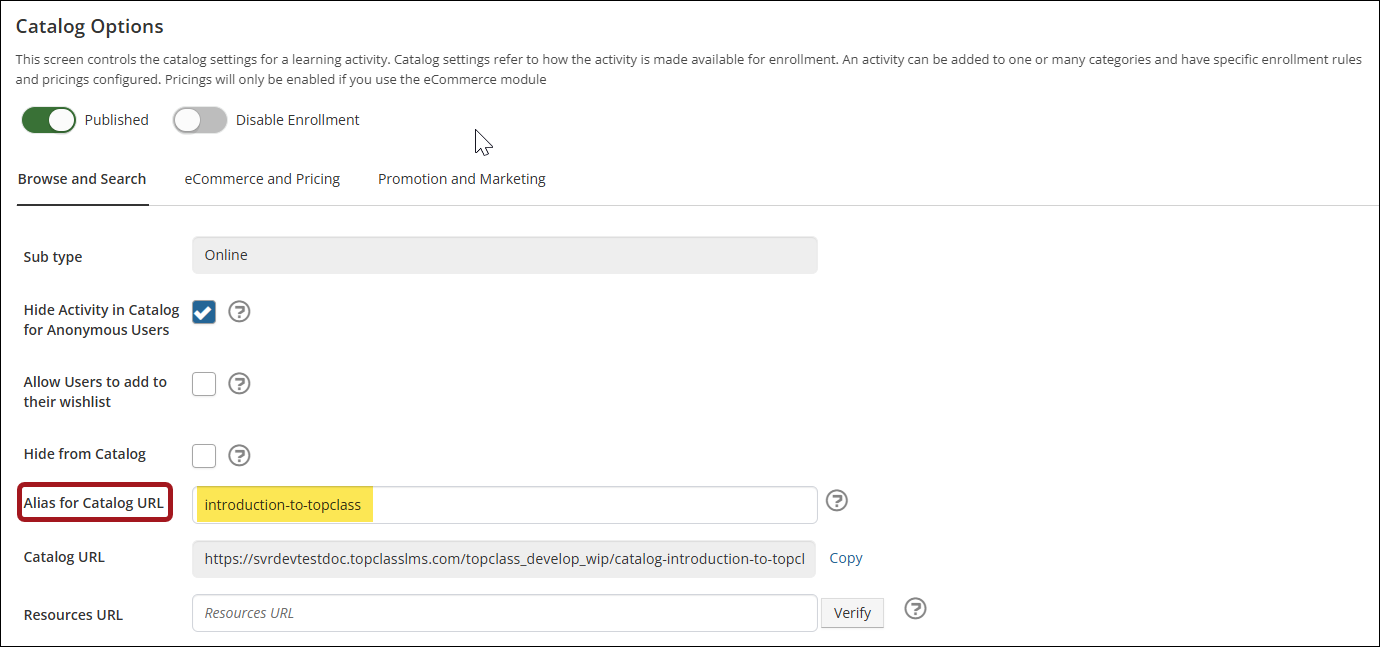
Generating an Alias for Catalog URL for catalog offerings
An Alias for Catalog URL is a web-friendly version of the activity title for building the sharing URL for an item in the catalog. It is an excellent method for improving SEO rankings and enhancing user experience by making links clean, memorable and easier to share. Alias for Catalog URLs are automatically created for all catalog offerings and categories based on the given activity Title and can be modified by administrators. See Catalog Options for Learning Activities for details.
External Training
Editing External Training Templates after submission
A new system setting allows super administrators to specify whether learners can edit their external training records after submission, if it was created using an external training template. When enabled, learners can edit the Date Completed, the Expiry Date, and add additional Attachments. To change external training configuration, see System Settings: External Training.
Peer Review
Adding a score to a peer reviewed test
Administrators now have the option to override the average instructor score on a peer reviewed test. See Using Peer Review assessments for details.
Integrations
Syncing Merged Users via iMIS Integration
A new sync has been created to allow data for recently merged users in iMIS to sync into TopClass.
Logging into the Higher Logic Widget using iMIS credentials
Clients using TopClass with iMIS can opt to change the Higher Logic widget login method to remove the need for learners to login with their Higher Logic credentials (login form), and automatically login based on their iMIS credentials (bounce URL). This enhancement allows for more efficient workflow for learners. To change the Higher Logic widget login method, enter a Support Ticket.
Updating external training credit records in an external vendor
A new iMIS writeback configuration has been added to allow external training credit records to be updated in iMIS when a change to the external training record in TopClass is made. Contact your TopClass representative for details or enter a Support Ticket.
Administration
Shared media folder for administrators
A shared media folder is now available and allows administrators to store, share, and use recurring media files across their TopClass platform. Super Administrators and Administrators will have the ability to add and use all files within the shared media folder, however, deletion rights are only available to Super Administrators. To configure the shared media folder, enter a Support Ticket.
Updated 13 days ago