

Creating a Credit Type
A Credit Type defines the kind of learning credit that can be earned by completing specific educational activities. It serves as a classification for tracking and awarding professional development, continuing education, or certification requirements .
Each credit type includes details such as a unique code, title, and optional description, and can be grouped into categories or sub types for further classification. Credit types can also be linked to certificates and assigned to specific user groups that are authorized to award them.
General Details tab
Do the following to create a credit type:
- Go to Activities and Learning > Credit Types.
- Click Create.
- From the General Details tab, define the following:
- Code - The unique identifier for the credit. Do not enter spaces.
- Title - Enter the title for the credit type.
- Partition - Choose a Partition if the credit type should only belong to that partition.
- Print Name - Enter the display name that will appear to learners when they are registering or claiming credits.
- Description - Enter a detailed description of the credit type.
- Credit Category - Pick the credit category:
- CPD (Continuing Professional Development) - Represents ongoing learning activities that help professionals maintain and enhance their skills, knowledge, and performance in their field.
- CEU (Continuing Education Unit) - A standardized measure used to recognize participation in non-credit continuing education programs, commonly defined as 10 contact hours of instruction (may vary by provider).
- CME (Continuing Medical Education) - Educational credits earned by healthcare professionals to maintain licensure and stay current with medical advances and clinical best practices.
- SAM (Self-Assessment Module) - Credits awarded for structured self-assessment activities that evaluate knowledge and identify areas for improvement, often used in medical and technical professions.
- CLE (Continuing Legal Education) - Credits required for attorneys and legal professionals to maintain their licenses and stay up to date with changes in law and legal practice.
- CPE (Continuing Professional Education) - Credits earned by accountants and finance professionals (such as CPAs) to maintain certification and demonstrate ongoing competence in evolving standards and regulations.
- CFP (Certified Financial Planner Continuing Education) - Credits required for Certified Financial Planners to maintain their CFP certification and demonstrate continued competence in financial planning.
- CCMC (Commission for Case Manager Certification) - Credits used by certified case managers to maintain the CCM credential through approved continuing education activities.
- Credit Hours - A general measure of educational credit that represents the time spent in structured learning, commonly used in academic and professional settings.
- Qualified Contact Hours - Hours of approved participation in educational activities that meet specific accreditation, regulatory, or licensing requirements.
- CE Credits (Continuing Education Credits) - A broad term for credits earned through professional development activities, applicable across many industries and accrediting bodies.
- PDU (Professional Development Unit) - Credits used by Project Management Institute (PMI) credential holders to maintain certification through professional learning and development activities.
- Click Create.
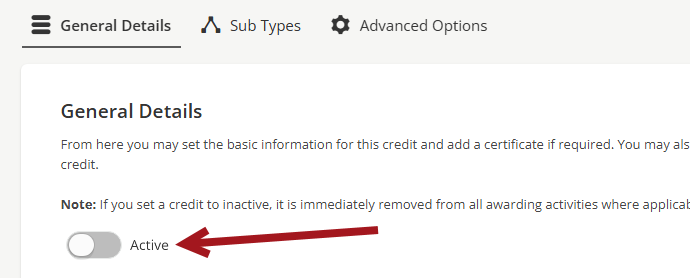
- Leave the credit set to Active or deactivate the credit.
- View or edit the Credit Category by selecting the View/Edit Credit Type Categories link.
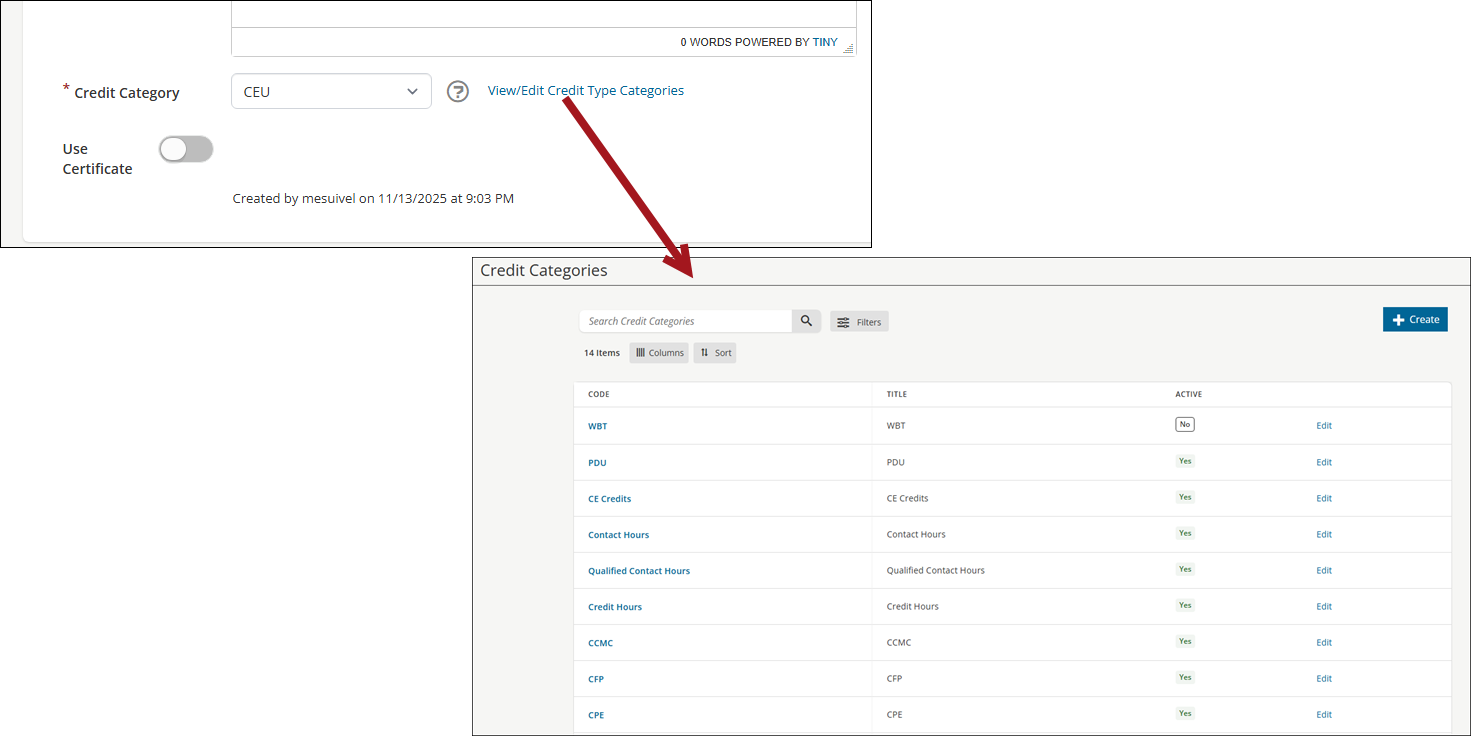
- Enable Use Certificate if you want learners to receive a certificate for this credit. When toggled on, a default certificate appears. You can choose another certificate or remove it. See Creating certificates for more information.
- Click Save.
Sub Types tab
From the top menu, click the Sub Types tab.

Credit Types can include one or more sub types, which further classify the credit. Sub types cannot be awarded if the parent credit is inactive.
Do the following to create a sub type:
- Click the Sub Types tab.
- From the Add New Sub Type section, enter a Code and Title.
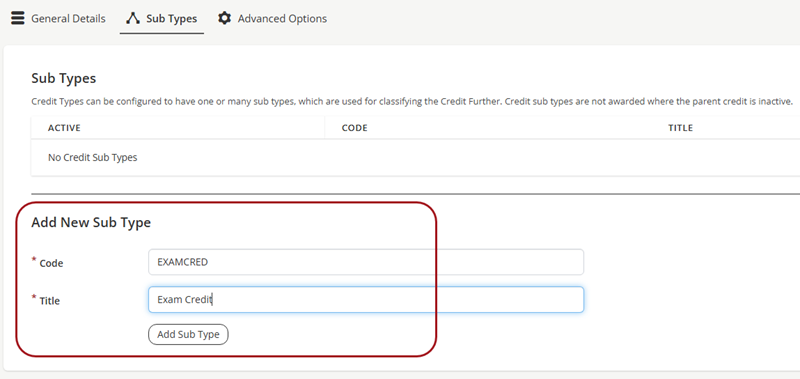
- Click Add Sub Type.
Advanced Options tab
From the top menu, click the Advanced Options tab.

Awarding Groups
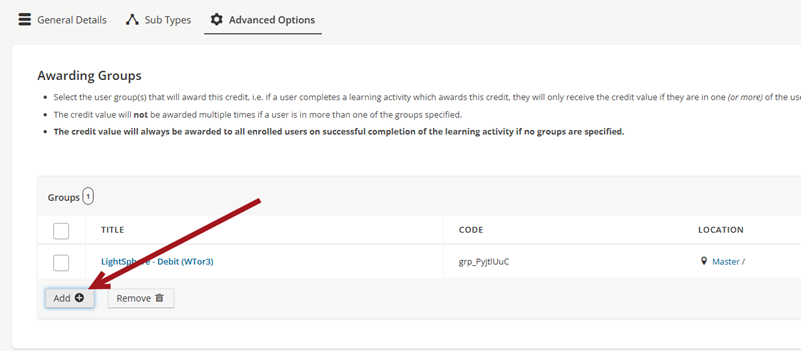
From the Awarding Groups area, select the user group(s) that will award this credit.
ExampleA user completes a learning activity that awards this credit. They receive the credit only if they belong to one (or more) of the specified groups.
The credit value will not be awarded multiple times if a user belongs to more than one of the selected groups. If no groups are specified, the credit value will always be awarded to all enrolled users who successfully complete the learning activity.
Do the following to add groups:
- Click Add.
- Choose a group.
- Click Add again to continue adding groups.
- Click Save.
Inactivating a Credit Type
To set a credit to inactive after creation or when it is no longer in use, do the following:
- Go to Activities and Learning > Credit Types.
- Search for and select the credit type.
- From the General Details tab, toggle the Active setting so it is off.
- Click Save.
Updated 5 months ago