

Batch enroll existing users
This option allows you to enroll existing users in TopClass as students in activities and/or groups. This option is best used for the following scenarios:
- You do not need to create any new users
- You want to add existing users to Groups and/or Online Activities
- You have a CSV file or comma-separated list of each existing unique login name
- You do not need to customize User Profile data for users
Do the following to batch enroll existing users:
- Go to Resource Management > Users.
- Click Batch Register.
- Click Enroll Existing Users.
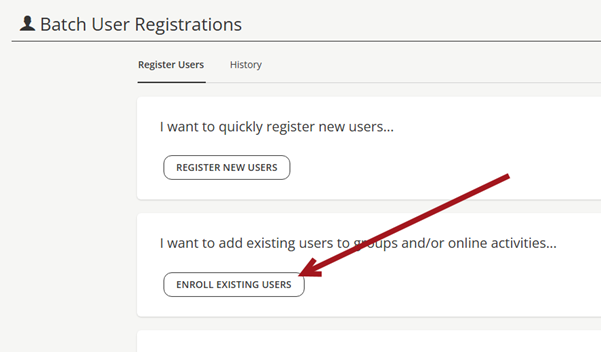
- Enter a Title. Only admin can view the Title.
- Do one of the following:
- Click Upload CSV to upload your CSV file with the TopClass usernames.
- Select their usernames in TopClass.
- Click Next Step.
- Select the online activity and/or the group you would like to add all users to.
- Click Register to complete the task.
- After you have selected register, a drop-down will appear. Select OK, Got It! to remove the drop-down message. The screen will refresh to the original view of the screen.
- Click the History tab to view if the action is successful completed.
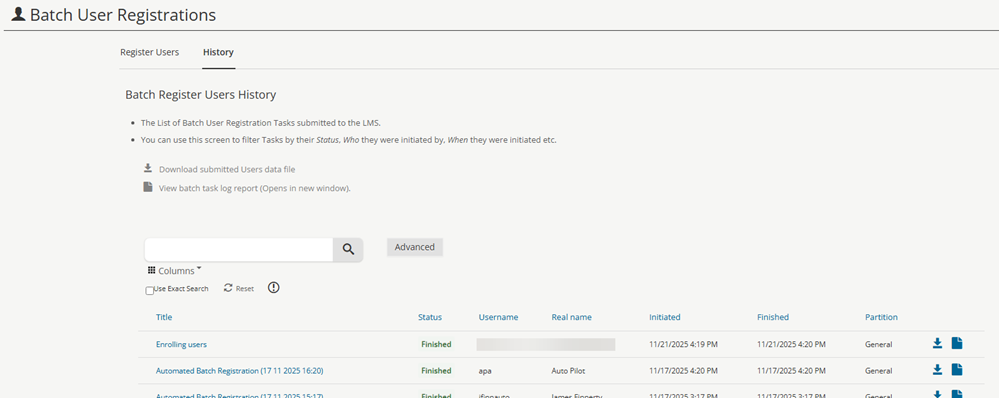
- Click the Title to view the report on how each line was processed. Here you will see if any lines were skipped or if any have failed.
WarningThis task will notify users of the enrollment to any online activity. It will not notify them of an enrollment into any group.
Updated 5 months ago
Did this page help you?