

Certification program notifications
The Notifications tab lists all the notifications that have been set up for certification programs.
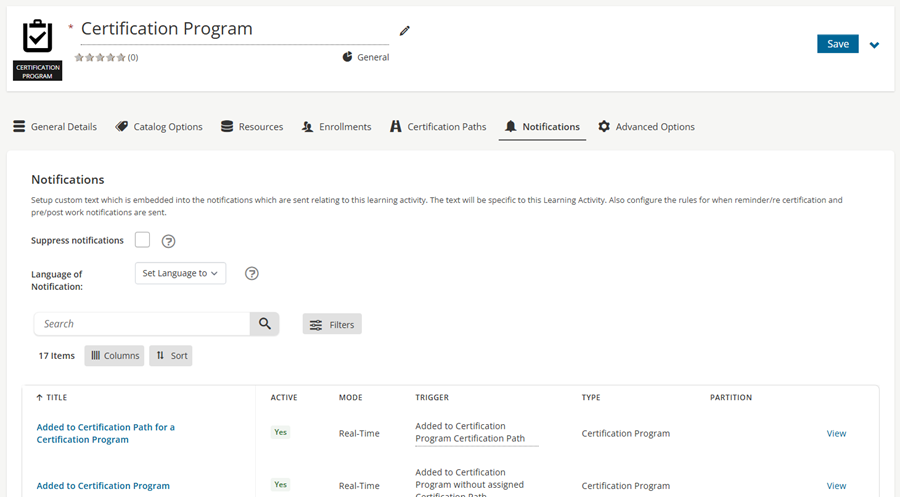
Modifying existing notifications
Do the following to modify notifications for a certification program:
- Go to Activities and Learning > Certification Programs.
- Select the Certification Program.
- Click the Notifications tab.
- To suppress all notifications for the program, enable Suppress notifications. Users for this activity will not receive any notifications.
- Choose the Language of Notification to send all notifications for the activity in the specified language, regardless of the user’s preference. Alternatively, choose Not Set to send the notification in the language that each user has specified as their preference. If there is no notification in the user’s preferred language, they will receive the default notification.
- To revert a notification back to its original state after making changes, click Reset next to the notification
- Search through the list of notifications for this activity. It is possible to edit notifications for this activity by selecting the notification and clicking Edit.
Creating a notification
Do the following to create a notification:
- Go to Activities and Learning > Certification Programs.
- Select the Certification Program.
- Click the Notifications tab.
- Click the Create tab.
- Enter a Title for the notification.
- Select the trigger for the notification, for example Upcoming Fee Availability or Upcoming Fee Deadline to notify students as a fee's start or end date approaches. See Certification path configuration for details on configuring fees.
- Click Create.
- Additional fields become available.
- Save the changes.
Updated about 2 months ago
Did this page help you?