

Adding a query source to the default list
This article covers how to add additional sources to the default list of sources located in any query definition.
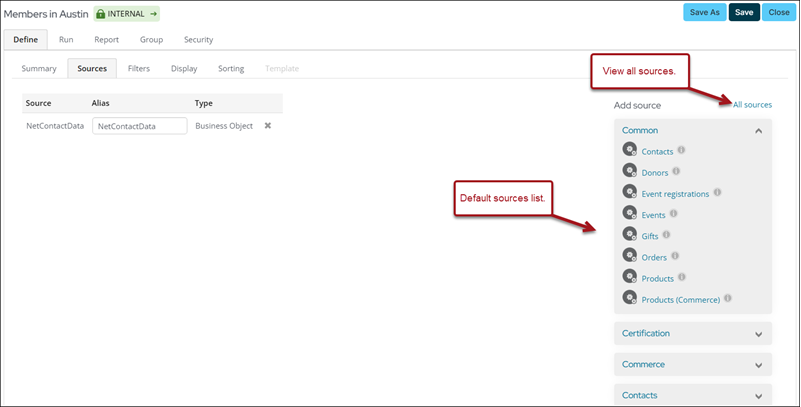
Adding a source
To add a source to this list, do the following:
-
Go to RiSE > Document system.
-
Navigate to $/Common/Query Sources.
-
Do one of the following:
- Select the folder in which you want the source to appear, or if you want the source to appear in the top Common section, remain in the $/Common/Query Sources folder.
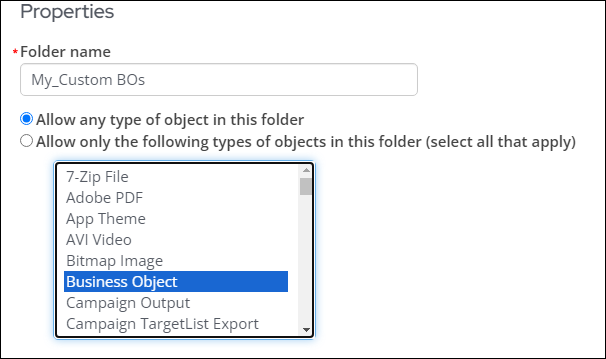
- Create a new folder (New > Folder). Make sure Allow only the following types of objects in this folder (select all that apply) is selected. Hold down Ctrl
(Command for Mac), then choose the following: - Business Object
- Design Business Definition
- Folder
- Query
- Shortcut
-
Select New > Shortcut.
-
Give the source a Document Name. This is the name that will appear in the query definition.
-
From Related document, select the source (query or business object).
-
Click Save.
The new source will now appear in the default list.
Updated 20 days ago
Did this page help you?