

Creating a new batch
Access requiredTo create a new batch, you must be a system administrator or a staff user with Finance: 3 module authorization.
If the batch mode is anything other than Manual batches, new batches are automatically created every day when new transactions are created.
The ability to manually create a new batch is only available if the batch mode is set to Manual batches (Setting > Finance > General).
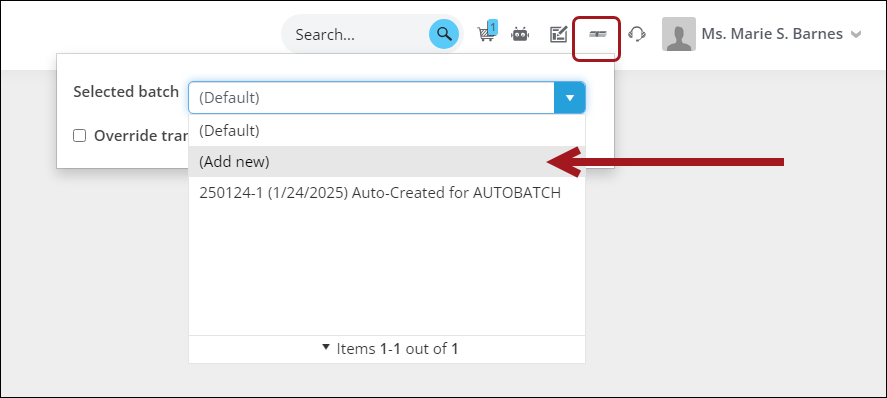
Option 1: Select batch button
Create a new batch using the Add new option in the Select batch button.
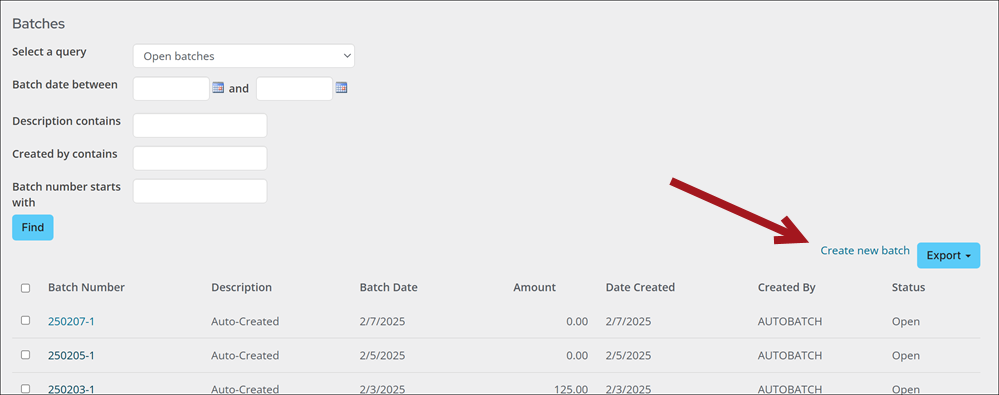
Option 2: Batch window
Create a new batch from Finance > Batches by selecting Create new batch.
Updated about 1 month ago
Did this page help you?