

Changing the iMIS date format
The default date format can be updated to display dates in the local format used in your region.
Do the following to change the iMIS date format:
-
Go to Settings > Organization.
-
From the Display dates and numbers using setting, choose Organization default.
-
From the Default culture drop-down, select the region.
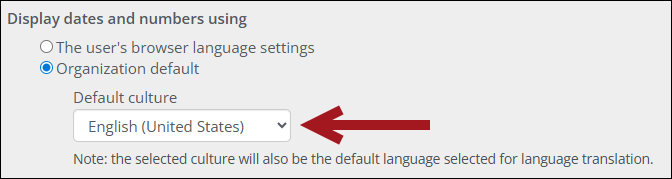
- Click Save.
For full details, see Organization: Settings.
Updated 20 days ago
Did this page help you?