

Understanding the payment workflow between iMIS, Pay Central, and payment gateways
Review the following information to understand the payment workflow between iMIS, Pay Central, and the gateway.
WarningNeither iMIS nor Pay Central store payment details such as credit card numbers. Instead, a unique token is used that represents the payment data.
One-time payments
The following outlines the payment flow for one-time payments:
- A user submits a cart with payment details.
- The payment details are sent to Pay Central.
- The payment details are sent to the payment gateway.
- Pay Central receives a payment status message. This status is documented in Pay Central.
- iMIS receives a payment status message. If the payment was successful, the payment is settled in iMIS.
- The user receives a payment successful message in the cart.
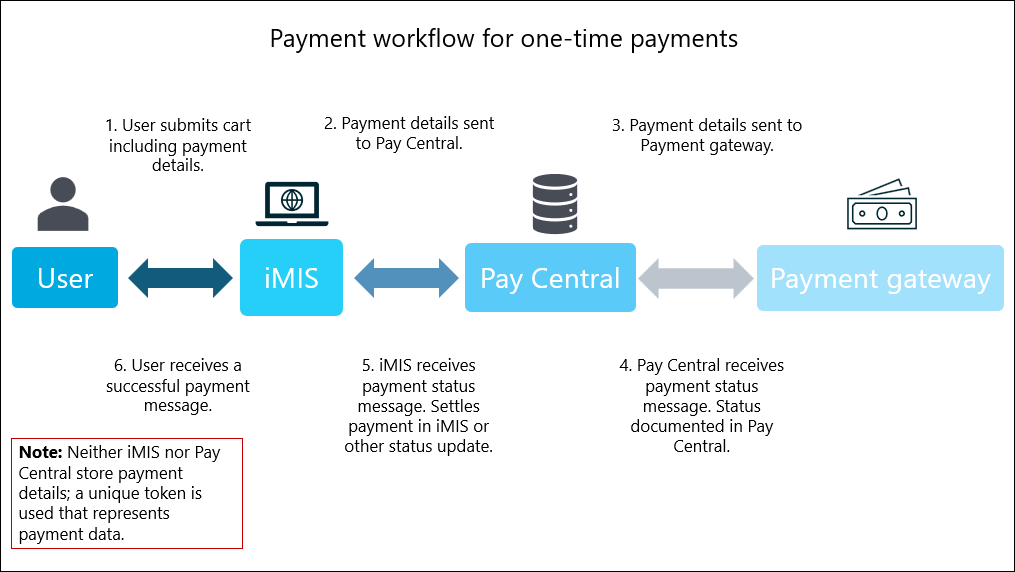
NoteDirect debit payments do not follow steps 5 and 6. A direct debit payment does not settle at checkout, and can take several business days to reach a Completed or Failed status. The payment remains in the AwaitingReconciliation state until the Retrieve processed payments from Pay Central scheduled task updates the final payment status. See Using the 'Retrieve processed payments from Pay Central' scheduled task for more information.
Recurring payments (AutoPay)
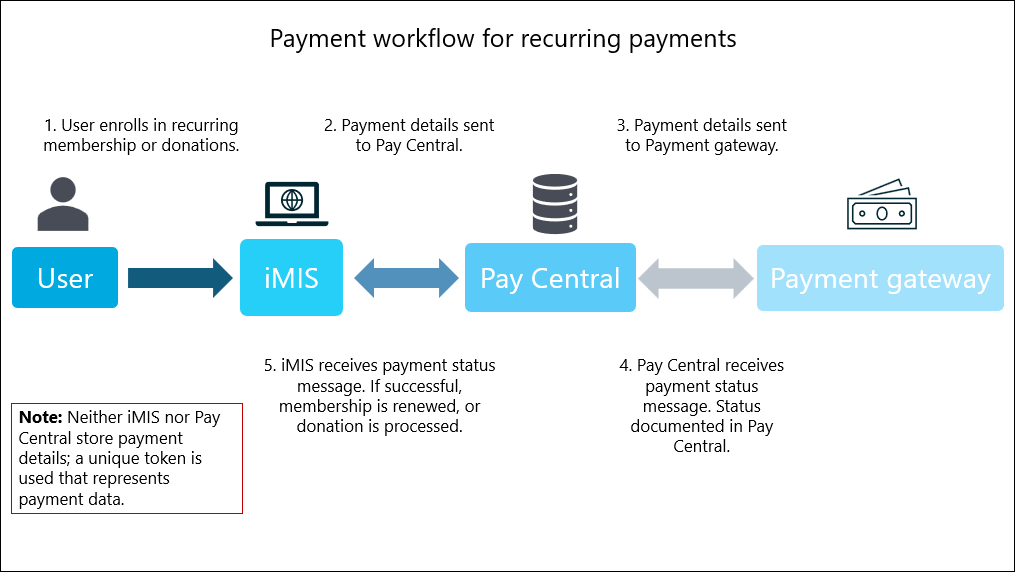
The following outlines the payment flow for recurring payments:
- A user enrolls in recurring memberships or recurring donations.
NoteStaff users may also enroll public users in memberships or donations.
- The payment details are sent to Pay Central.
- The payment details are sent to the payment gateway.
- Pay Central receives a payment status message. This status is documented in Pay Central.
- iMIS receives a payment status message. If the payment was successful, the membership is renewed, or the donation is processed.
Updated about 1 month ago