

Organizing the shop list of products
Access requiredTo create and update RiSE content, you must be a system administrator or a staff user that belongs to at least one content authority group.
Using the Common Search content item, you can organize the shop list of products by relevance, date (oldest or newest), or title.
To customize the shop list, do the following:
-
From the public site, navigate to the shop list.
-
Enable Easy Edit.
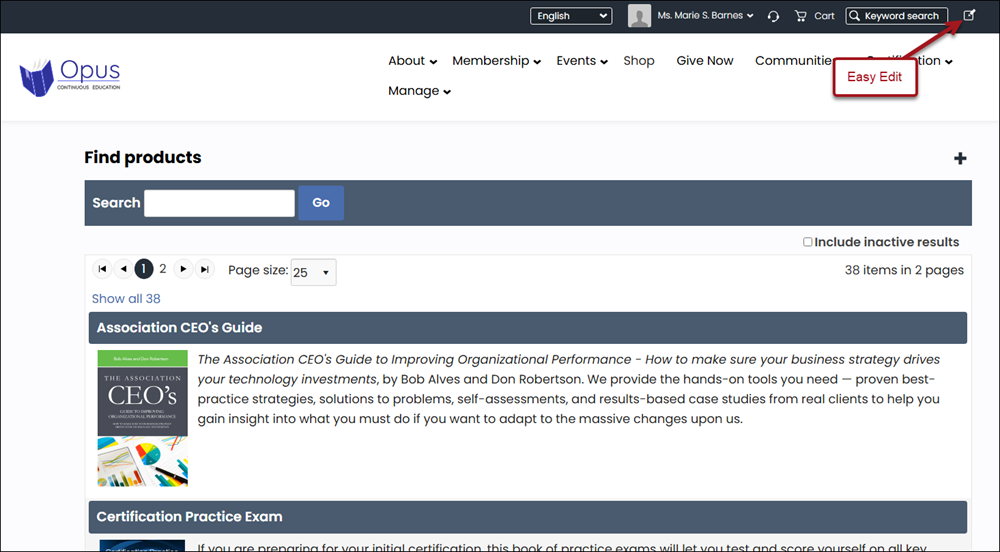
-
Select Open in Content Designer.
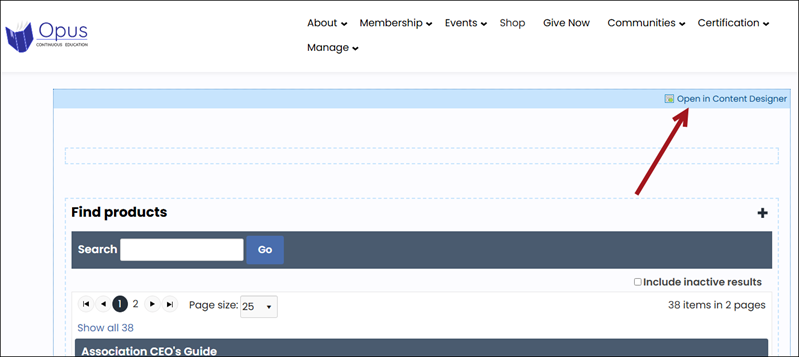
-
From the Common Search content item, select Configure.
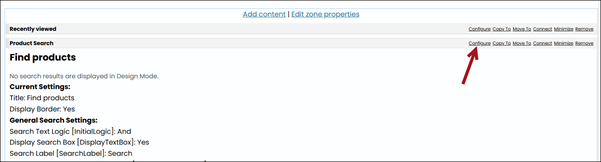
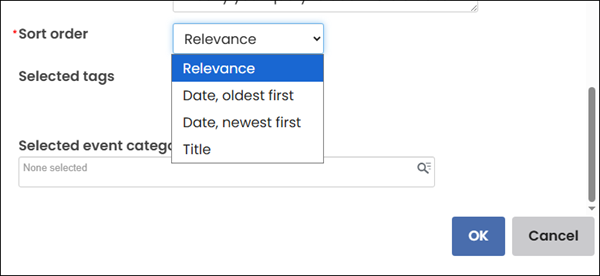
- From the Sort order drop-down, choose one of the following:
-
Relevance
-
Date, oldest first
-
Date, newest first
-
Title
-
- Click OK.
- Click Save & Publish.
Updated 20 days ago
Did this page help you?