

Communities gallery
Access requiredTo create and update RiSE content, you must be a system administrator or a staff user that belongs to at least one content authority group.
These are the available content items used to build community web pages. To see the Communities gallery, you need a Communities license. To create a link to a content record, use a ContentReference content item from the Content Gallery.
NoteThe Title field in Communities content items is not editable. Any changes you make to the Title field will not be saved.
For more information about communities, see the articles in the Communities section.
Announcement Configuration
The Announcement Configuration content item is the edit screen for the Announcements discussion.
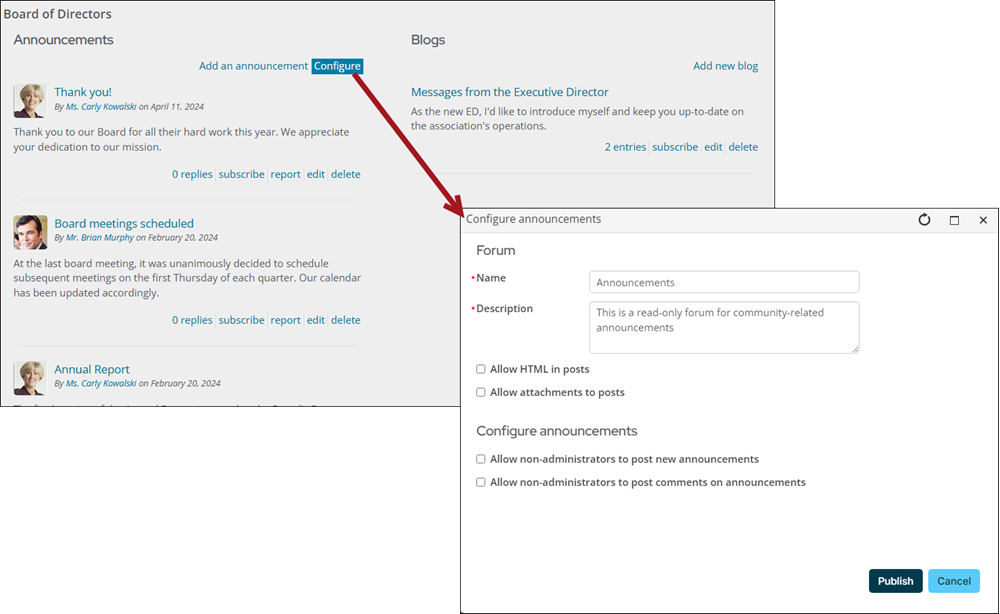
This content item uses the following:
- Allow HTML in posts
NoteWhen Allow HTML in posts is enabled, DOCTYPE, HTML, TITLE, META, STYLE, HEADER, and BODY elements are not supported and result in a validation error.
📘 NoteThis option is only available to logged-in staff users, system administrators, and those with content authority roles.- Allow attachments to posts
- Allow non–administrators to post new announcements
- Allow non-administrators to post comments on announcements
Announcements
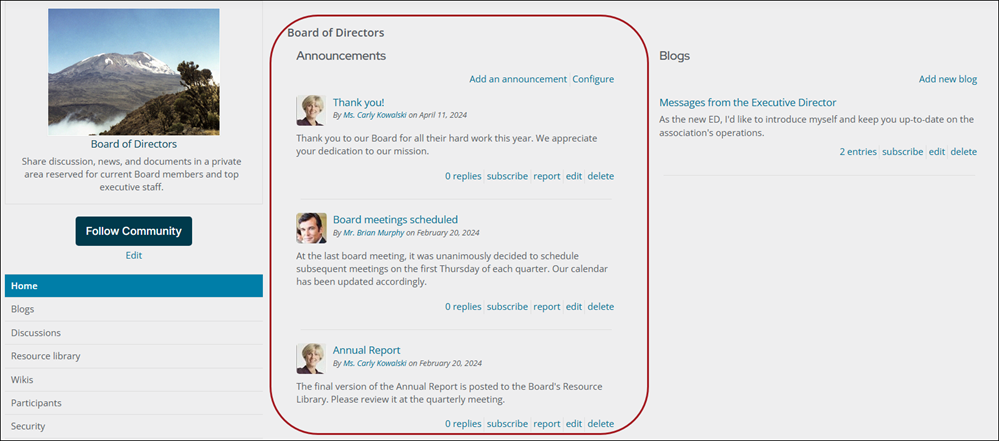
The Announcements content item displays the list of announcements for a given community.
Use Announcements when you have news to broadcast to your entire community of members. These posts display in the Announcements area of the Communities page and can be configured to allow replies. They allow community administrators to broadcast messages to all community subscribers and members.
Attachment List
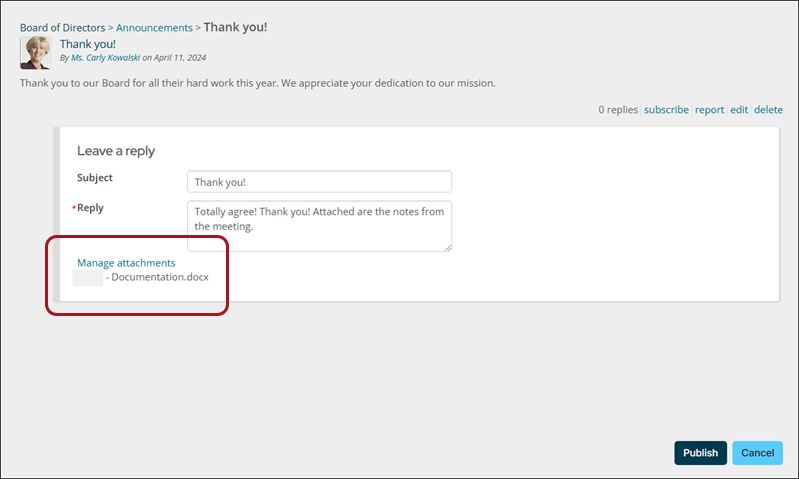
The Attachment List content item is the rendered list of attachments for a given item.
Attachment Manager
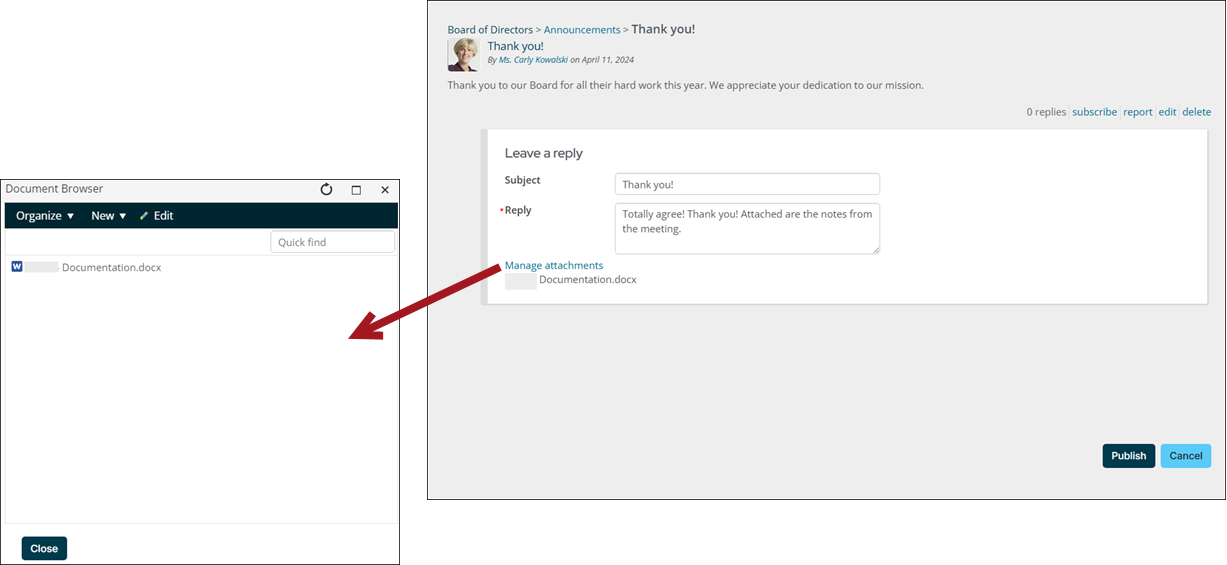
The Attachment Manager content item allows controlling the list of attachments for a given item.
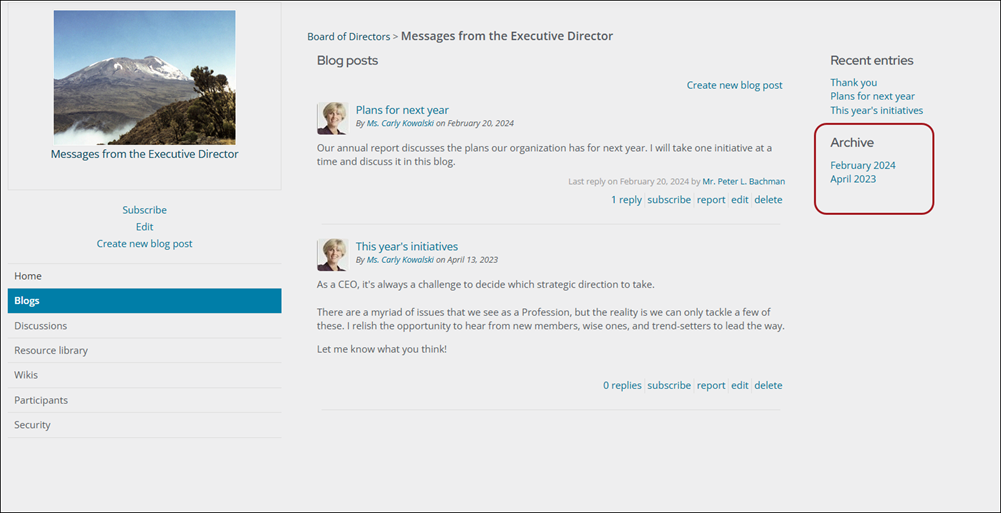
Blog Archive
The Blog Archive content item allows you to point your community visitors to an archive of past articles and blog posts.
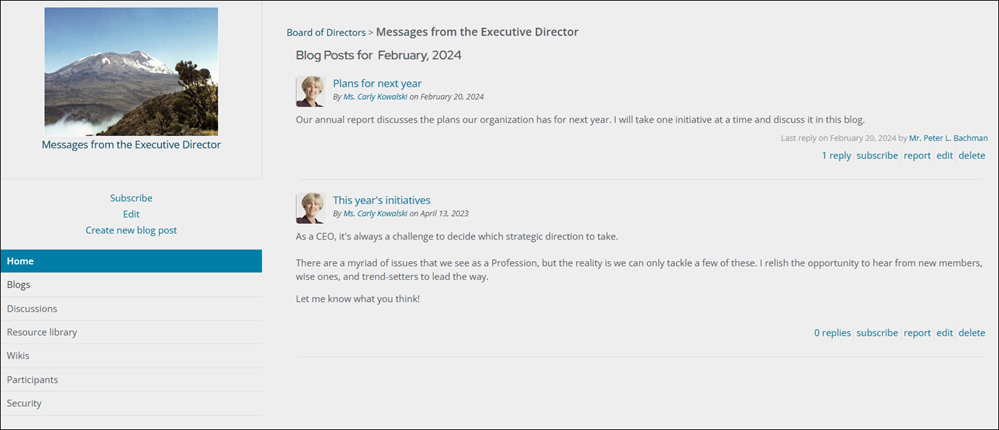
Blog Archive Entries
The Blog Archive Entries content item provides a list of blog entries belonging to a particular archive set.
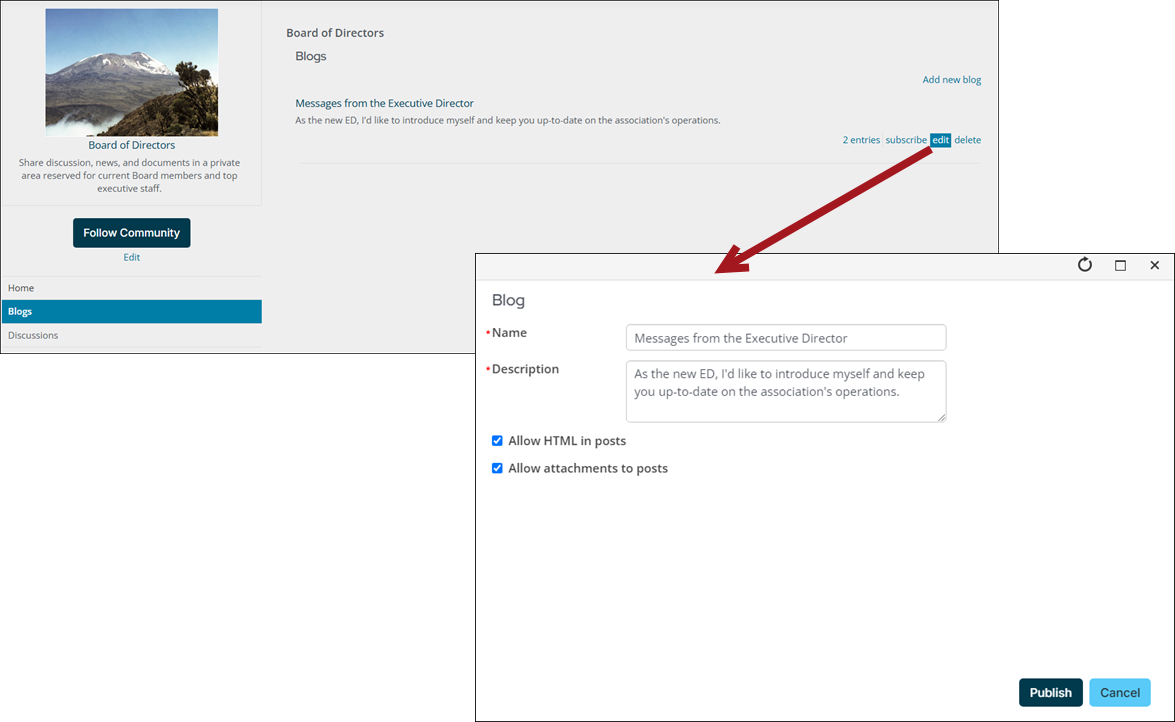
Blog Configuration
The Blog Configuration content item offers the edit screen for blogs.
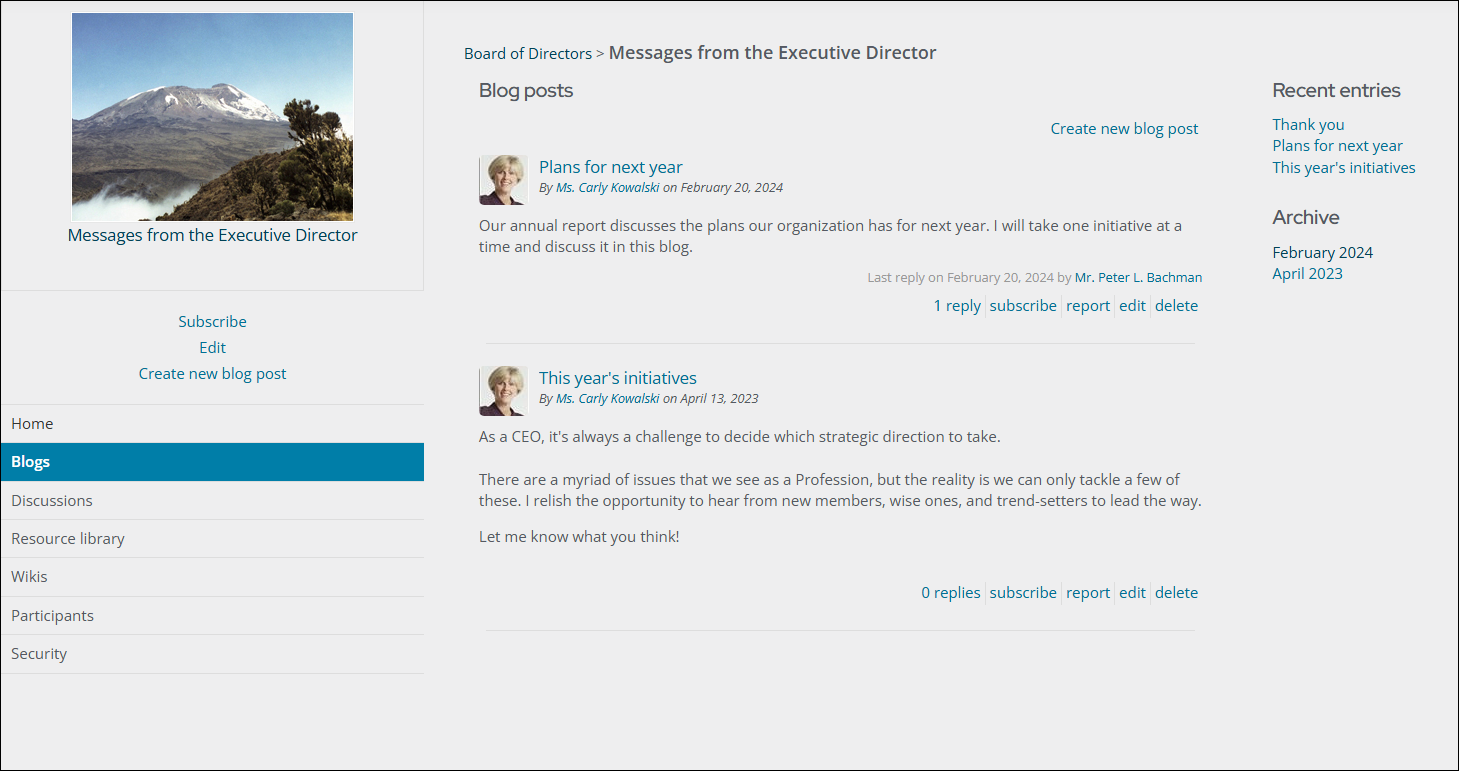
Blog Home
The Blog Home content item is the home view of an individual blog. By default, this 2-column view includes Recent entries and an Archive on the blog home view.
Blog List
The Blog List content item displays a list of blogs for a given community.
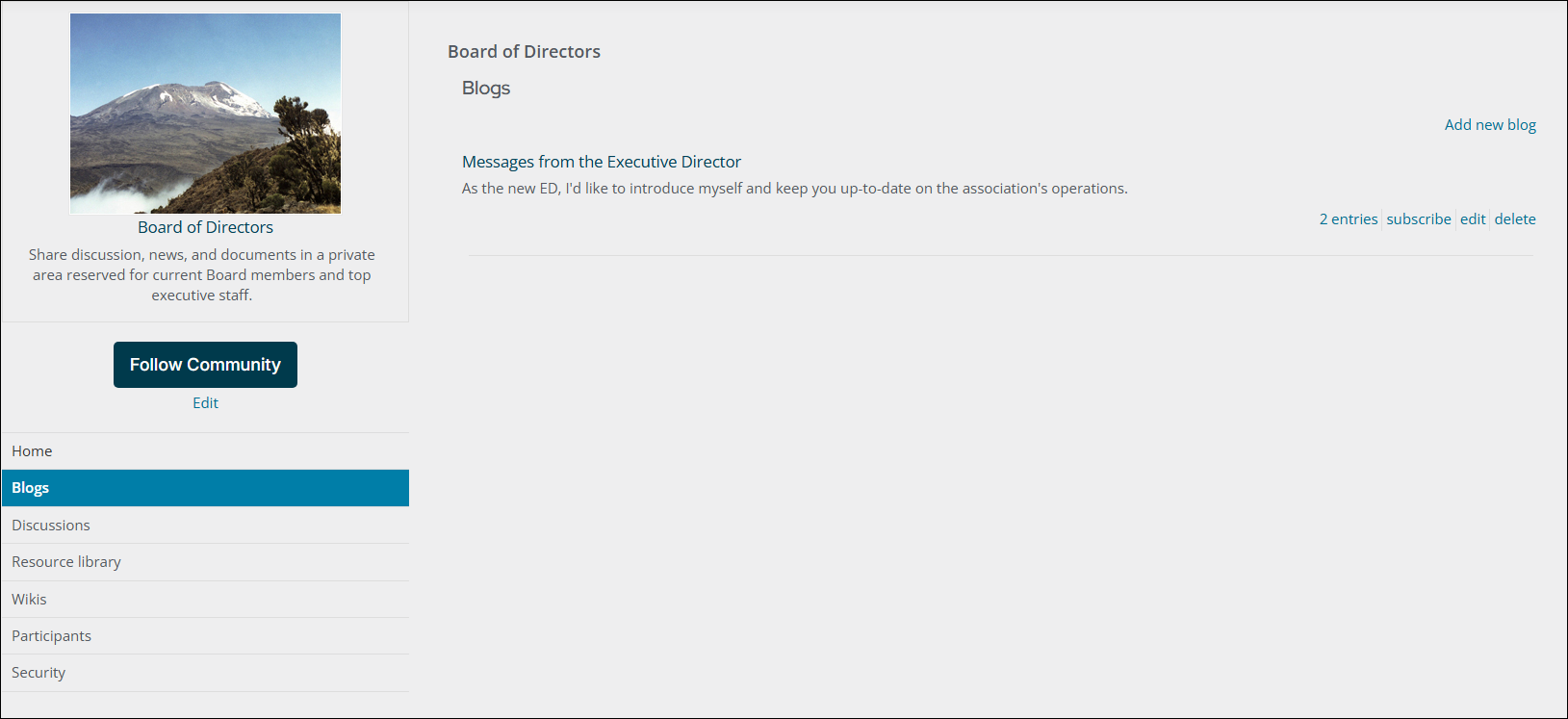
Blog List Item
The Blog List Item content item displays a single blog in a blog listing.

Comment Configuration
The Comment Configuration content item offers the edit screen for comments.
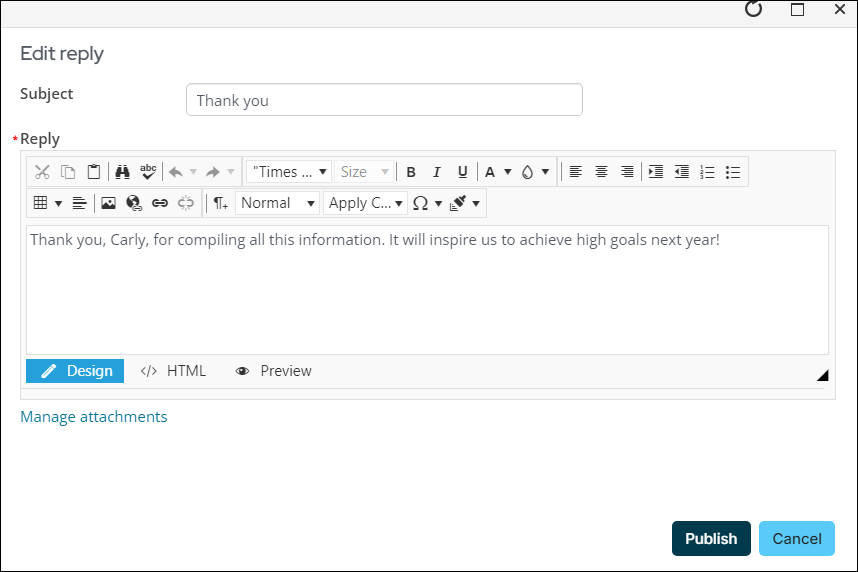
Comment List
The Comment List content item displays a list of comments for a given item.
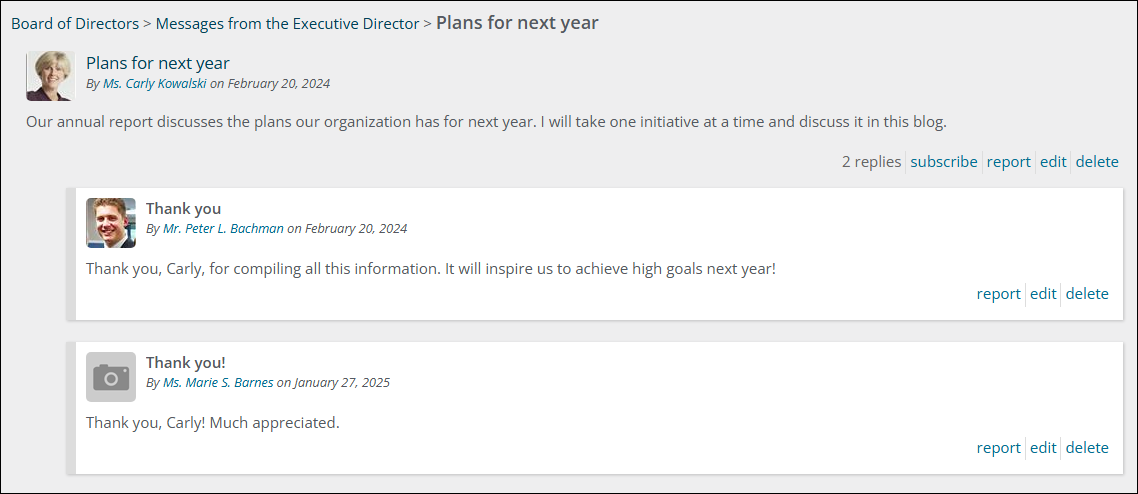
Comment List Item
The Comment List Item displays a single comment in a comment listing.
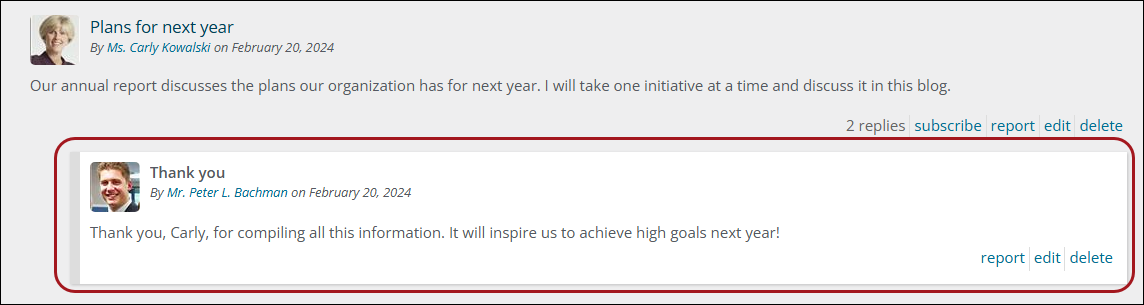
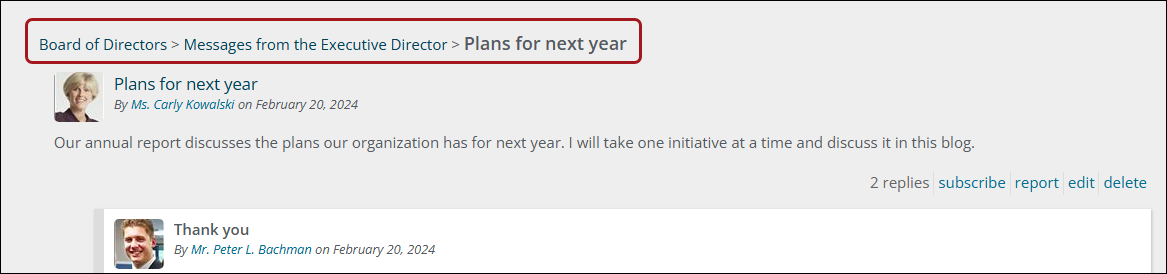
Community Breadcrumb
The Community Breadcrumb content item displays the path to the current object as a breadcrumb.
Community Configuration
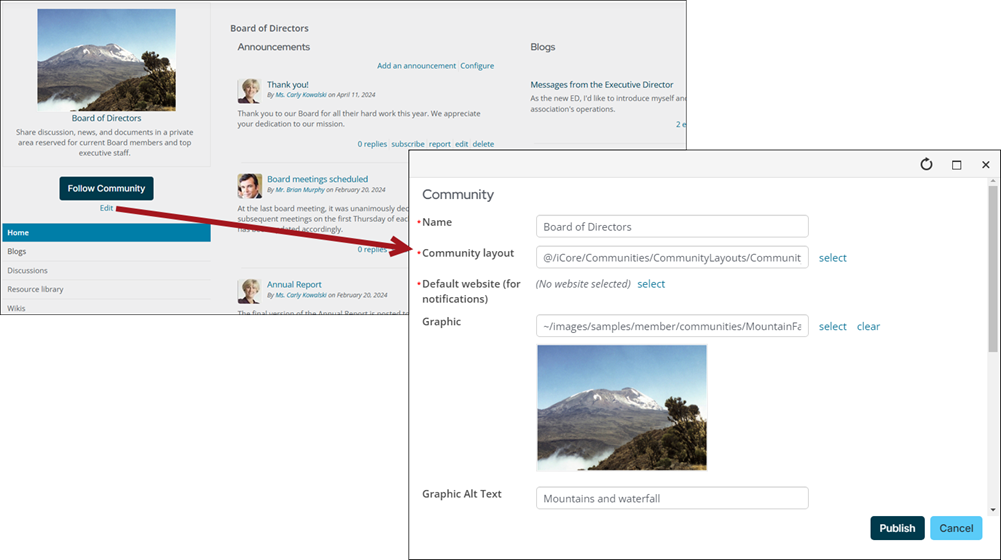
The Community Configuration content item offers the edit screen for a community.
Community Description
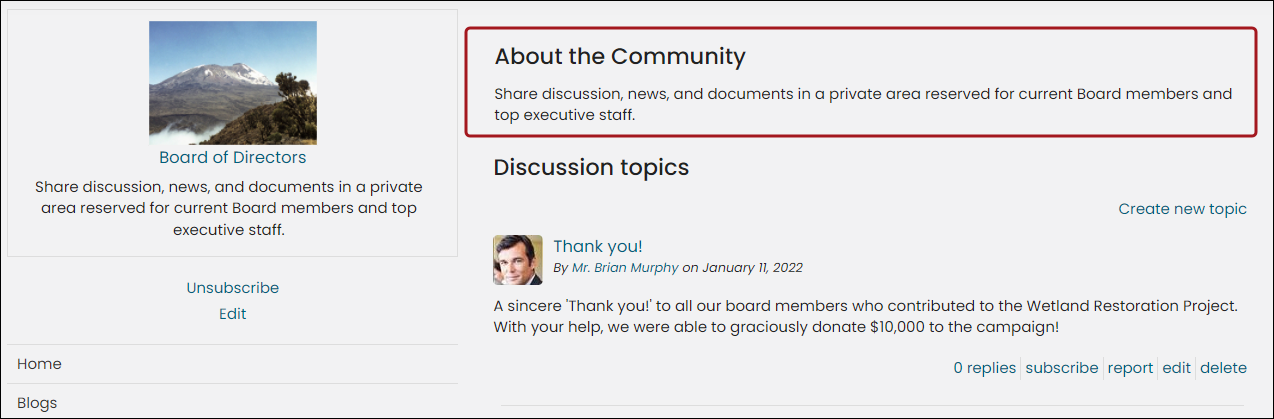
The Community Description content item is used to display a description of the community that is currently being viewed.
You can place the content item anywhere on the page in a community, but it is recommended to add the content item at the top of the page. With the Community Description content item, you can let your visitors know what your community is all about and how your community can benefit your visitors.
Community List
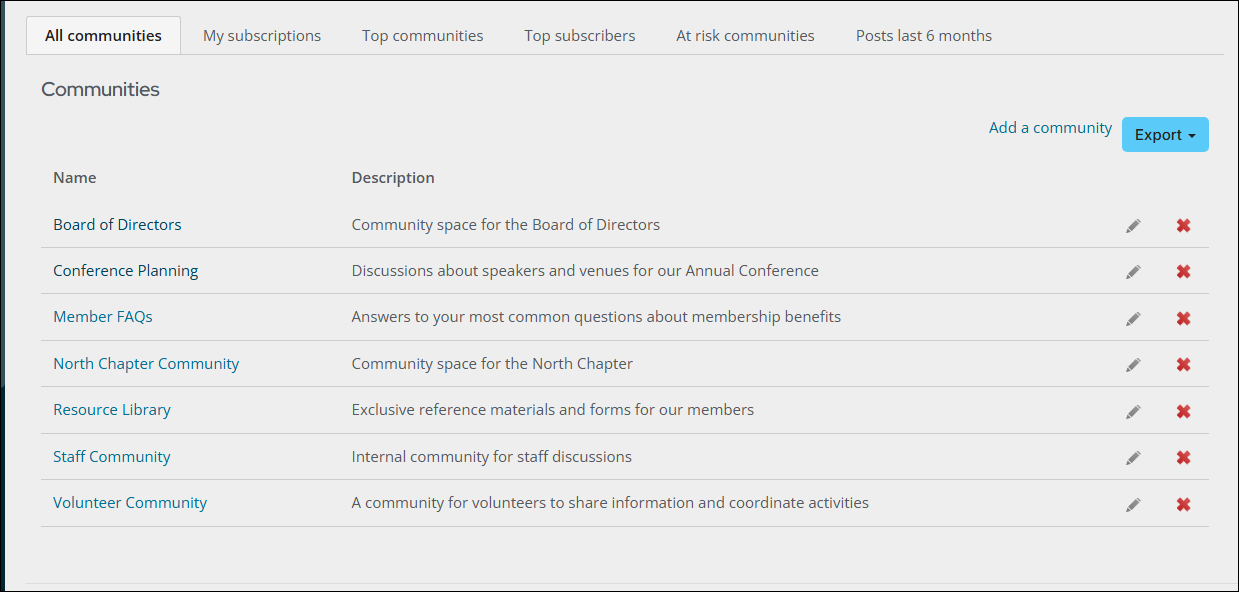
The Community List content item displays a list of all available Communities.
The content item can be seen out-of-the-box on the Staff site (go to Community > Communities) and on the Member and Member Responsive Quick Start Sites (go to Communities > Community List).
Community Recent Activity
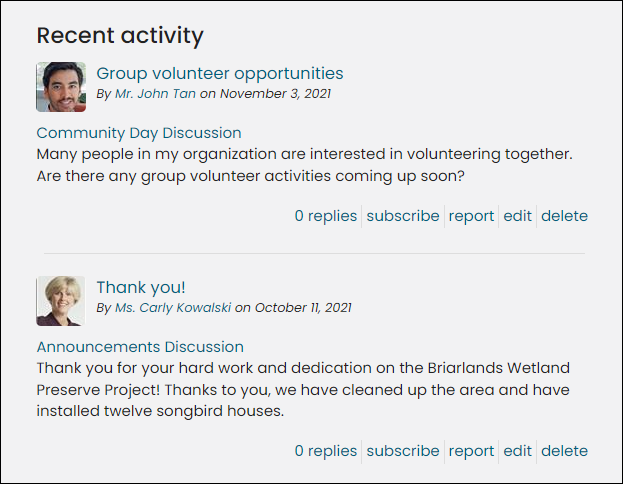
The Community Recent Activity displays recent activity of all types for the entire community, such as new replies on discussion topics, new blog entries, and new wiki articles.
Community Roster
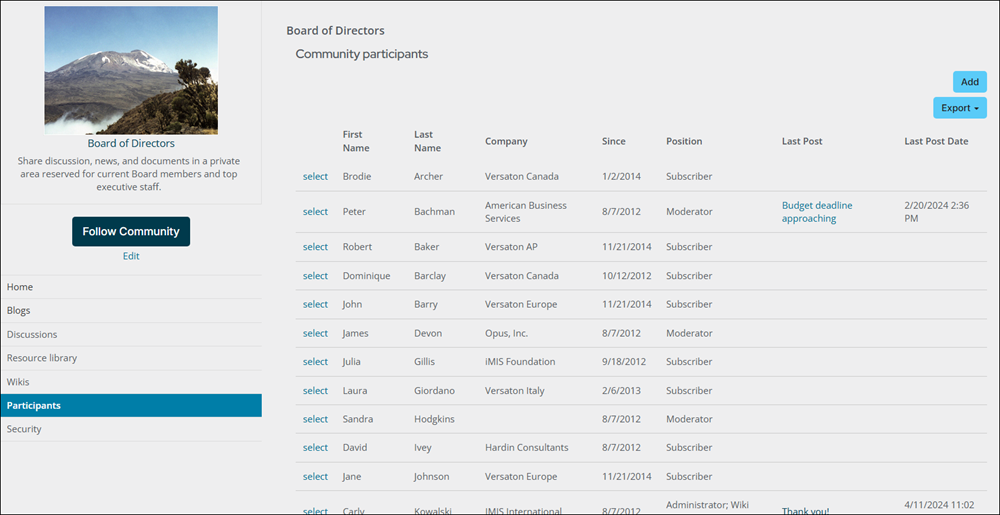
The Community Roster content item displays a list of all members (subscribers and administrators) of a community.
Community Sidebar Helper
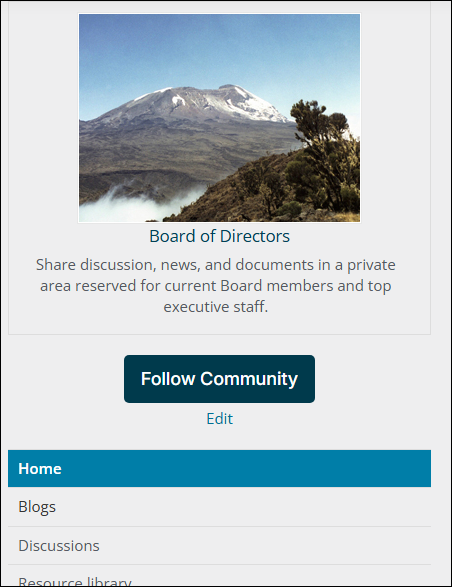
The Community Sidebar Helper content item is a helper control that inserts the Community Summary into the template's sidebar.
Community Summary
The Community Summary content item displays the item's linked name, image, description, and relevant links.
Discussion Forum Configuration
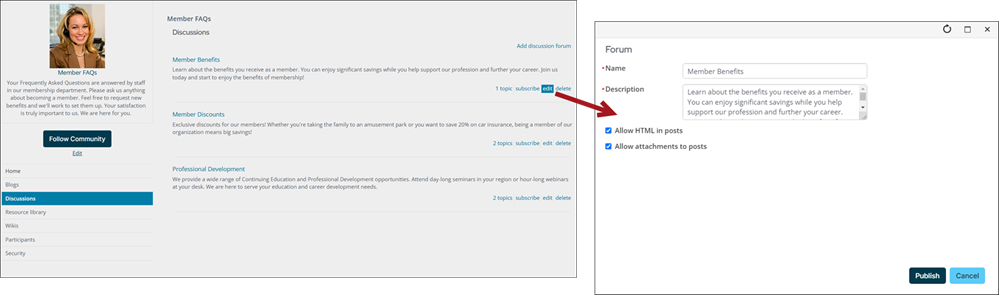
The Discussion Forum Configuration content item offers the edit screen for a discussion.
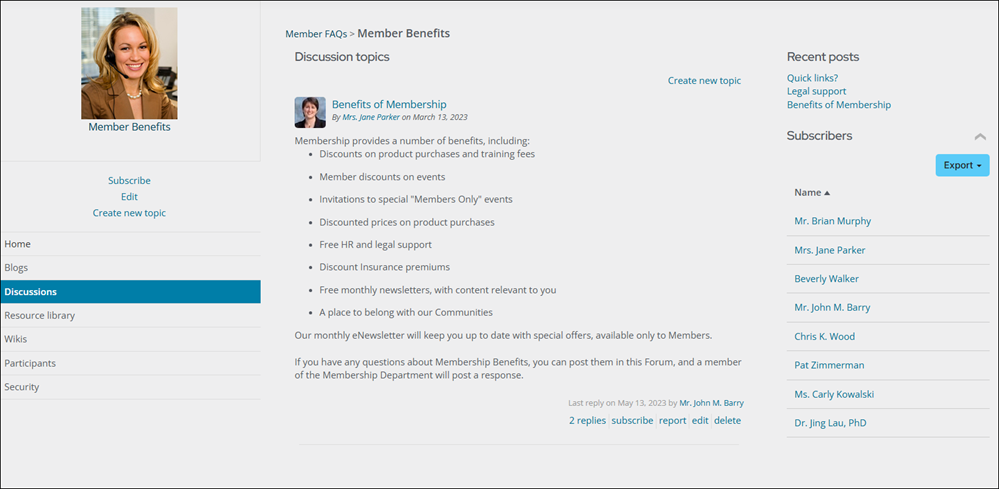
Discussion Forum Home
The Discussion Forum Home content item is the home view for a discussion. By default, this 2-column view includes recent activity and subscribers.
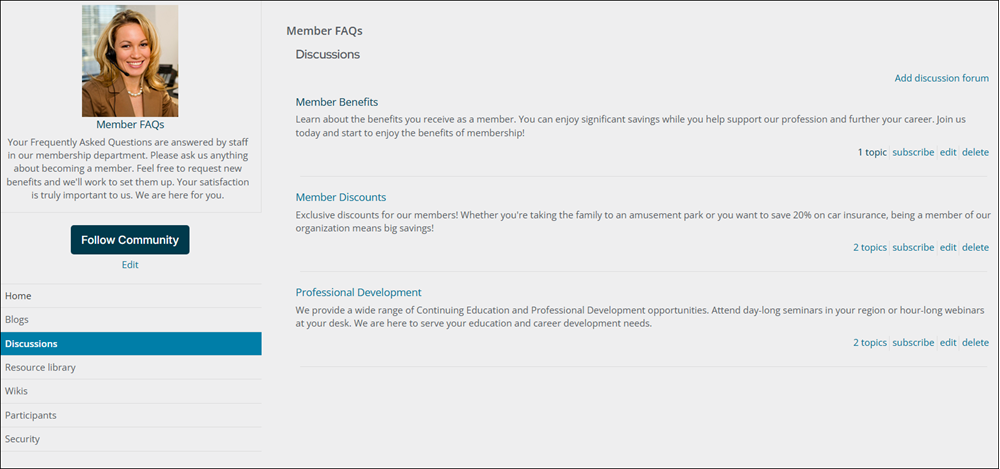
Discussion Forum List
The Discussion Forum List content item enables displaying a list of discussions for a given community.
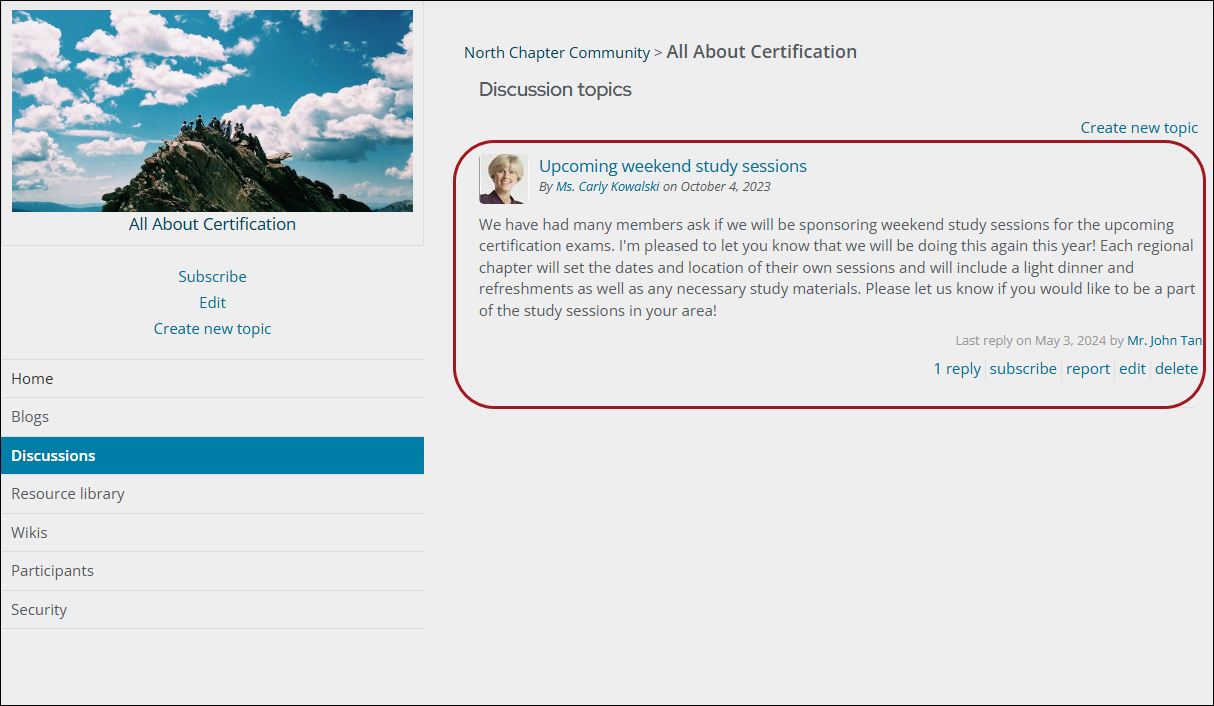
Discussion Forum List Item
The Discussion Forum List Item content item enables displaying a single discussion in a discussion listing.
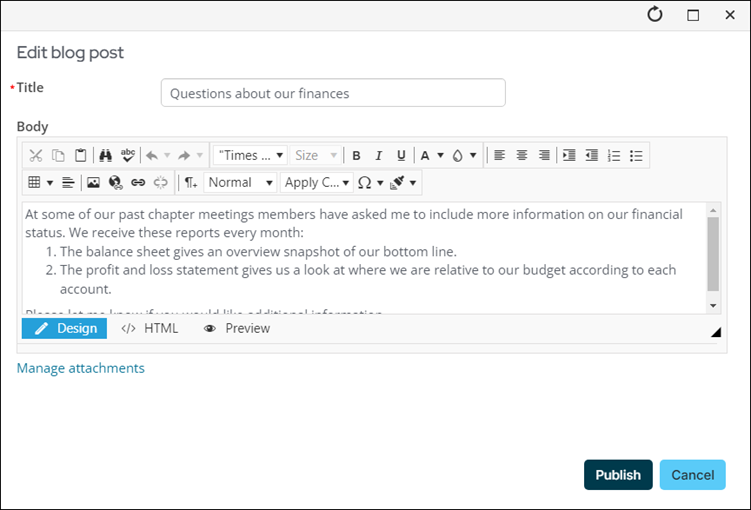
Entry Configuration
The Entry Configuration content item offers the edit screen for blog entries.
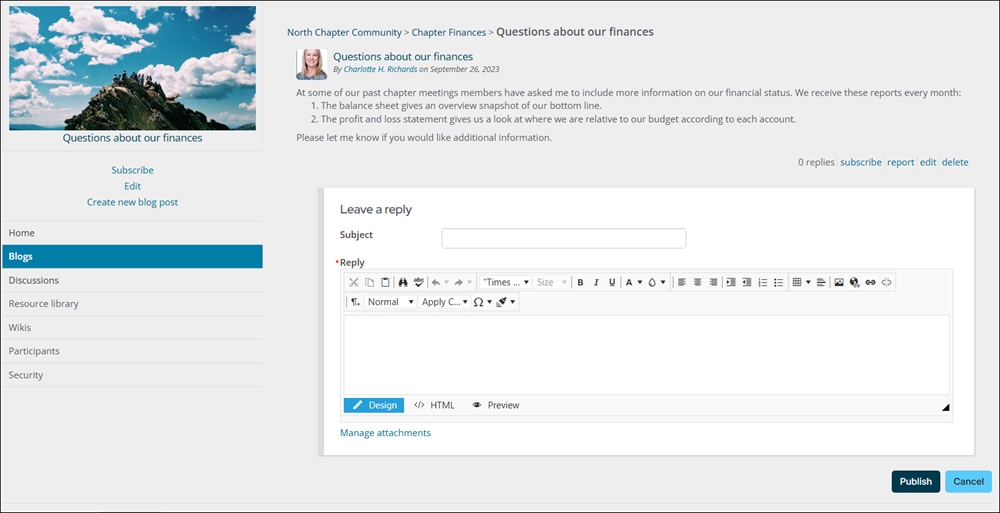
Entry Home
The Entry Home content item is the home view of an individual blog entry. By default, this 1-column view includes the complete comment thread for the entry.
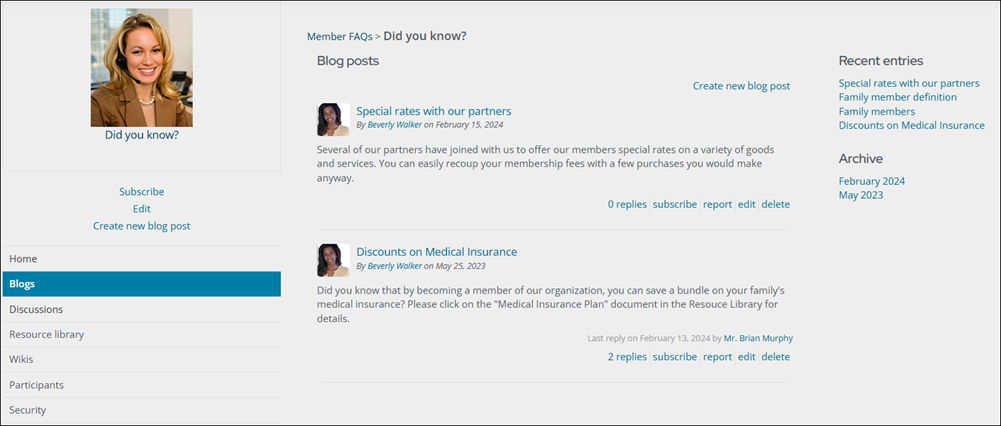
Entry List
The Entry List content item displays a list of entries for a given blog.
Entry List Item
The Entry List Item content item displays a single entry in an entry listing.
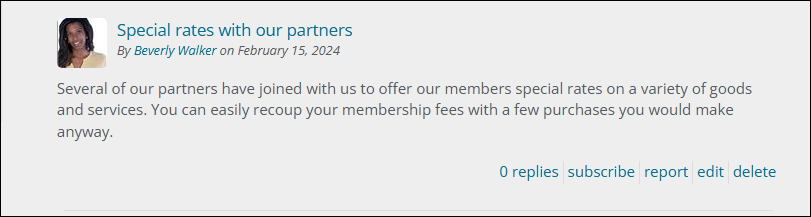
Image Manager
The Image Manager content item functions as the image manager for a community. It is only available to logged-in staff users, system administrators, and those with content authority roles.
Preferences
The Preferences content item makes it easier to manage the preferences and subscriptions for a community.
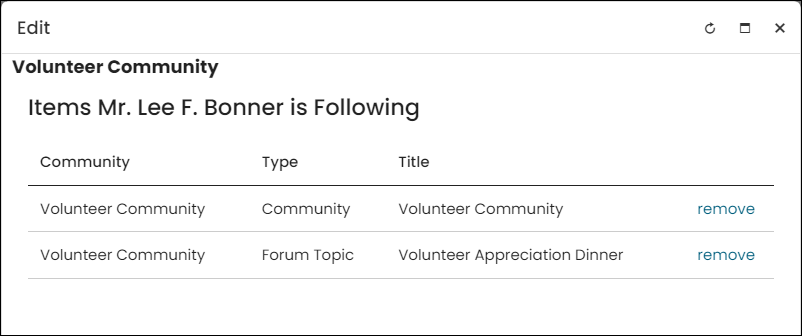
Recent Activity
Place this content item on the page where you want the recent activity from an individual blog or discussion in a particular community to be displayed.
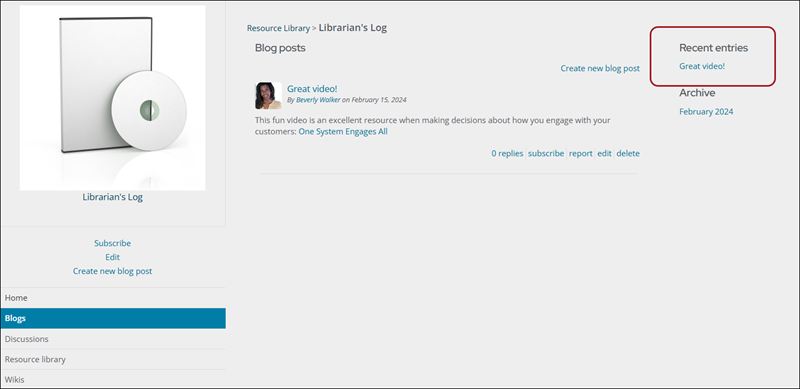
Resource Library
The Resource Library content item enables displaying a community's Resource library.
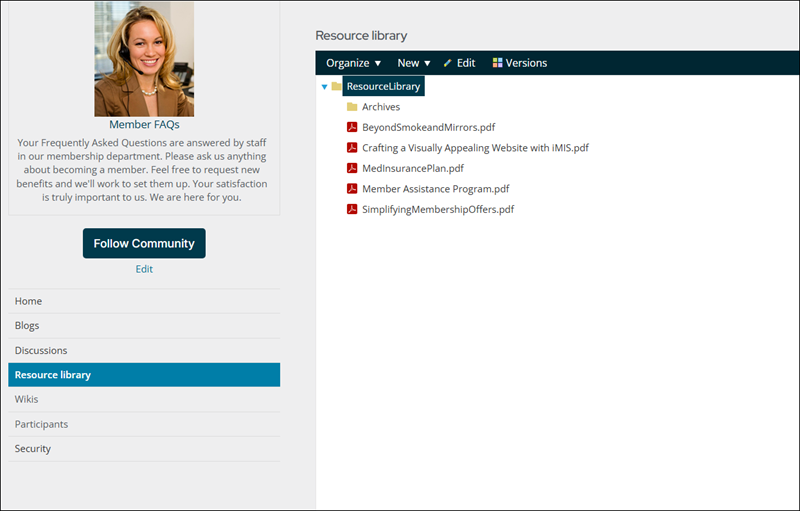
This content item can only be used in conjunction with an iMIS Community (Community > Communities), and the Community Item Key field must be populated for this content item to properly display data:
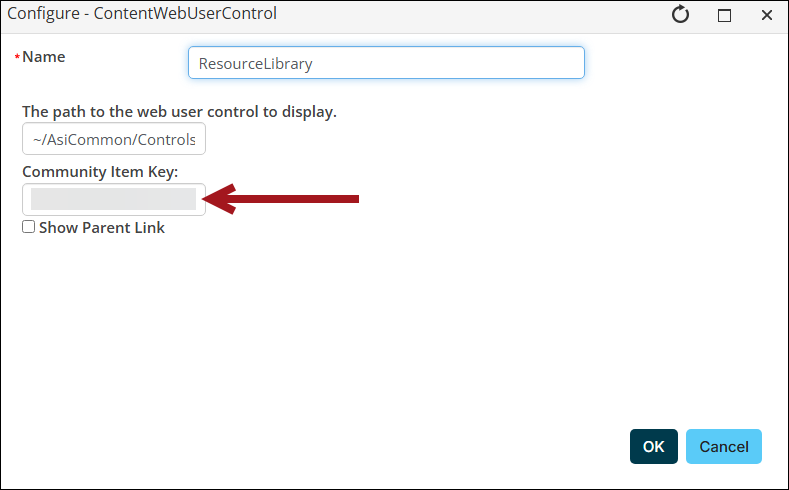
Without the Community Item Key, the content item does not properly display. Do the following to obtain a Community Item Key:
- Go to Community > Communities.
- Open the iMIS Community for which you want to display a Resource Library.
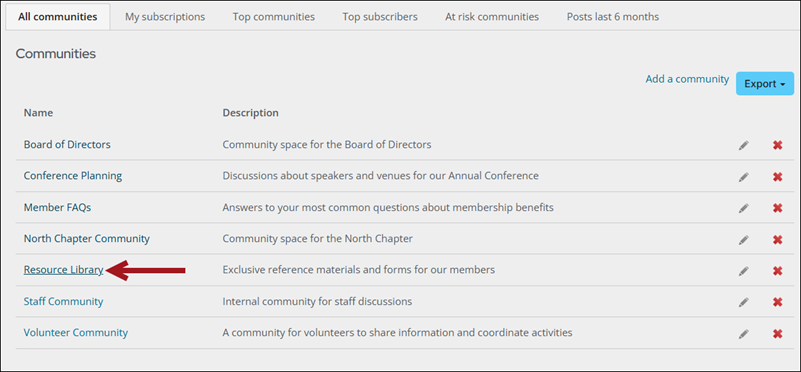
- From the URL, copy the string located directly after iUniformKey=.
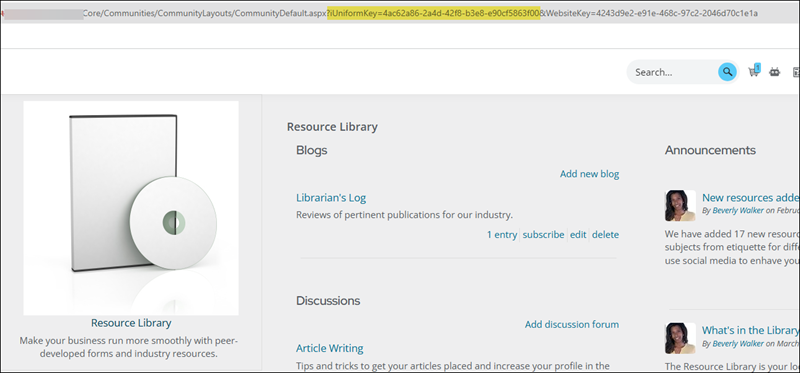
- Paste the iUniformKey into the Community Item Key field.
Security
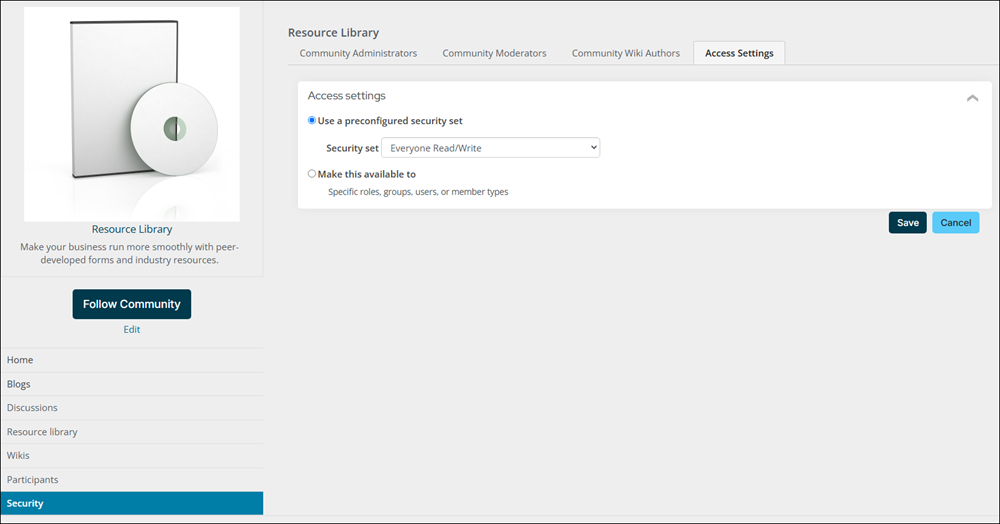
The Security content item makes it easier to manage a community's security.
Subscriber List
The Subscriber List content item provides a visual list of contacts that are subscribed to the current object.
Subscription Link
The Subscription Link allows a user to subscribe to or unsubscribe from a given item.

Topic Configuration
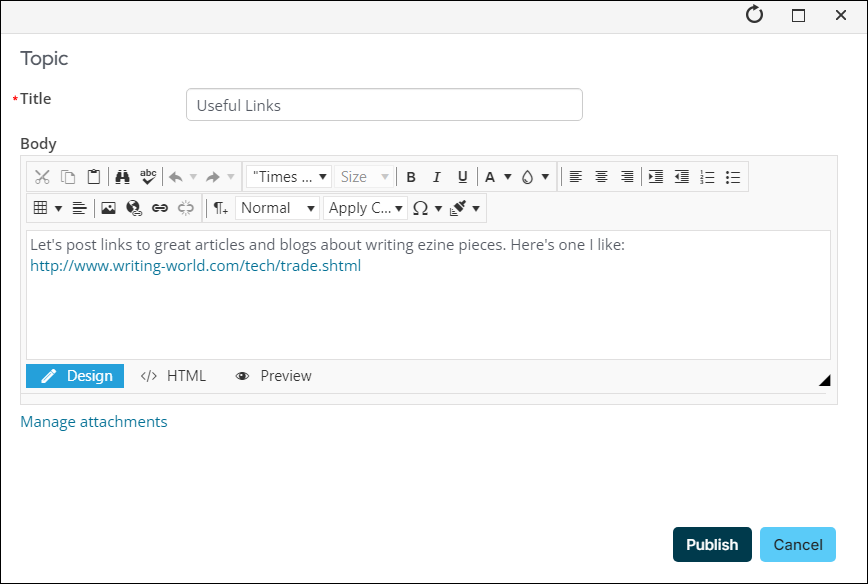
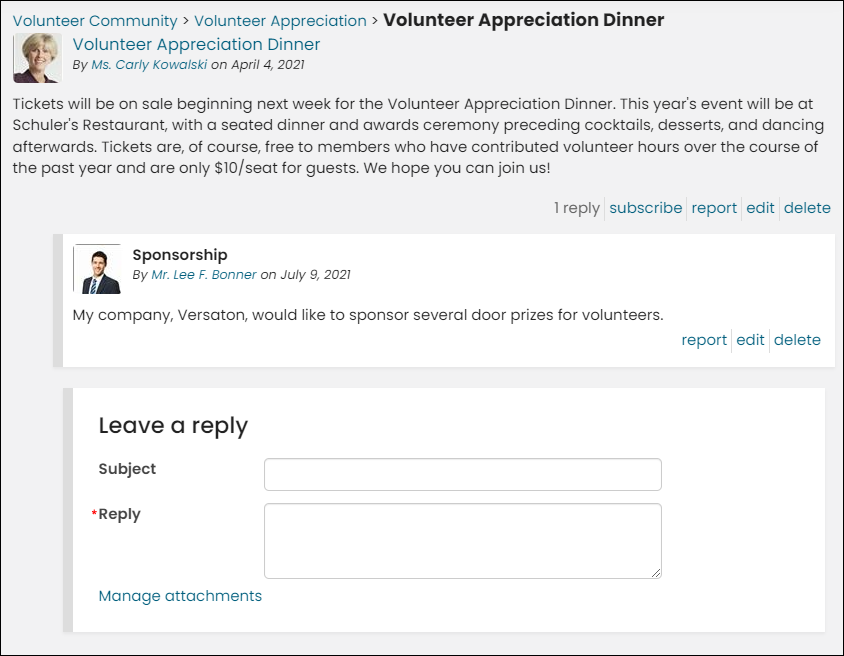
The Topic Configuration content item provides an edit screen for a discussion topic.
Topic Home
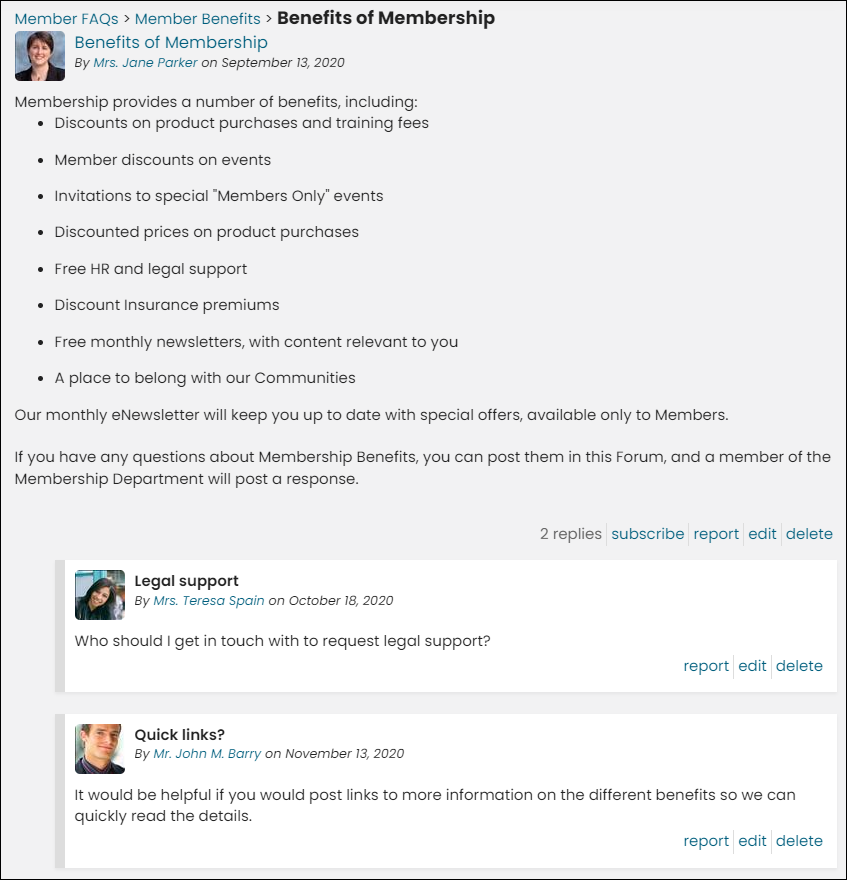
The Topic Home content item is the home view for a discussion topic. By default, this one-column view includes the complete reply thread for the topic.
Topic List
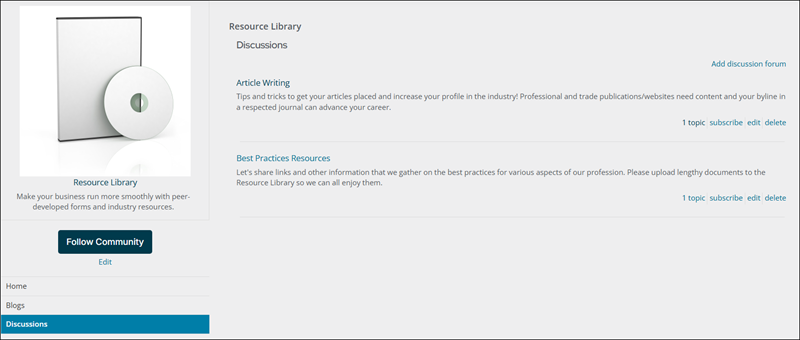
Place the Topic List content item on any content record in which you want to display a list of topics for a given discussion.
Topic List Item
The Topic List Item content item displays a single topic in a topic listing.
Wiki Configuration
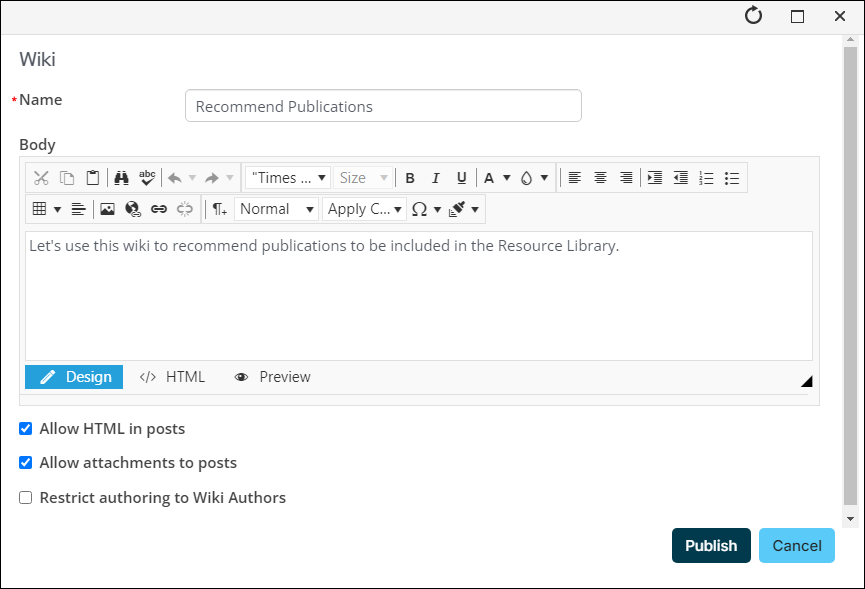
The Wiki Configuration content item displays an edit screen for a wiki.
Wiki Contents
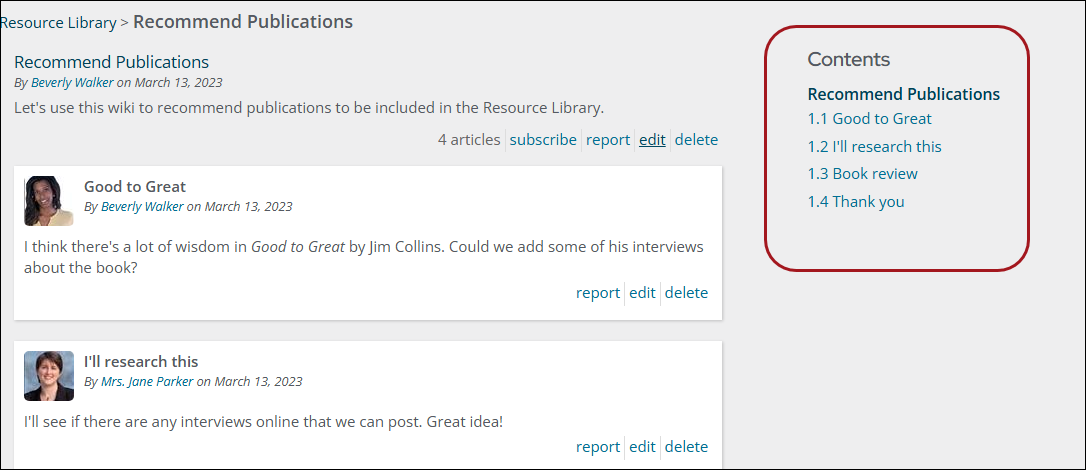
The Wiki Contents content item allows for a table of contents to be displayed for a given wiki.
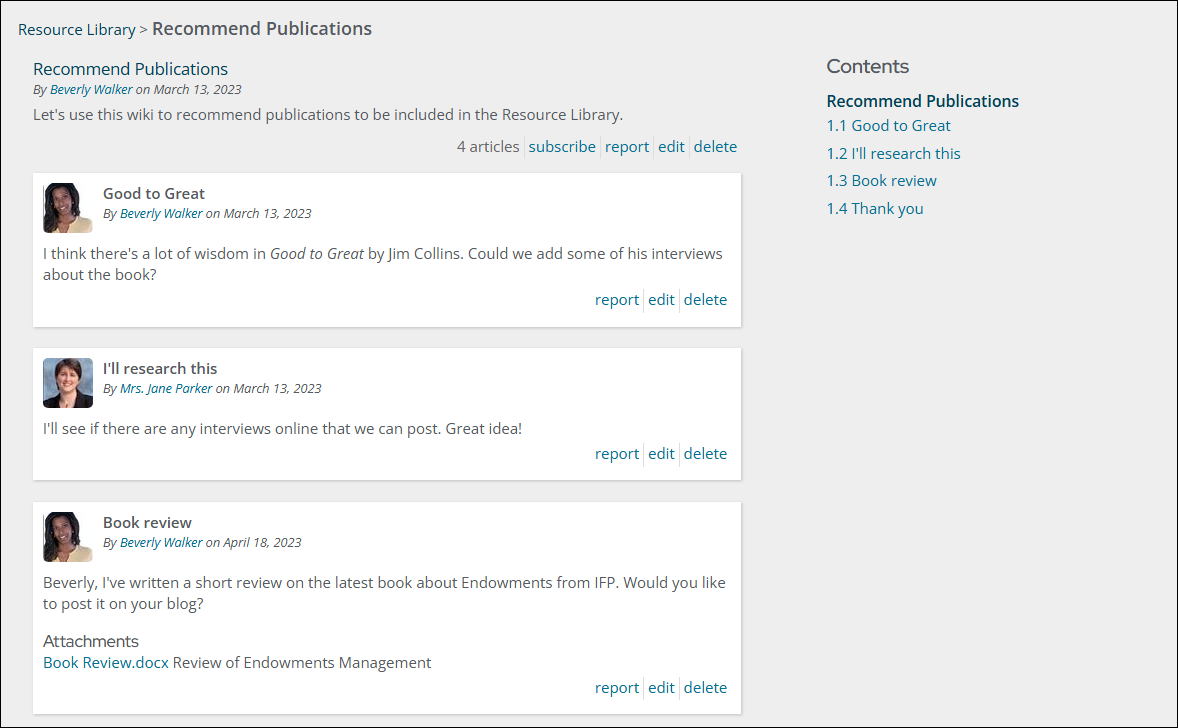
Wiki Home
The Wiki Home content item is the home view of a wiki. By default, this two-column view includes a table of contents.
Wiki List
The Wiki List content item provides a list of wikis for a given community.
Wiki List Item
The Wiki List Item content item provides a single wiki in a wiki listing.
Updated 21 days ago