

Finding which card was used for a payment
Access requiredTo find payments, you must be a system administrator or a staff user with Finance: 2 module authorization.
All payment related information can be found within the Payment detail.
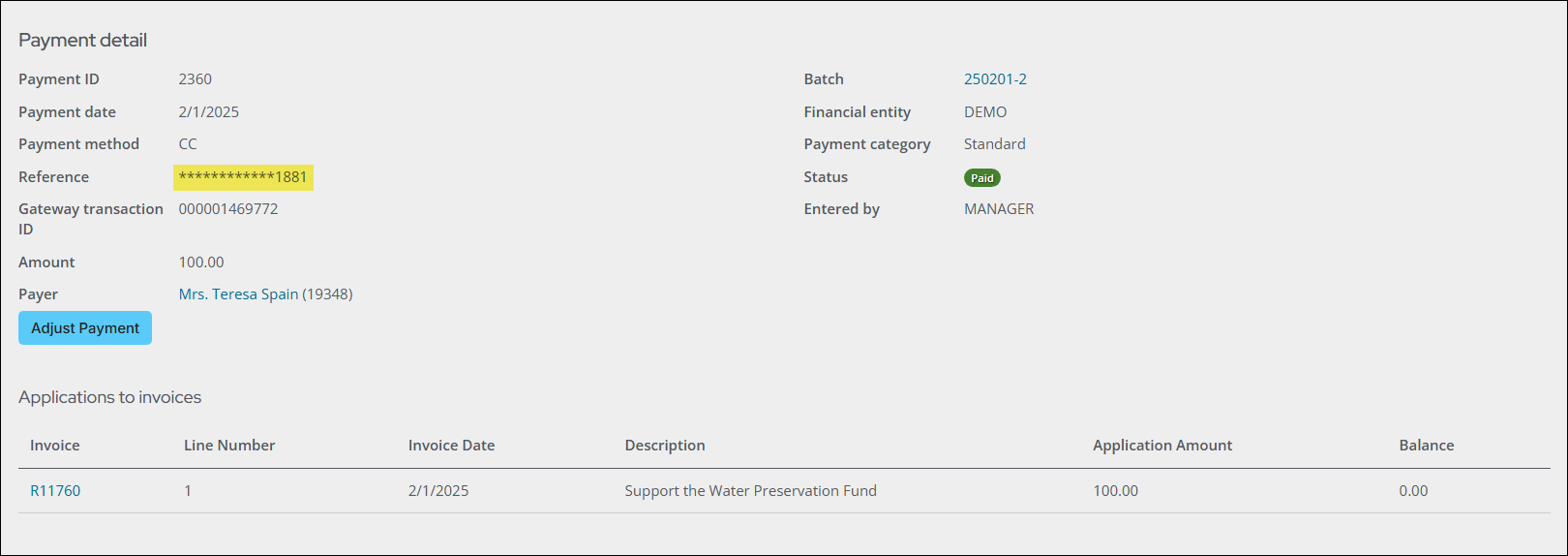
To find which card was used for a payment, do the following:
- Go to Finance > Pay Central > Find payments.
- Search for and open the payment.
- From the Card number or Reference property, review the last four digits of the card that was used. The full card number will never display, since it is stored securely outside of iMIS. See Understanding the payment workflow between iMIS, Pay Central, and payment gateways for details.
Updated 18 days ago
Did this page help you?