

Designating a RiSE website to appear in a specific language
Each RiSE website can be configured to appear in a specific language. This may be convenient if you have multiple websites, one for each language you support. When enabled, the website will always display in the selected language and users do not have the option to switch to a different language.
Do the following to designate a RiSE website to appear in a specific language:
-
Go to RiSE > Site Builder > Manage websites.
-
Select the website.
-
From the Properties tab, enable Always display this website in a specific language.
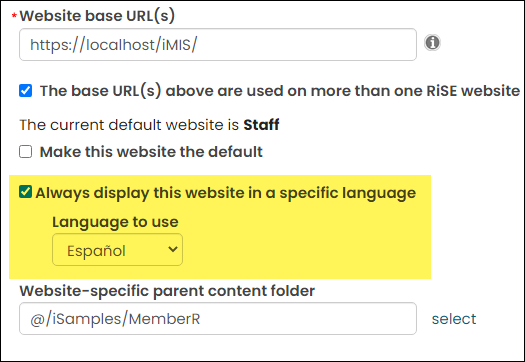
- Choose the Language to use. The active languages defined at Settings > Language translation > Translation cultures display in this drop-down.
- Click Save.
Updated about 1 month ago
Did this page help you?