

Importing source codes
To import source codes, do the following:
- Go to Marketing > Campaigns > Import source codes.
- Select the file to import.
- Click Upload. In order to import source codes, you must enter the data in a tab-delimited file that contains columns. Most spreadsheet applications, such as Microsoft Excel, can create tab-delimited files (.txt). You must arrange the columns in the tab-delimited file in the same order as they are listed below.
Warning
Remove the column header row before importing.
| Column | Description |
| -------------------------------- | ------------------------------------------------------------------------------------------------------------------------------------------------------------------------- |
| A. Source codes (required) | If the source code does not yet exist and a campaign code is also specified, the source code will be created. There is a 40 character maximum for source codes. |
| B. Campaign (required) | If the campaign does not yet exist, it will be created. There is a 10 character maximum for campaigns. |
| C. Appeal (optional) | If this appeal does not yet exist within the specified campaign code, it will be created. There is a 50 character maximum for appeals. |
| D. Solicitation (optional) | If this solicitation does not yet exist within the specified campaign code and appeal, it will be created. There is a 50 character maximum for solicitations. |
- (optional) If warnings or errors were reported when importing, click Download errors to view the report. Create a new tab-delimited file that contains just the warning and errors. Do not include data that has already been successfully imported. Correct the file, then upload and process it again.
- Click Process. All import files that are processed are recorded in the Review log files section with the description of the warnings if any were reported from the import.
- Manually add descriptions or assign hyperlinks for the imported source codes as needed.
Adding descriptions to imported source codes
NoteEnsure that Hide Appeals and Solicitations under Marketing > Campaigns > Settings is enabled for Campaigns and the Source Codes tab to be visible.
Descriptions are not imported for source codes. To manually add a Description to an imported source code, do the following:
-
Go to Marketing > Campaigns > Track campaigns.
-
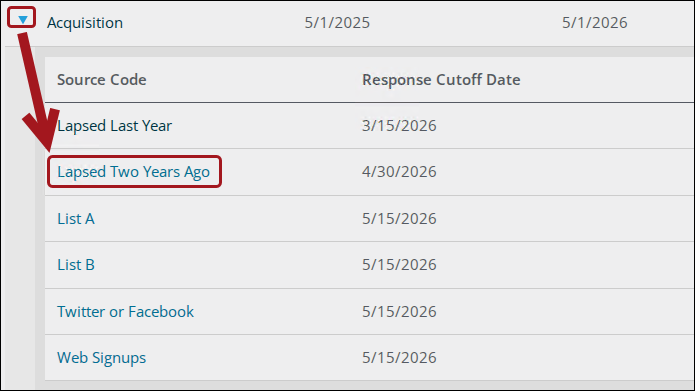
Click the drop-down next to the campaign and select the Source Code to edit the source code directly.
-
Click the Profile tab.
-
Edit the Description.
- Click Save.
Joining campaign business objects in a query
The CampaignKey property in the CampaignSourceCodes business object allows for joining the CampaignSourceCodes business object to the Campaign business object in a query without traversing the appeal and solicitation hierarchy.
Do the following to join the business objects:
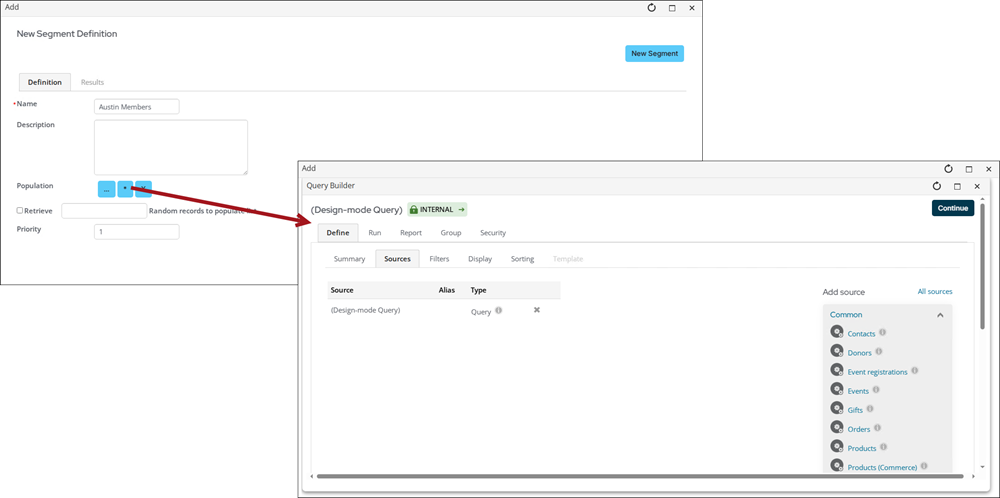
- Go the RiSE > Intelligent Query Architect > New >Query.
- (Summary tab) Enter a Name and Description.
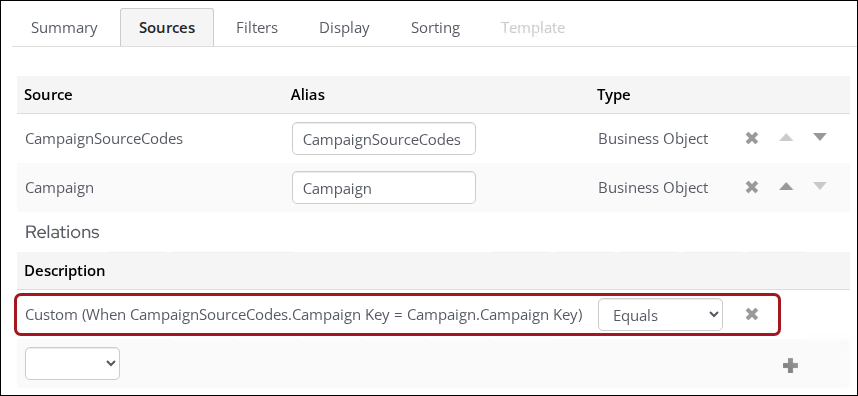
- (Sources tab) Add the CampaignSourceCodes and Campaign business objects.
-
Under Relations, create the following relationship: Custom (When CampaignSourceCodes.Campaign Key = Campaign.Campaign Key
-
- Add and update any filters, displays, or sort orders and click Save.
See Building a new query and Understanding query relations and joins.
Updated 4 months ago