

Creating billing products with negative amounts
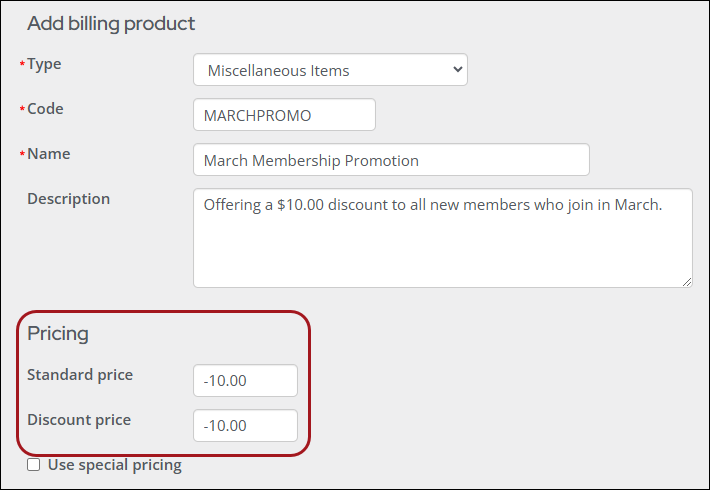
Billing products with a Type of Miscellaneous Items (MISC) can be configured with negative amounts.
Setting up the billing product
Access requiredTo configure the billing product, you must be a system administrator or a staff user with Dues: 5 module authorization.
In the Pricing fields, enter a minus sign ( - ) followed by the numerical value of the discount, and the value is accepted on Save.
TipFor an advanced example, see Using Expression Builder to give first-year members a discount on fees.
Reviewing invoices and payments containing negative price products
Access requiredTo review invoices and payments, you must be a system administrator or a staff user with Finance: 2 module authorization.
Review the following information to understand how the negative-priced product appears in the invoice and payment details.
Invoice detail
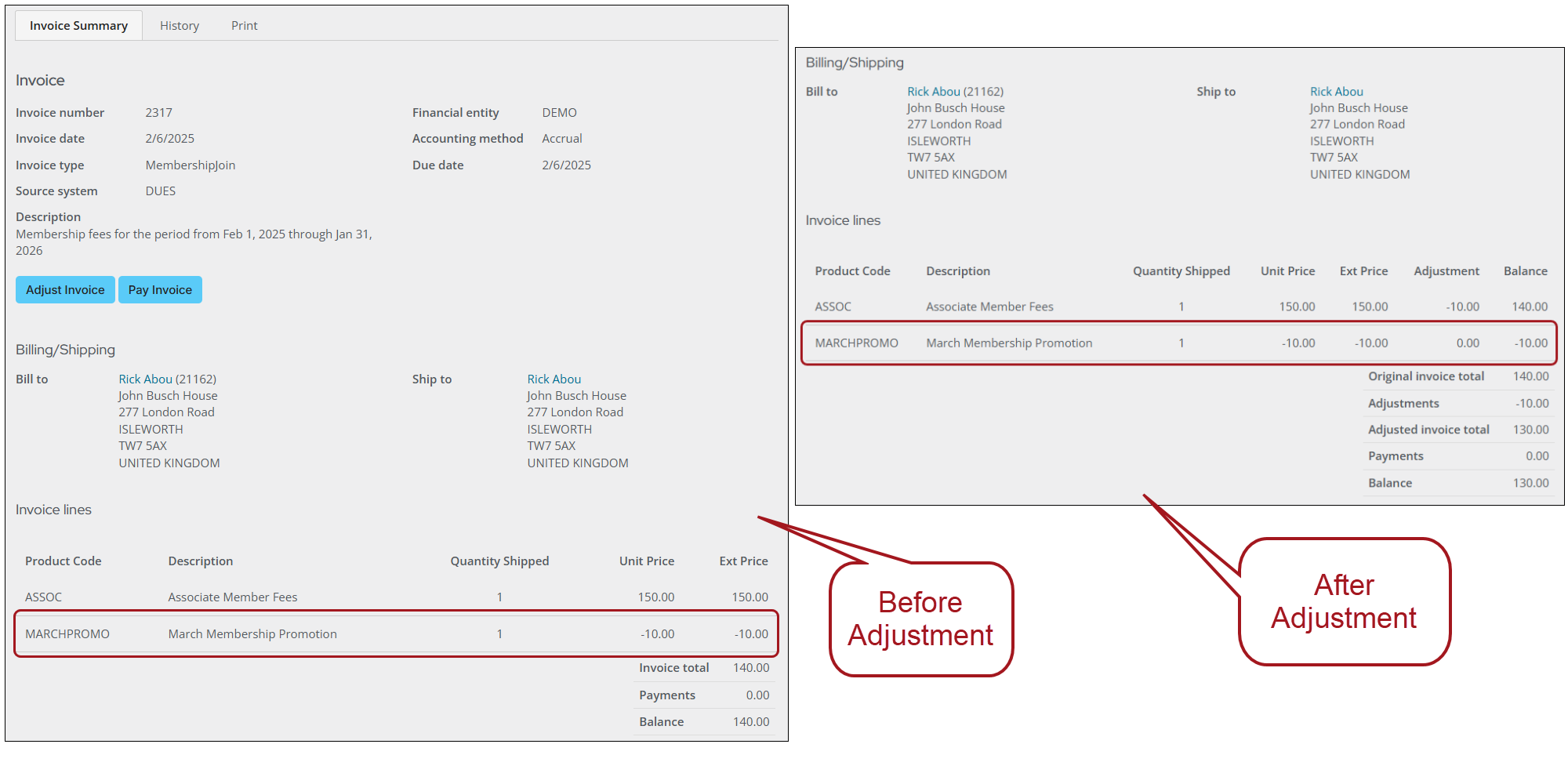
The Invoice detail displays the product in the Invoice lines. When adjusting an invoice, the negative-priced product does not appear as an available product to adjust.
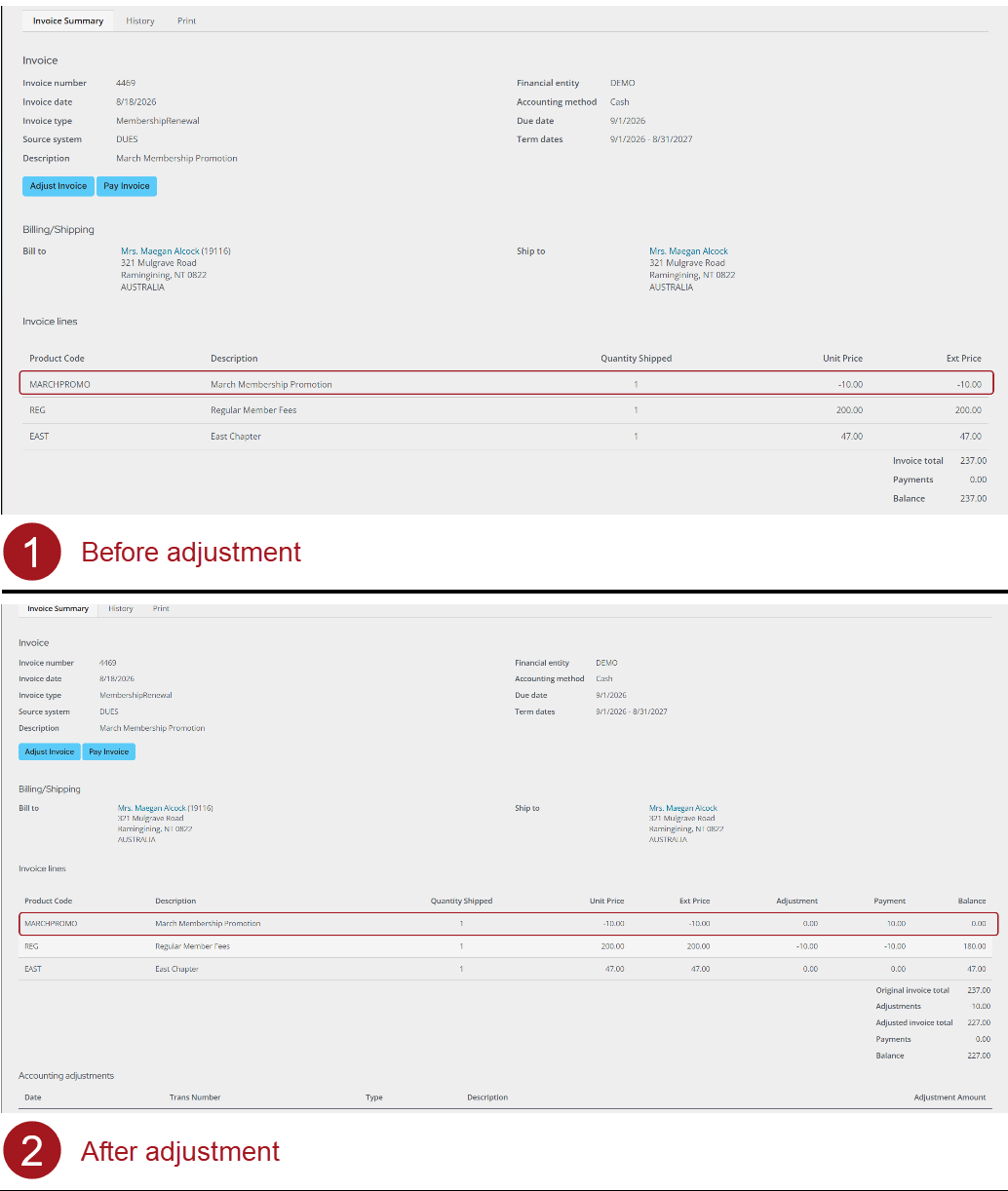
After an invoice is adjusted, the following occurs to the negative-priced product:
-
Accrual invoices - The product's balance remains as it was before the adjustment.
-
Cash invoices - The product's balance becomes 0.00. The negative amount is combined with either the product above or below it.
Payment detail
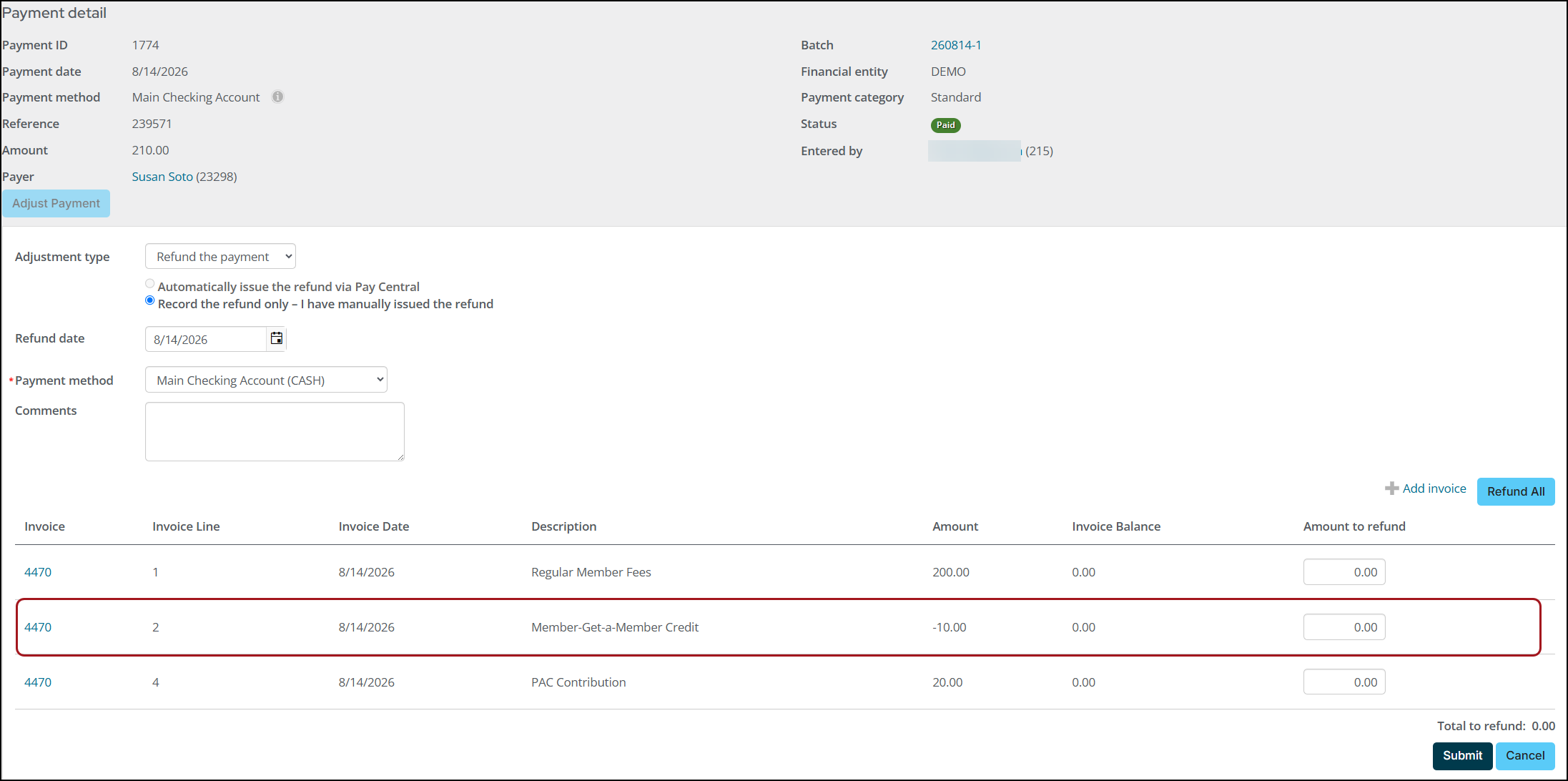
The Payment detail displays billing products with a negative amount.
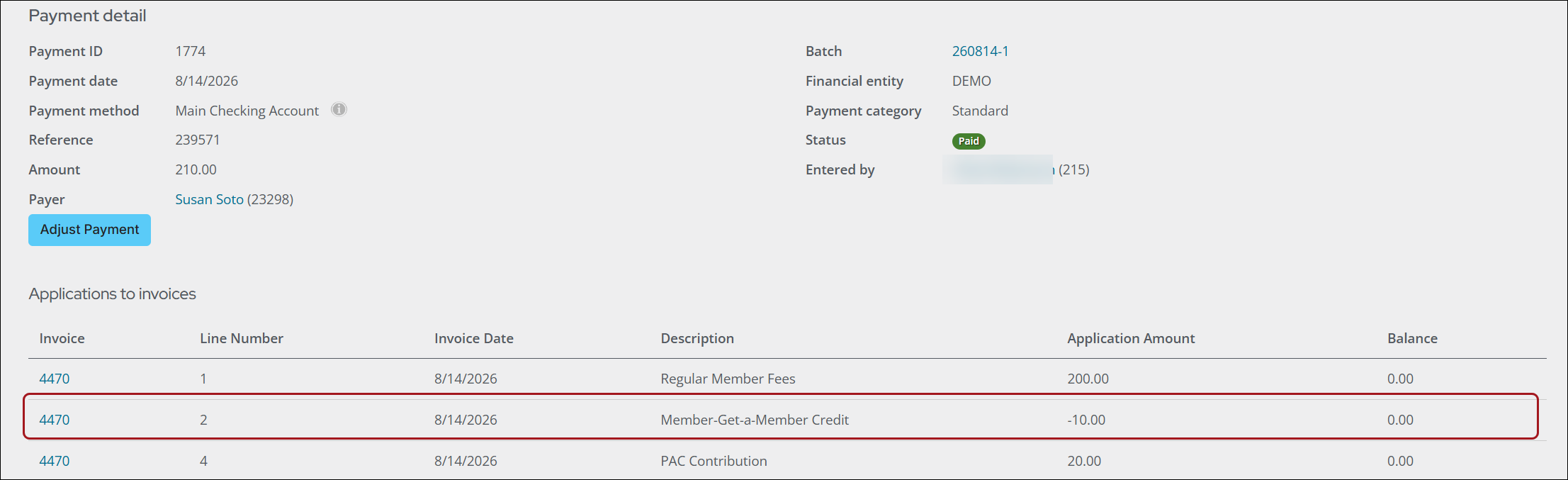
When adjusting the payment, the negative-priced product is also available for adjustment.
Updated about 1 month ago