

Disabling the PO number when using Pay Later
Access requiredTo create and update RiSE content, you must be a system administrator or a staff user that belongs to at least one content authority group.
By default with Pay Later, the Cart is configured to ask for a purchase order number (PO number) . If you do not require a PO number while using Pay Later, you can disable the option.
NoteIt is not possible to change the field label to something else (PO number). If you must include additional details about the PO number field, add the Content Html content item below the Payment Details content item in the Cart.
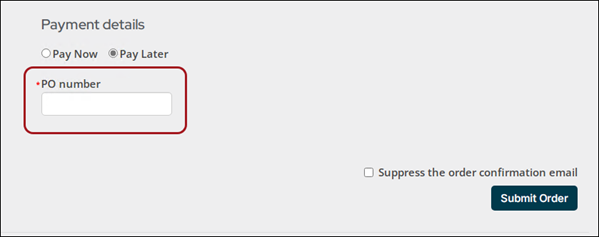
To disable the PO number option, do the following:
-
Make sure you are already using a copied Cart. See Copying the shopping cart for more information.
-
From the Staff site, navigate to the Cart.
-
Enable Easy Edit.
-
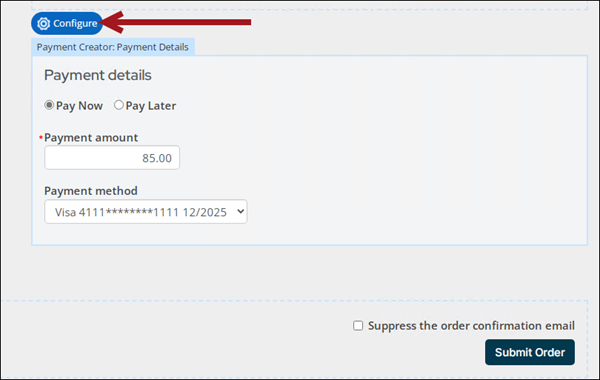
Hover over the Payment Creator content item, then click Configure.
-
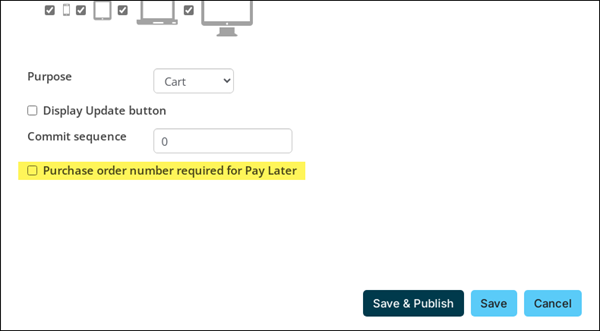
Disable Purchase order number required for Pay Later.
-
Click Save & Publish.
-
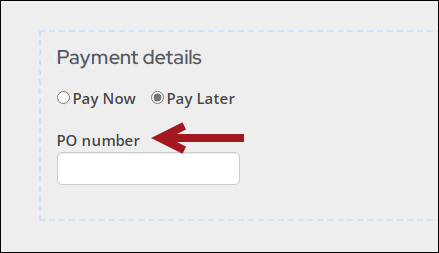
Confirm the PO number is no longer required.
Updated 18 days ago