

Excluding contacts from a website's directory
For privacy purposes, a contact might want to be excluded from your website's directory. To exclude a contact from the website directory, do the following:
-
Go to Community > Find contacts.
-
Search for the contact, then open the contact's profile page.
-
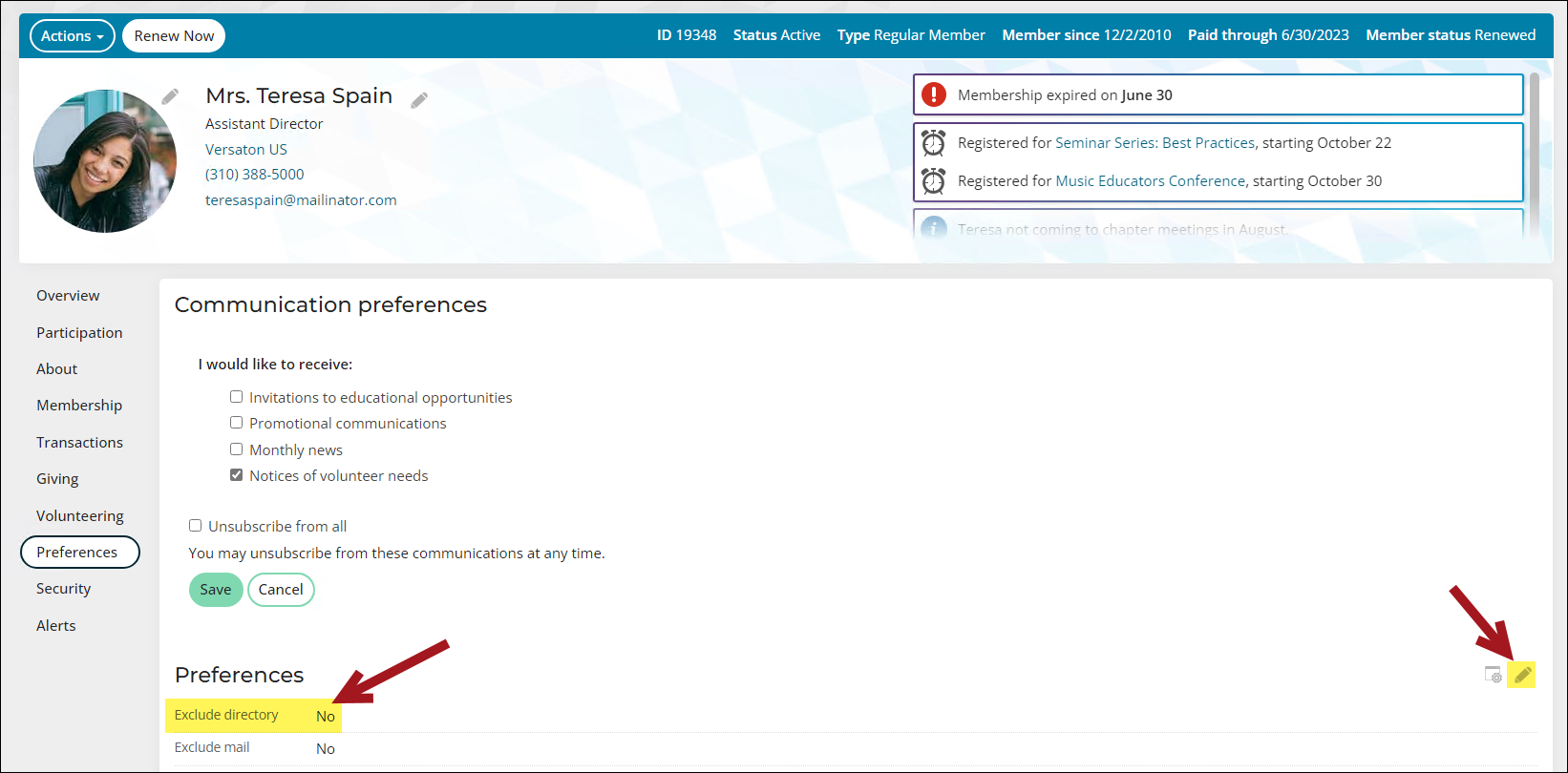
Click the Preferences tab.
-
From the Preferences panel, select the edit icon.
-
Enable the Exclude directory option.
- Click Save.
A contact can remove themselves from the directory from your public-facing site. The contact must navigate to their profile page, click the Preferences tab, and update the Exclude directory option in the Account settings area.
Updated 3 months ago
Did this page help you?