

Creating event categories
Create new event categories by updating the MEETING_TYPE general lookup table.
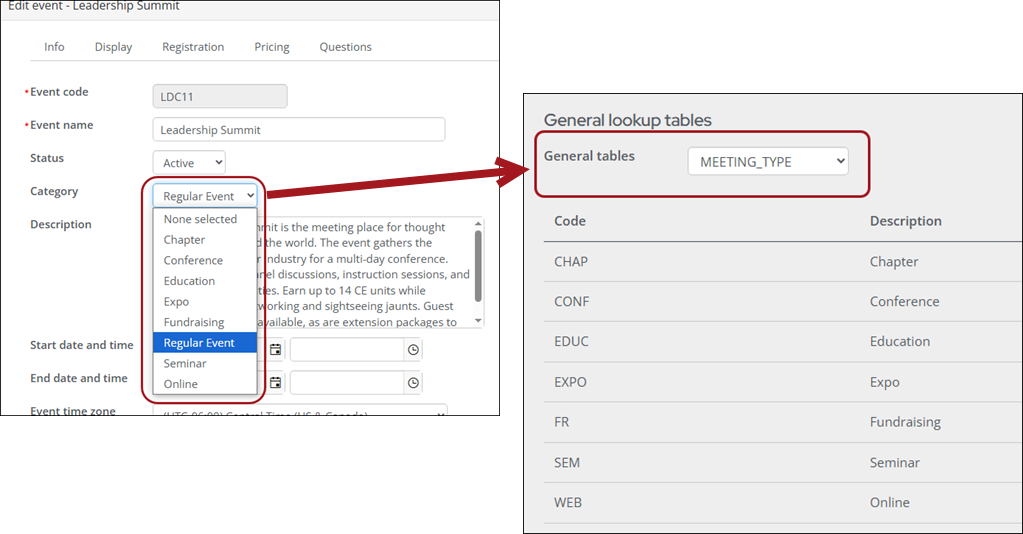
Do the following to create or update an existing event category:
-
Go to Settings > General lookup tables.
-
From the General tables drop-down, choose MEETING_TYPE.
-
To add a new category, select Add new row:
-
Enter a Code. This is a short value saved to the database.
- Enter a Description. This is the value that will appear when you are creating an event.
- Click Save & Continue.
-
-
To edit an existing category, click the edit icon for the row. The Code is not editable, but you can update the Description.
Updated 29 days ago
Did this page help you?