

Community: Dashboard
To use the Community Dashboard, go to Community > Dashboard.
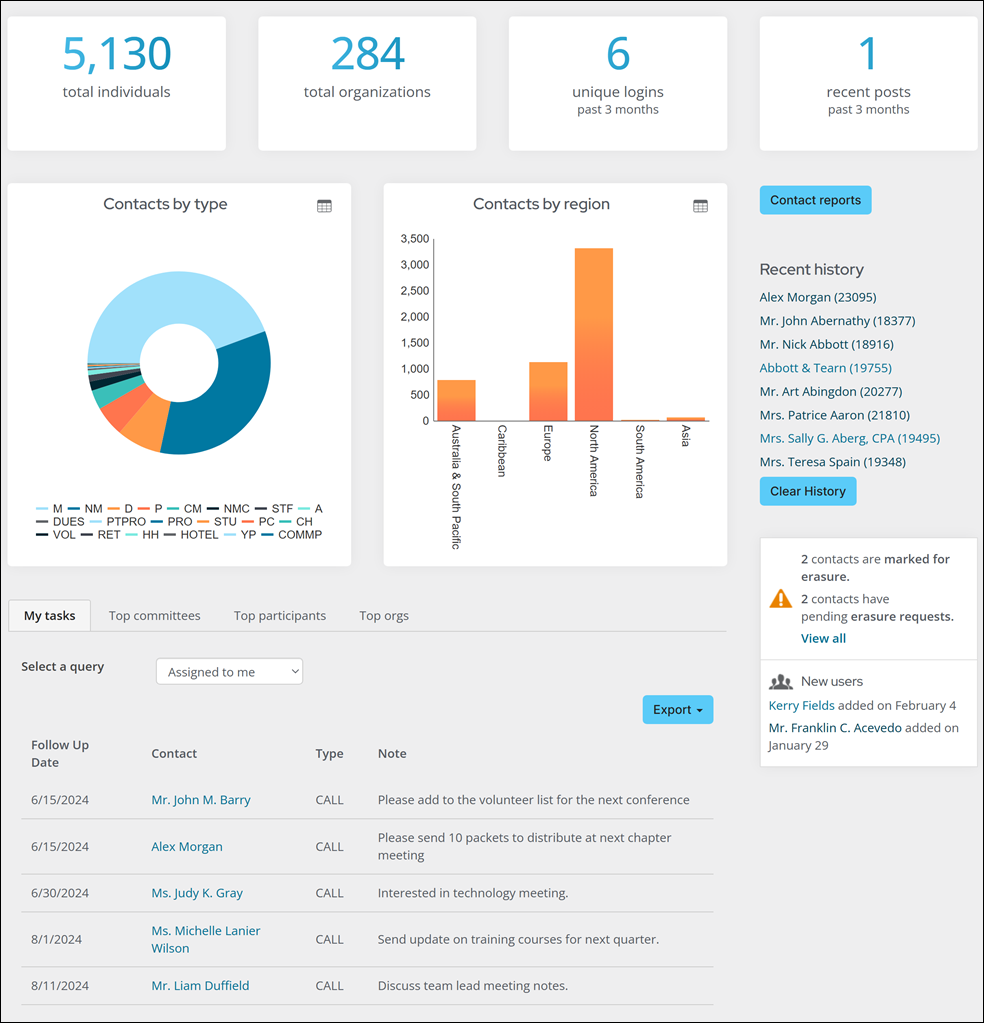
The following information can be found:
-
Number of Individuals
-
Number of Companies
-
Number of unique logins in the past 3 months
-
Number of community posts in the past 3 months
-
Number of committee members by committee
-
Number of contacts by region
-
Activity tasks assigned to the logged-in user
-
Top committees by number of members
-
Top Participants ranked by amount of committee memberships, community subscriptions, or community posts
-
Top Organizations ranked by individual committee memberships, community subscriptions, or posts.
-
Several community related alerts
Updated about 2 months ago
Did this page help you?