

Adding an Alert Display content item to a content record
Access requiredTo create and update RiSE content, you must be a system administrator or a staff user that belongs to at least one content authority group.
You can configure the Alert Display content item to display a specified alert set. When the data sources of a task in the alert set returns the record of the selected contact or the logged-in contact, the alert displays in the content item.
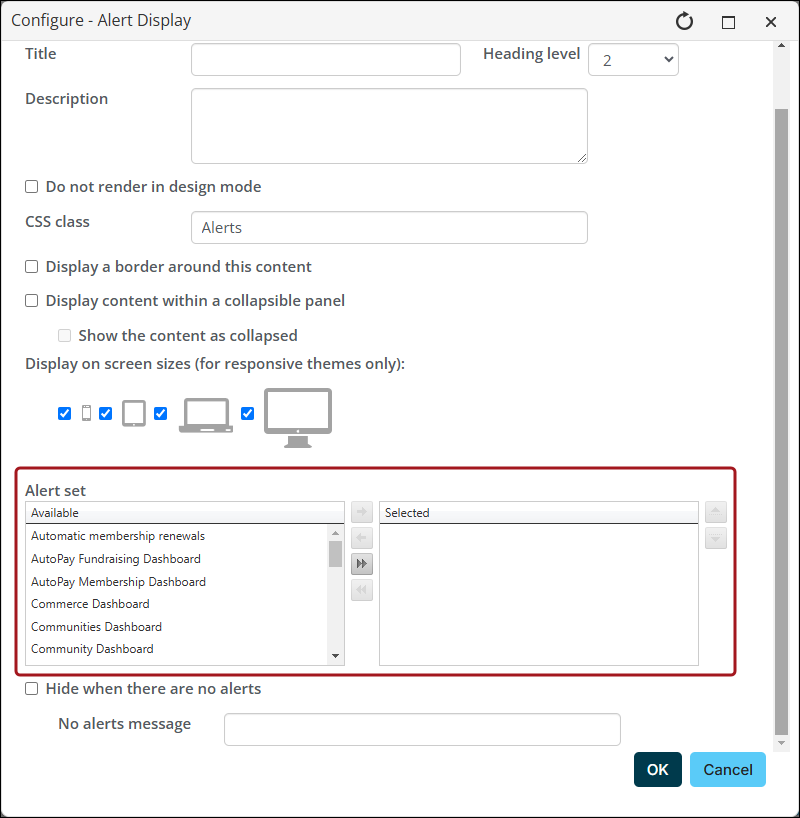
Do the following to add an Alert Display content item to a web page:
- Go to RiSE > Page Builder > Manage content.
- Navigate to and open the content record where you want alerts to be displayed.
-
Select Add content.
-
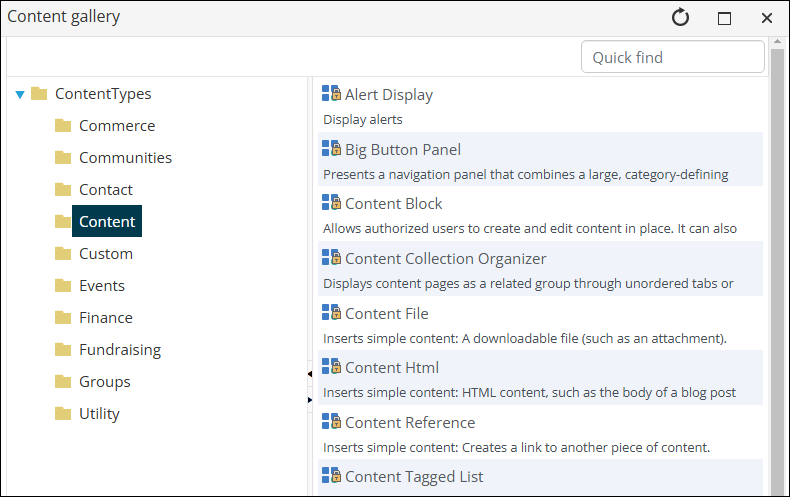
From the Content folder, click Alert Display.
-
Click OK.
-
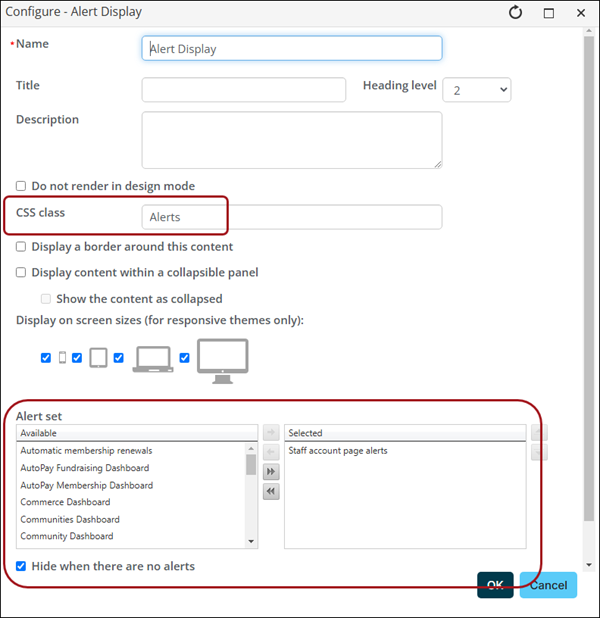
Configure the Alert Display content item:
-
(optional) Apply additional CSS classes to control the styling and formatting in the entire content item.
-
(required) Select the Alert set that you want the content item to display. You can select multiple alert sets.
-
(optional) Select Hide when there are no alerts. While this option is recommended, if you do not choose to hide the content item when there are no alerts to display, you can configure a No alerts message that is displayed when there are no alerts.
-
Select and enter other configuration information as needed.
-
Click OK.
-
Drag the content item to the location where you want it to be displayed.
-
-
Save & Publish the content record.

Updated about 1 month ago